Showing posts with label manymistresses. Show all posts

Monday, June 10, 2019

Alvin returns as my photographic Life coach


Its more than a year since I sort out my cartoon ultra-ego., Alvin, as a personal trainer to help me reduce my mucking around in photo editing software and social media. Potentially avoid wasting a lot of time.


So how did I do? Social media is definitely cutback (largely because of frustrations rather than conscious effort). My attempts to reduce my burgeoning harem of photographic software mistresses hasn't gone so well. What I have found is a hybrid solution of using the tools that are best suited my projects at the time was far more satisfactory than trying to adopt a strict workflow and a single software application. Having a range of tools suits my creativity, providing I know how to use them, then I don't have too!

PS I seldom use Lightroom (its version 4.4) any more, just occasionally to find an old image.

Saturday, September 10, 2016

Looking at XnView MP as a Picasa Alternative

I have had XnView on my USB Darkroom Key (its always in my camera bag and has portable Apps so that if and when I only have access to a cyber cafe or library computer I can still work on my photos). It is a really simple to use but feature rich photo viewer/manager, I have also had XnViewer MP (a multi platform enhanced version) running on a repurposed Linux machine and my desktop computer and they do get frequently used, However picasa is still my go to application for loading organizing and culling new photos. The newest version of XnViewer MP (0.81) may change my mind.
There are three reasons
  1. Its RAW rendering is fast and decent. I would not suggest that it is a fantastic replacement for other RAW editor but it is is an ok conversion. The downside is it converts the RAW image into an 8 bit jpeg, and thus you will loose a some of the potential dynamic range,
  2. imageIt now includes (from version 0.80) the ability to read and write metadata in .xmp sidecar files. Which means you can transfer rating and metadata into other photo mangers (that can read the adobe sidecar format). You have to go into settings under the browser/metadata tab and click on the options highlighted on the right. Again there is a small caveat in that XnView does not include a pick and reject flag (so useful in lighroom and other software) when first reviewing and culling newly loaded photos. Also the XMP compatibility does not extend to post processing options (just the metadata and ratings).I can not write to xmp in picasa so this is a big plus.
  3. It has a simple tools/import and sort feature that can load photo from a variety of sources image(the can be camera, card readers, external drive, they just need to be connected to the computer and have a drive letter and/or folder directory. Whilst XnView MP does build a catalogue entry and thumbnail at this time it is way faster than lightroom for example. You can also add metadata and do some filtering by time (assuming the photo has EXIF data). It can also write data to a subdirectory yyyy_mm_dd according to the day it was photographed and this is how I like to organize my files
There are heaps of other well loved features that have come from the original XnView program.  The real power of XnView is the organizing your images, doing a few basic edit and sharing your photos via email or getting them to go to a social media site (nothing ”one click” automatically upload to those sites but there are the right tools to make the files the appropriate size and format). There is also the great range of batch editing tools which can simplify task like changing timestamps to synchronize camera times and external GPS tracks, for geocoding (an all to tedious a task in lightroom).

There is also the ability to read and write an extensive array (the web site claims 500 format) of graphic file formats. Ok there are only a few formats I regularly need but it is handy to be able to at least look at the strange files that turn up from time to time in graphic art. Thus this would make a great for managing the reference photos for a graphic artist who normally works in illustrator or Corel Draw/Painter.

I’m still only luke warm on it being able to replace picasa in my toolkit, but I have made a commitment to put this version on all my computers along side picasa and give it a fair work out.
One disappointment already is on the HP Spectre  (2 in 1 windows 10 laptop) where it its decidedly awkward to use in tablet mode and where it can be very touch screen frustrating.

Friday, April 29, 2016

Introducing another Mistressess

angle nikMy photo software harem keeps expanding, despite all the advice to choose just one package, This monogamy is actually good advice because the major packages do have their own little foibles, and cross incompatibility, or just straight out refusing to play nicely with each other. What seems even worse is it is yet another bit of well loved software that google are abandoning. My latest addition, and she is an angel, is Nik’s software add-ins for such programs as lightroom and Adobe photoshots elements. With the re-instatement of lightroom on my HP spectre. mainly because she is behaving and is now fast, I am finding these wonderful little tools easy to evoke and bringing a little more welcome power when I am post processing RAW files.

The black and white conversion of Nik’s Silver Effect Pro is really well loved and many keen black and white devotes have long sung its praises. However it is the colour tools I am learning to love, The reproduction of old film formats can be easily set up with Analog Efex Pro, The slide film effects work in the gorgeous colours that well exposed slides could reproduce much better than any lightroom presets I have seen. The real jewel for me is Viveza, which brings advanced color control. One of the magical tools shared across the modules is control points. which is almost like a mixture of layers and luminosity masks, only it is a method of local selection of those parts of the photo with similar tone, texture and colour, once selected all the sliders from the module can be individually changed. My preference is to use this feature sparingly and it is at its most beautiful when adjusting just one colour as the center of interest or to highlight a subject. The other bit of magic is the slider called structure. It will take an entire image or just a control point selection from highly detailed to very smoothed. Its a little like the clarity slider in lightroom on steroids and across all tones not just the mid-tones. I actually prefer the dynamic contrast filter in OnOne effects because that can be separated in short, mid and long ranges textures. Like colour in Viveza this also works best when only bring in extra detail to a few carefully selected control points,

Google are now offering the entire NIK suite for free download. If you don’t already have them and  have lightroom (or photoshop elements) and process RAW files then definitely go and get the free downloads. If nothing else just learn to use control points and fall in love with the structure slider, I’m sure you will find this collection of angels brings some beauty and inspiration back into your post processing.

PS She is well behaved.

Tuesday, September 01, 2015

Thinking about PhotoFlow, rather than WorkFlow

Understanding my PhotoFlow
It would seem everything on the Net that is photography oriented will at some time try to sell the perfect workflow. I’m not a fan because these formalised workflows soon become constraints that limit what you can do. In other words I see a rigorous workflow as anti-creativity.
I much prefer the idea the physical flow of the photo  has a lot more to do with being able to work flexibility. (I know it is not truly physical but a spatial workspace is a good analogy). For start I have several mistresses (photosoftware  like Picasa, Lightroom, AfterShot & OnOne) on all of my computers and they don’t exactly play together well. Next I am progressively changing how I organise my photos. There is still an archive of everything (less the photos I cull on import). I now have four places (separate folders on network drives) where I save and work on photos, The most important is Portfolio which is the place I store my best photos, they are not necessarily shared on the net. I have become increasing convinced you need to save your favourite photos in their fully processed view. The three other grouping are PhotoScrapbook, VideoScrapbook & Family are more work places and photos can come and go. If these get post processed the sidecar gets sent to the archive. In all these workspaces I use albums to group the photos (Rather than folder location on the disk).   Finally I have two different ways I share via the Net, the obvious social network places (to open up the image to anyone), and more importantly “private” sharing (where I can select those to share with and only them).
My workflow is still essentially a simple Shot, Edit & Share but I also see it as simple steps to move working photos into a suitable workspace.

Thursday, August 20, 2015

ManyMistresses :: What the heck!

The frustration of Picasa & Windows 10 had tested my motivation to sit in front of the computer. I figured I needed a distraction and thought what the heck, it might be time to let in a couple of new photo mistresses (my name for those distracting and high maintenance photocentric software) in. I have been having fun with Corel Painter Lite (mainly as a painting & sketching tool) and had found some decent capabilities within Pixl (on my android phone) and thought it time to look at the computer version, Finally I have used GIMP on and off for ages (typically to do editing things that other software could not achieve). Its definiteExtra Mistresses have arrived on my desktoply a capable bit of software but has had a very arcane interface. The other detraction was lack of documentation, but these days there are any number of good mini tutorials on You Tube to does an extensive range of effects. GimpShop is supposed to be a decent windows style interface to suit those who want a Adobe Photoshop alternative. Finally I’m half looking for a picasa replacement, must be simple & friendly and the new XnView MP might fit the bill.

Will let you know how these mistresses behave.

Thursday, July 16, 2015

An even better Flickr Publishing Service

imageI should not have lamented loosing a nice automated publishing to flickr service via lightroom, because I actually had something better already within the new Flickr Uploadr. Previously I harshly criticised this as yet another file vacuum cleaner. However it was very easy to transform this into a useful publishing service.

After downloading the new Flickr Uploadr, I firstly deselected all the standard directories that were set up. This will avoid the vacuum cleaner effect trying to upload all your photos and graphics. I am running a network of computers so I only wanted to set this up in one place and so on a network drive located on my desktop computer but shared with all my computers on the LAN. This directory should have a unique but easy to remember name. Once created the next step is to add this directory to the Flickr Uploadr list, by clicking on the plus sign at the bottom of imagethe upload to cloud window. Once this is defined and the flickr uploadr is running then any file copied to this directory will then be automatically uploaded to flickr. I can copy photos there from any computer on my network. Once uploaded these photos can be deleted without risk of changing or deleting the file uploaded.

The only downside I’ve found so far is uploading in this fashion only loads the file as private. So you will need to log into flickr later and change the viewing setting (ie click on the lock icon) if you want the photo to be displayed publically (which is probably why you want it loaded anyway.

Tuesday, July 14, 2015

Another Misdemeanour

lightroom is being a bad girl (again)The mysterious disappearance of of images posted on flickr & then syndicated elsewhere (like blogger and google+) was a real puzzle. It didn’t happened to all images, in fact it only happened to a few and the timing of the disappearances was hard to comprehend. I must admit with all the other funnies associated with the changes associated with google dropping the + from their photo offering, I had subconsciously blamed them.

Turns out it was another Miss, a misdemeanour by a lady that can’t handle it when she’s not in control. It was lightroom, and her being very diligent she had updated some of the photos I wanted uploaded to flickr via her Publishing Services. However because she still believes I have a free account, she performed the update by first deleting the old image and re-uploading the photo again (effectively as a new photo). Hence the links I had previously used to post elsewhere  where broken. So why was she updating photos I hadn’t reprocessed? Well it started with another program (like Aftershot or Perfect Photo) storing some new metadata (in a xmp sidecare file). This alone was not enough to start the sequence leading to deletion. I had to do two other things. Click on the message that some of the metadata didn’t match the current library (ie the xmp file was read and lightrooms catalogue update), But the automated deletion didn’t start until I set up a different photo or multiple photos on publishing services to go to flickr. Behind the obvious the photo with the “new” metadata would be deleted and updated.

I’m not happy and lightroom she gets another stern warning. Specifically she is not allowed near flickr any more. Which is a pity I did like the idea of her publish service. My search for a decent POSSE solution continues…

Thursday, April 30, 2015

Letting Lightroom regain her dignity

imageI have not been able to find out exactly why lightrooms started forgetting things, particularly distressing was her forgetting collections. I knew she was a high maintenance mistress and I had been routinely backing up her catalogue but it would seem the problem occurred in bits and pieces, just a few collections here, then a collection or two at another time. This hasn’t stopped me using lightroom but I am careful to use just a smaller catalogue of recent photos I wish to post process at the moment and no memory losses so far.

There where almost 100 backups so going back through everything looked like a nightmare. Transferring collections is possible (you have to export them as a catalogue) but it does involve exporting the images in the collection and the last thing I wanted was having to alter existing the folders and files, or generate a lot of duplicates. I had also got very used to using AfterShot Pro to write sidecar files as a way to transfer metadata and ratings. I had also worked out that the collections (or albums) could also be written into the metadata, using something like the ~alb (for album) prefix in your metadata. This are then easy enough to find or filter in your photo manager and can be used to “re-find” the desired collection (album).

So I haven’t tried to rebuild a full catalogue of all my archived photos, what I have done is progressively worked through the backup (with the catalogue running from an external backpack location and then use lightroom to write a suitable ~alb collection name  tag to the photos in that collection into the metadata, creating a xmp sidecar file for the photos involved.  Ok that is taking time but I think storing the collections in a way that can be shared around the software packages I use (the one that can read the metadata in xmp files) is a worthwhile step. Reloading the photos into lightroom is now just on an ad-hoc basis. It will still take me a few months of occasional work to recover all my collection organization but I can see the light at the end of the tunnel.

For new photos I really like the OnOne Perfect Photo Browser. version 9.5 now supports Albums and it is a simple task to transfer these into lightroom collections. More importantly I only load those photos in the collection into lightroom. Naturally I also make sure I add the ~alb codes into my metadata before doing this transfer.

The days of trusting lightroom to look after my entire collect are over but I am still glad to let her beautiful develop tools enhance my work.

Friday, July 25, 2014

Is Google+ the Kragle?

I’ve made a lot about all the many mistresses (software applications) managing my photos on my computers, but that number pales into insignificance against all the potential software available on the net and/or via smartphone or tablet apps. There are just way too many. So I will tell you of just a few.

Flickr & Photobucket, both are well established services that began in the time before the social media thing exploded and they offer fairly similar features. They are primarily place to share photos on line, and the have features to suit groups and communities for those with similar interests . They have grown and now offer many other facilities such as on-line editing, book printing, slide shows, its a long list. I like them both but haven’t been using them much at all, Possibly I’ve become too obsessed with trying to understand what's happening with the next mistress google+ photo.
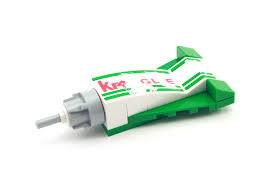
I do still feel I was railroaded into google+, from gmail & youtube but mainly from Picasa,the web side view of which is now google+ photos. There are certainly a lot of “features” and I only use a few but the auto-backup and notifications are driving me crazy. There have been a few nice surprises, some of the HDR images have been fine and I working hard on being a member of a communities. While google+ photo does give access to a larger and growing community of photographers its really only on her terms. They are not well explained, kind of just take it or leave it.  The on-line google+ photos edit features are pretty good, and This is the notice that pushed me over the edgecertainly cover most basic needs. The picasa web style albums are still fine but auto-backup is creating a really big conglomerated mess (if you can't remember the date taken good luck finding your photos!). The highlights (seem to overlook too many good photos) the stories are not worth mentioning and the “gifts” aren’t in my view autoawesome at all. They are more like the second rule of lord business,"Never listen to anyone else's ideas, yours are the best", in the lego movie. Perhaps google+ is really the kragle to make things social web permanently the way the google-verse wants? 

There was only one, I find notification are often wrong and/or out of date)I am taking steps to get less involved, only letting her backup from a specific directory, returning to picasa as my preferred method of sharing, reducing the number of people in my circles and turning off notification (with  the exception of  ThePatch Community)

The last on-line mistresses I want to discussed, she is actually more like a butler, she is DropBox. The service that provides easy file transfer between computers and across the web. Unlike the other services above her photographic credentials are pretty simple (Ok I haven’t tested carousel, because my android phone is still running an old version, however most android apps have no trouble sharing with her, ie DropBox) She can be instructed to atomically upload any photos from you phone (or tablet) when she detects a WiFi signal. She can also manage a small part of your file system on your computer onto which any new files will get synchronise. So one minute a photo is on your phone the next it can easily be accessed from any computer you have connected and synched. If you want you can set up little albums (virtual  organizations of these photos) still within the drop box synch area (and synched across all devices). It is also easy to share with one (via email) or many (email and conventional HTML links). I do appreciate DropBox.

Wednesday, July 23, 2014

One Duck Done Six Ways

_IGP4192_picasa _IGP4192_gplus
Picasa :: jpeg
I’m feeling lucky
Google+ :: jpeg
AutoEnhance & Vignette/Blur
_IGP4192_aftershot _IGP4192_pse
AfterShot Pro :: RAW
Perfectly Clear & Vignette
Photoshop Elements :: RAW
Spotlight Effect
_IGP4192_lightroom _IGP4192_perfectenhance
Lightroom :: RAW
Tonal Adjustments, Noise Reduction & Vignette
Perfect Photo Suite 8 :: RAW
Perfect Enhance, Magic Erase Brush & Vignette
A couple of ducks wandered into the front yard late this afternoon it was overcast and getting foggy so I had to use a high ISO just to get an acceptable exposure with my telephoto lens. While keeping a high f-stop to avoid over narrow depth of field. The resulting images has a lot of digital noise and was just a little flat, but with potential, Giving me the perfect opportunity to see what my many software mistresses might be able to do to lift this shot. I’m not trying to compare the packages for equivalent features, more trying to play to their strengths.

Sunday, July 20, 2014

The Story behind Many More Mistresses

many mistressesTowards the end of last year just when I was settling for just two of my many photo processing mistresses I had a change of heart, mainly out of disappointment with adobes suspected creative cloud related hassles and the quirks of trying to spread lightroom across a few computers, this lead me to see I was really carrying two separate photo streams, one for my RAW files, one for the Jpegs, with subtly different ways of moving the photos around. So why haven't I just bitten the bullet selected one format and one software package. Well if I did it would probably have to be Lightroom, but there is the rub, she is a very high maintenance choice, everything has to be done her way or not at all. She is really only good at one computer and one photo collection relationship. She can be wonderfully talented when it comes to lifting the magic out of a boring Raw file, but I she can demand a lot of time. She can process jpeg but seems to deliberately stops short of her best. She does have a nice companion now in the form of the Perfect Photo Suite from OnOne, which can undertake some of the areas lightroom falls a little short without creating any compatibility or reload issues.
 The Jpeg Duo
Picasa was almost always there, and is on every computer antway, fulfilling the basic needs . She tackles the standard enhancement without fuss, doing them quickly and she seems to get along with other software and computers, not that she doesn't like taking control of her home territory, but she will accommodate the odd stray and share when necessary. Picasa, was slow to take up processing RAW but she can and does it in a very google I'm feeling lucky kind of way. Her talent is doing a decent job of the basic editing and management of my needs for Jpeg files but I'm not so sure of her on-line alter ego, google+ photos. She always seemed to love and nurture my collection of photos. I am finding AfterShot Pro is a nice compliment, she both sees the possibilities of further post processing and in handling the update of metadata in .xpm sidecar files.

The previous few post have looked at the combination of software I run on some different hardware in different work spaces. I think I will remain a man with many photographic mistresses for some time to come.

On the Road with more than One Mistress

Hardware on the roadThis is undoubtedly the area where there has been the most coming and going, change and rethinking. For a long while I kept two separate laptops, one for my consulting work (originally what is now my studio laptop) and a another one (originally an XP, which is still running but seldom used) for my photographic work. I now have a newer laptop (well its 3 years old already).
Carrying two laptops when I travels was just a bit of a luxury, so I either got by using a small netbook and/or I put any specialist tools I needed on a USB Key using the portable apps format if it was a “work” trip. This actually sever me well enough but meant I had to leave the heavy lifting (detailed post processing stuff) until I got back home. The DARKROOM USB Portable Apps MenuMy main goto portable programs on this Darkroom USB key are RawTherapee, The Gimp and XnView. AutoStitch and Picturenaut also work perfectly well off my USB drive. This stuff has moved to a larger USB and the green lanyard has changed to a more heavy duty orange version but it still lives in my camera bag, along with a USB SD card reader. So if I didn’t have a laptop with me I could use the netbook or find a library or cyber cafe and I could review the Camera’s card contents at a larger size (providing the computer I was using had two USB ports) and I could perhaps process a stitched panorama, HDR or a RAW refinement, if time permitted I don’t use the Key to hold photos, except for perhaps some post processed image I just created. I had a test version of picasa on there for a while but it had to store its main directory on the PC so it wasn’t really portable, and this began the move to using XnView more extensively. I have recently put the portable version of chrome onto the key as well. There are a number of times when this simple USB key proved invaluable letting me perform something that would have been impossible on the average airline lounge or cyber cafe grunt computer.
The many Many mistress on ICESlowly different software began appearing and disappearing of my main laptop (mainly to better handle RAW files). Usually for a specific reason, like I need to edit diagrams and photos for my consulting work. Since this laptop is 64 bit I did start to notice some of the performance improvements, particularly in processing video and lesser but still noticeable improvements in lightroom (development functions particularly). The OnOne’s Perfect Photo suite are 64 bit so this laptop was the best place to set it up and it plays very nicely with lightroom. Whilst perfect photo isn’t really a RAW development system per se, its browser can read my RAW files. However the combination of lightroom (to do the basic RAW refinement steps), followed with a round trip into one of the Perfect Photo add-ins, suits me and gets the job done. I always put picasa on any computer and it looks after my Jpeg work fine, it is still my favoured way to upload photos from my camera.  I have found that AfterShot Pro is also great in this inital photo review, rating and culling process.
The only hassle I am finding is the space used having this software on the computer is not an issue, but it is the space eaten by the photos if I leave them on this laptop too long. Saving RAW+Jpeg consumes disk space rapidly! There are also some limitation and cautions about moving processed photos around a network, but that will have to be another post.

Saturday, July 19, 2014

Letting My Mistresses into the Office

imageWith the resent death of a couple of my hard drives located in my “comms room” (actually a cupboard) and/or the studio I had to rethink what was attached to my LAN and where it was located. This meant simplifying things reducing the number of network driver and bringing the router, ADSL internet modem and network drives into the office and removing a lot of cables, a patch panel and even the Fax! Leaner, meaner and easier to manage now. I still have a RAID system (a Netgear Stora) to keep a mirror of all the working directories around my Network, but I don’t store music or photos on it anymore. My Photo Archive now sits on an external hard drive which hangs off the main office desktop (it is the one computer I leave turned on most of the time). Since this is where the archive lives I figure I needed to have an index or catalogue (not in the lightroom sense) of what it contains also on the office desktop, but that is the catch there is not one system that can really managed my them all.

So….

Office Desktop ScreenIf you look on the upper right hand side, of what is otherwise a very business like place, you will see a few of my photographic mistress have moved in. Its started with picasa, which is on all my computers, but soon included lightroom (to better handle the RAW) and then XnView (mainly to bulk add/update EXIF & IPTC metadata), AfterShot Pro (faster than lightroom) and then Perfect Photo Suite (its 64 bit and doesn’t work on the studio computers), So I have two teams now, the jpegs and quick look stuff (Picasa & Aftershot Pro) versus the RAW and more intense pair (Lightroom and Perfect Photo). I had to turn off RAW viewing in Picasa, to force it( and me) to focus on JPEG but things seem to be going ok (for now!). I tend to avoid too much post or re-processing here, instead I either export jpegs or make a sub-collection of RAW file and export them as a lightroom catalogue backup, to be used on my laptop or studio computers. Then reimporting the updated catalogue. This round trip to other hardware is not such a pain because the files are shared across a couple of share network drives (P: for the Photo Library itself & S: for Scrapbook, working projects etc).
As long as they behave themselves I figure these photographic mistress may stay.

The Many Mistresses in my Studio

The Studio HardwareMy studio, tends to get cluttered as I move from one project to the next without really letting go of my previous interests. In one way this is good because there are very authentic themes that then run through my stuff, but it can be a mess. The studio is also at the end of the line in terms of computer gear, for example after some hassles with external hard drives dying and a very frustrating mess up with lightroom catalogues, I’ve decided to refurbish an older “legacy” computer which I keep around to run older hardware for which there are no longer drivers available for newer computers. So the studio is running back in Vista (32 bit) era. That’s no big deal, ok lightroom is noticeably slower but still very useable and I can’t have 20 things open at one time. Such is Life.

Studio Desktop screenI still like to use a variety of software tools, both photographic and more traditional art/illustration oriented, so I do have several of my many mistresses well established in my studio. The refurbished desktop, is functioning as a local server and has my scanners (both hardcopy and slides) and an older printer, its main purpose at the moment seems to be to store & play music! However I have loaded some favourites (albeit the 32 bit versions) and use it to display images I want to sketch. It has an old CRT (Cathhode Ray Tube) style screen, which are supposed to render colour better (but I’m not convinced about that), It does however not suffer from the viewing angle limitations of LCD screens.


Studio Laptop ScreenMy true photographic system is on a laptop, also and older system, also still running vista, but it largely a trusty system (it did have to get a new hard drive a little while back) has housed my photographic stuff for almost 6 years. It has been through several generation of lightroom (LR1 to LR3, i skipped LR2 and onto LR4 but stopping at LR4.4, well LR5 betas where also tested here but not purchased) and is the only member of my team still connection to the creative cloud. It is where I still like to do my more creative post processing, away from any distractions and time lines, or deadlines! A couple of items are close to retirement (Photoshop Elements for example, which is where I traditionally did any special layer work required) because they haven’t been used for several months. There is also a new kid on the block in the form of XnView, which has come from a reliable performance on my portable application DARKROOM USBkey. It has a few more ranking and metadata features than picasa and seems to play nicely with lightroom, but I don’t see it replacing picasa as my main go to application. For a while I ran AfterShot Pro exclusively here (its smaller lighter and noticeably faster than lightroom) when I first got it but it has proven more useful elsewhere, and might get early retirement from here as well.

Monday, December 09, 2013

Too Trusting, Lightroom in a high Maintenance Mistress

I’m guessing it had to happen. I had indexed a few photos that where temporarily on my stora (a network NAS drive) and inadvertently left lightroom running. Over night my system evidently updated itself (and or the stora or internet router was reset) so that the computer had restarted and the stora had a found itself a new dynamic IP address. Other open programs like excel and the chrome browser had been reopened but lightroom had failed to open, and attempting to reopen it lead to a message that most of the folders in my catalogue could not be found.. As I started to look around many files had the previews obviously messed up and fragmented or the wrong image as the thumbnail preview I was also getting messages that a number of files where possibly damaged (yet in external checks they didn’t appear to be so). I had seen this before, so I was too worried. Then I realised a lot of ranking and most collections were missing. No problem I thought I had seen that backing up catalogue message many times, but in retrospect I had never checked my backup and probably was not backing up often enough, even though I had a number of backups stretching back a long time.

Open-mouthed smileThe Good news is that lightroom doesn’t edit your original files so everything is intact, including the files of the stora.

Sad smileHowever the changes I made in lightroom, ranking and flagging are now largely gone.

Sad smileThe various collections I had created were also just skeleton versions of their former selves.
The backup catalogue did have my recent data so I can’t explain why so much is missing. I do understand that the links to the items on the stora are now broken but the master copy of my photos are on the same external drive and the links seem fine just record of my the previous work is not there. It is possible that something has been unravelling without my noticing it and the overnight restart has just bought it to my attention?

Fortunately a few months ago now while investigating how to exchange my processing in lightroom across computers (not an easy task). Lightroom is selfishly a one user one computer style of gal. I had set lightroom to Automatically write changes to XMP, this save edits, ranking and metadata into an xmp side car file written beside each image. This way any files edited or “managed” on a laptop would get the same edits and ranking when the directories containing them where copied to my master collection and imported into the master lightroom catalogue (or any other lightroom catalogue). Otherwise the outlook is bleak because I just don’t know how much work has been lost and trying to recover it is a task I don’t even want to contemplate
.
Confused smileOne bit of true irony was that as I looked at the restarted computer, Adobe Flash dialogue box was on the top window saying an update was ready to load and with the offer to also load a trial of lightroom 5.2! I certainly hope this crude attempt at bloatware was not what caused my computer to reboot!

I know this probably has nothing to do with my hassles within creative cloud, or the hacking of adobe, but this is adobe’s third strike. I have to admit lightroom has always been a high maintenance mistress within my photo world and despite the good times we may have to work out other less restrictive but reliable ways to manage and process Raw formats.