Showing posts with label Photobook. Show all posts

Wednesday, March 13, 2019

My $10 Photobook arrives

My discount Snapfish photobook arrive in the mail yesterday. I have prepared and ordered photobooks via Snapfish before so I was confident it would be good and in fact it was great. Mainly because it forced me to documented in a physical way something that had up to then only existed in the virtual world.

This little book is mainly based on images that became popular (lots of views and favorites) via flickr’s Explore feature. There are a lot of purist and armchair warrior's that criticise this interestingness based logarithmic selection feature, that‘s ok they are entitled to, providing they explain their reasons (which few do). However I feel a little pride in having photos selected (sometimes I don’t understand the appeal of a specific image) so having them in a physical format is even more satisfying.


The real important observation for me, there is no longer any reason why you can’t take some of your photographs, particular those ones your are proud of and crate a personal photobook. Giving them a more permanent place to exist, because on the glutted stream of social media “photographs” they will soon be forgotten and lost. If your worried about cost. Prepare then now (particularly select the collection of photos to use and the rough layout) and then just wait for a decent discount offer.

Wednesday, January 14, 2015

More Mistress Troubles

I do like my lightroom and use her a lot, but she is not behaving nicely. She has always clearly been a high maintenance lady she doesn’t like working across several computers (and a network), she is very fussy about controlling everything, very finicky about external drives and she suffers occasional memory lapses. I am very careful about saving any edits, by writing an xmp (sidecar) file and writing collections as a keyword back into the metadata (also written to an xmp file). So on my studio computer she is happy and cooperative. She also plays nicely with my other new photographic mistress Perfect Photo Suite (I’m pretty sure lightroom thinks she is in charge and Perfect Photo plays along).

The disaster I discover yesterday was letting her look after my archives (which are on an external drive on a different computer). That lightroom catalogue actually references all my photos. Sure she was slow to start up there and sometimes there was a bit of a stutter waiting for a response but she had things under control. Or so I thought! I general only use that copy when I do my monthly backup and archive and then it is generally only to import the new files that have arrived in my archive (a task over which she does take her time). So time earlier last year I had used lightroom here to prepare a couple of blurb photobooks (which I have yet to get printed; not that that will happen now) they were left partly set up as collections. I hadn’t used that computer and lightroom since well beforebe good woman Christmas and when I opened her up and started looking for the books she start to slow then I got a Microsoft message that she had failed BUT she valiantly asked if I’d like to make a backup of her catalogue. Bad move! It took well over 12 hours to finished and when it had finished I had only 197,494 photos showing in the catalogue only 215 photos in two collections and I could not find any rating or corrections on any photos. I actually have more like 600,000 photos and probably had well over 100 collections. Well all the files and specifically the xmp files are still there and perfect photo’s browser happily see the metadata and the simpler editing at least. Corel’s Aftershot Pro is also happy reading the files and metadata although it can’t replicate the lightroom edits.

Trying to rebuild the lightroom catalogue, from previous backups, is really too daunting a task at the moment.  So she is banished from the archive for now, until I can find a workable solution. Perfect Photo’s browser mode is able to help out for the time being, but what will the future bring? I’m beginning to understand how those aperture users are feeling.

Tuesday, January 13, 2015

PhotoProject: Creating a PhotoBook using Picasa & Snapfish

picasa screen showing the albums I createdMy suggestion for the first thing to do when creating a photobook is to get your photos organised. I used albums within Picasa to do that. If you select the photo or photos you want and then right click within Picasa your will see a pop up menu and the second item on that pop-up is add to album. An Album is an organization thing, The photo still stays in the same location on your computer but an album entry also exist that looks as if the photo also exist there. Many package have similar concepts (for example Lightroom has the name collections rather than albums) to show a specific grouping of photos. A photo can exist in several albums. Removing a photo from an album does not remove the original photo from your computer. So they are a very simple and safe way to organize and reorganise your collection.

picasa can order prints from snapfish directlyThe next step is to upload your album to Snapfish, because it is an on-line service for the preparation your book. This can be a tedious process if you have to upload the photos manually (one at a time or even a few at a time via the snap fish web interface). Fortunately Picasa has a simple way to do this. Firstly go to the album with all your photos. If you look on the File/Order Prints Menu Item you should see Snapfish as one of the options (the options available vary by country, so check before you start). When you click on the choose button under the Snapfish logo you will meed to enter your Snapfish account name and password. If you don’t have one you can create an account (and yes it will ask for payment and personal details, after all you are going to buy a book). Once you are connected to the server and your account details are verified Picasa will start to upload the full contents of your album, which might take a while. Alternative if you just select some images in the album and start the upload only those photos get uploaded. Since I wanted to split the photos into 4 groups I uploaded the groups separately. Unfortunately this interface has a limit that will not upload and photo greater than 4000 pixel in any dimension (larger photo have to be loaded by a special option in the Snapfish web uploader). Snapfish also has facilities to upload from Flickr & Facebook.

snapfish uploads sectionThe upload step finishes by opening a browser window and taking you to the Snapfish upload section. You will see on the right two option in green, the top one take you into creating a book. the second will let you order prints. I’m not going straight the the photos book. Nor am I ordering prints. The upload always loads into a directory called My Pictures, so the first thing I do is change the name. There is a little pencil icon beside the screen name at the top of this section. Click on the pencil and you can type over the name. To make the task of finding images easier I loaded the four sections I wanted into four directories, I have found once you have more than 50 photos in a directory it can be a bit time consuming finding the photo you want. When you are organised here and have all your photos uploaded its time to start the book.

Snapfish book creation toolThis is both the most fun and perhaps the most tense part (particularly if this is your first book). You can let Snapfish autofill the book for you but be prepared for the cost. Remember I choose the largest book, and the autofill had done a reasonable job albeit with fewer photos per pages on average than I had planned. So I went back to the start and choose my custom layouts as I went along building the book, doing it section by section. It didn’t take all that long and I was very pleased with both the layout and reduction in price. In the review process you can email your photobook project to others for approval/feedback and they can order a copy from your link, but the preview is in flash, so it won’t work on an iPad. If your at all like me it will be important to check any text your entered for typos and omissions. So it is a good idea to save your project, have a break and come back a fresh eyes to review your masterpiece before ordering it.

For the finer details of setting up and personalizing you book I’ll leave you to the snapfish’s video. The process is pretty much as simple as it looks.

Monday, January 12, 2015

Perhaps this will be the year of the photo book?

I bravely claimed at the being of last year that it would be the year of the photobook. There are certainly photobook offerings a plenty, but alas every time I started to prepare one I found a stumbling block, sometime of my own doing, mainly procrastination but often what I saw as fundamental limitation in layout. The one’s that offered “simple” templates where difficult to customize and the ones with lots of formatting options required a lot of training to use (more trial and error investigation). I had been moving towards blurb (because it built into lightroom) and momento because you can set up an manipulate the book locally on your computer. Trouble was it had become tedious and I had lost interest.

What I had learned is it was a good idea to sort through your images and group them into an album or collection and have a rough idea of the way you want the photos grouped, and do a few back of the envelope checks for number of photos per page and number of pages needed. Remember you can only add and remove two pages at a time in most of the photo book applications. Most photobooks will start with the end pages set up so you add and subtract pairs of facing pages.
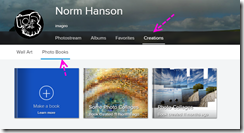
imageI did look at several of the on-line photobook offering, but quickly dismissed them, as I wasn’t interested in adding zany sticker of having cuddly themed backgrounds. A lot of folk might. Of this group the flickr offering seemed the most photographic, flickr photobooks are incredible easy to create and infact I do have two books partially set up. What stop me at the time was the cost, but I notice that has fallen. However I got to retry a few on-line templates for creating calanders before Christmas and found the process and templates of vistaprint and shutterfly much more to my liking.

So to recap, as this new year started I had a big backlog of ideas and half finished projects, but I also had two family events that really needed photobooks rather than standard prints (the type that go on the fridge and them get lost). Up to Christmas and then again at the turn of the New Year I was flooded with discount offers on photobooks, so I investigated a few. The one that interested me most was snapfish, they have an XXL (28 by 35cm) hardcover Landscape book (that’s big enough to do justice to good photos) and a good discount was available (sorry that offer will have expired by the time you see this. I have been using snapfish to order prints on-line for many years and find them competitively prices and easy to use. So in my next post I will tell a little bit about how I set up my snapfish photo book of a past vacation (a really outstanding project).

Is this year going to be the year of the Photobook? Maybe not, but it might be for me. If you are printing lot of photos and don’t mind the time to organise then and perhaps want something more permanent,  I suggest now is a good time to look out for good photobook deals, and just order the standard book, Then see if you like the quality and enjoyed the process before you spend too much money.

Wednesday, June 18, 2014

Sneek preview of “The Road”

one of Wes Stacey Photographs from his series the roadThis week’s photobook club was a preview of the hanging of the next exhibition at the Monash Gallery of Art. It brings our little group back to our first meeting where we where given the privilege of looking into Wes Stacey’s suitcase containing an extensive set of hand made photo books. He had collated photos from his travels in 1974 & 1975 into simple one page per photo diaries of his road trip around Australia.The photos are being hung in the same way the only other exhibition of these works (see below). However in the mga gallery the walls are still the deep dark tone used for the Bill Henson curated show, so the arrangement of photos look marvelous,  like a cross between very large contact print sheets or an analogue instagram photostream. The exhibition “The road: photographers on the move 1970-1985”,which also includes other important photographers works, about “the golden age of automotive travel in Australia”. wes stacey's original exhibition of the road series

Tuesday, January 07, 2014

PhotoProject :: Beginning the Year with a Wider View

After boldly claiming this might be the year of the photo book I have resolved to create several this year and write a bit about my experiences along the way. One of the books I would like to create is something like “A Year in Jells Park” (which is almost just on my doorstep, ok a short walk). Jells Park is vast and I’m sure there will be a lot to photograph and discuss. Already some of the post in the blog are fodder for the book. This evening I went to photograph the water birds down on the lake. on the way I liked the lighting across the lake but without a wide angle lens, I did my usually trick of taking a set of overlapping images, no tripod or fancy panorama head just hand held (like I always do). I then just sent the jpegs straight out of the camera into Autostitch to see what it looked like (well via Picasa)

jell park big pano-002

I hadn’t tried to balance the exposure (of the sky and lake) across the set and autostitch returns ragged edges because my hand held overlap was pretty approximate. Yet it does give a wonderful view that is hard to capture without special lens (and cameras). I will certainly tweak this view further, when I have a little more time, perhaps even for a double page spread in a photobook! Ok lets not get ahead of ourselves here!

Same Photos made into a "joiner" style collage

While I had all the images on my phototray in picasa I selected the collage tool to create a david hockney style joiner. I’ve set up one of the configurable buttons in the print/share area of the phototray. If you haven’t set up this key look under Create/Picture collage… item on the main menu. I then selected the Picture Pile under options. I set the without borders, and solid background colour which I selected with the eye dropper as part of the sky’s middle tone blue. I also click on the drop shadows to just highlight the photos edges a little. I then slide the photos around with the mouse to almost, but not quiet, have the photos overlap. Again clearly the photos don’t quiet match in tone and exposure but I think that just adds to the charm and realisation that this is a big vista.

Thursday, January 02, 2014

… … Looking Forward

Looking into a crystal ball used to be a common past time at the new year. Rapid Technological change was always a key aspect of these predictions, yet this year the changes in photography might not be gleaming new toys you can pick up.

  1. We’ll do better without you, the move to on-line storage and display has been a wealth of Auto-fix facilities. Even your humble photo processing service in the local shopping mall probably uses an “enhance” filter. A lot of this is gimmickry and little more Google's AutoAwesomethat increased contrast and colour saturation. Some are based on science, particularly from the field of medical imaging and some have come down from fancy photoshop plug-ins. Corels inclusion of Perfectly Clear and Niks Software’s Snap Seed (now Google’s Auto Awesome) are good examples of what can be achieved. However if you are a creative you might need to fight this trend, at least recognise it.
  2. Better user interface on cameras (particularly smartphones). In todays world cameras might have a few mechanical and optical functioning bit bits (particularly the bigger DSLR) but at their centre is now a lot of electronics. They are essentially specific purpose computers and as such are programmable. Some existing cannon camera can already have their firmware updated (see magic lantern). However it is in the smartphone camera arena that the changes are most evident. There are hundreds of camera apps, unfortunately many are trival (and specifically the zanny filers I could do without). Yet there is light. There probably is no need to link alvin simpler controlsnew cameras back to the three traditional exposure controls, which relate back to the sensitivity of the film, or a diaphragm style aperture control. Even the time taken for the exposure. A simpler set of sliders on a touch screen that corrected over exposure, maybe focus (by just touching the screen where you want it in focus), a slider for depth of field and maybe a drop down set of buttons for specific modes like fast action close up all on the phones touch screen (or on the back of the camera) and the changes can been seen on the screen straight away, This doesn’t sound like much but I bet that would become a popular camera app or even an actual camera.
  3. I suspect this will be the year of the photobook, Ok the term has changed a lot some time ago, not so long ago actually serious photographers had exhibitions and very occasionally a publisher might hang the expense and produce a wonderful book of photos, usually with accompanying text but a alvin photobookrecognised write, Now the photobook can easily be self published. There are some quiet amazing limited edition photobooks being created today by semi-professionals and gifted amateurs These books have reached a price, mainly due to the technology of the production aspects and old fashion competition where it is can be cheaper to prepare a photobook full of say a hundred or so 5 by 8cm sized snaps of a recent overseas trip compared with getting those snaps printed out individually. The difference is it will probably take some time and energy to create the book and possibly your family will slink away when they see you get the book out, In between there is a place where you can be creative and publish what is important to you. The movement to photobooks is also present in the ebook area where photobooks are starting to gain traction mainly due to the larger screen on IPads and Android tablets. 2014 is a good year to consider creating your first photobook, just start small (in $20-$25 range)

Tuesday, December 03, 2013

Melbourne Photo Book Club

We have a badge!The small but growing Melbourne Photo Book Club has made it through their first year. So congratulations all, I’m finding the actual physical aspects being able to hold, flick through and discuss the photography, feel the papers and compare the book formats with others is way more inspiring than isolated research on-line which normally gets drawn in shameless self promotion of basically the same old formats, products and social media sites.

The December meeting had a special arrival. The box of photobooks that had been circulating around other photobook clubs all over the world, had arrived, was opened and poured over by everyone. It was filled with great stuff, The variety of formats, styles and subjects was amazing, It is encouraging to see such creatives are attracted to photobooks and creating things in the physical world. As the On-line World and Social media are jostling to get more images on your screen in an ever-changing photostream (where many of the images are so much the same anyway) it is refreshing to hold a book, contemplate what you see and turn the page rather than gestural swipes on a piece of glass with no tactile response.
Phone Photo of the books being unpacked
Melbourne’s Photo Book club only meets bi-monthly on Tuesdays at the Monash Gallery of Art in the Cafe, watch the mga calendar for details

Sunday, May 06, 2007

What I saw at the PMA expo

kenduncan 1) Without doubt the best thing at the PMA Image technology expo was the "Talking Shop" Talk by Ken Duncan. Not sure that the apple Aperture team would be so happy he barely mentioned their product or even apple. Still he was full of enthusiasm and wonderful insights into his passions, including why you should get up early and not stay in bed.

For me three other things stood out in the show
2) The Photobook has come of age, not just those very expensive things that are becoming the staple of wedding photography, now the quality is being passed down to a broader market. Anyone with some great photo can now consider producing there own personal books for around $100 each. Most services let you upload via the net, but frequently required adhering to their photoshop or PDF templates. I was most impressed with the momento, which is Australian based, and have already downloaded their free software (not a yet another photoshop template by the way) and it has a wonderful feature called ACE layout (which stand for Aesthetic Composition Engine) which helps you create pleasing layouts, even automates the process.

3) LCD photoframes, where you load up your photos into a smallish TV screen that looks like a normal framed photo. The Melbourne Flickr group had an impressive 1200 photos on display, including this one of mine, cycling across twelve screens. It drew quiet a crowd.

4) Specialist Inkjet papers, from glow in the dark to canvas and many quality variations of laser and inkjet paper stock, from the big traditional photofilm and printer firms. Expensive but now suitable for home use. So now you can expect to double the price actually paid for that new inkjet printer on consumables in the first cycle of ink (OK this may be a slight exaggeration but not too much of one). Yet no one from the main players could help me much with the issue of prints fading.