Showing posts with label wallpaper. Show all posts

Saturday, October 10, 2015

ArtInspired :: becoming personal with your media

dream paint palette
Click on the image to get it as a free screen wallpaper from flickr 
Something very personal for many artists is their brushes, paints and pens. Maybe its because it can be  a windows into how they might make their marks. However knowing the brand and hue of the colours in the palette, that the artist use number 9 red sable brushes, is not going to help you recreate a master piece.

The artist however know how to use their media. They seldom have to think about the paints or brushes when they are creating their masterpiece. I'm of the opinion camera gear is a lot like that. Gear envy will not help you to taking better photos. Taking photos with a camera at hand (perhaps the one in your phone or an old camera you can get a lend of) is going to become something personal you can rely on.

Sunday, September 23, 2012

Tuesday, May 08, 2012

Super Moon & the Long Way Home

Supermoon viewed from high above the equatorI was flying back to Australia over Saturday and this didn’t have to opportunity to watch the moonrise on Saturday of the “supermoon”. So called because it is at closest point to earth, its perigee, and this corresponds with the full moon so it was slightly larger and possibly brighter. I did manage to capture a shoot out the window of flight CX105 of the moon as we crossed the equator. Taking the photo in the dark through double thickened glass did mean I got severe flaring from the bright full moon, but the results is pictorial pleasing, albeit useless as a photo record of the moon.

One of  shortest ways to travel from Toronto Canada to Melbourne is via Hong Kong, with the Toronto Hong Kong leg travelling way up into the artic circle and then down over Siberia. So I got to cross the artic wastes and equator in the one very long trip. I have found images of clouds and landforms way below from high altitude make great screen wallpapers and these two of icy Siberian landscape are no expectation.

Approaching outer mongoliaHigh Above Siberia

Monday, February 08, 2010

Back on the Grape Vine

I was recently judging some camera club entries and saw a number of colour vignettes, filtered to a low saturation or black & white at the edges. They were used well, to draw the centre of attention to the fully coloured zone. These work are the inspiration for my latest wallpaper.

Original Photo I had taken a few photos of the grape vine on my back porch. I liked the lighting on this leaf especially BUT the edges of the image where very fussy. Not a good look for a screen wallpaper, because that's where most of us put the icons. So Image with Soft Focus effectI experimented with the a couple of effects tools in picasa.  The first was the effects/soft focus, which softens the focus around a central zone. There is a slider to control the size of the circle (yes it is only a circle you can not make it elliptical). There is also a slider to control the rate at which the soft focus is brought in and you have a target to move the circle around the image with you mouse. This takes out the fussy edges nicely but oh such an intense green blur.

Editing the images with Focal B&W Effect Next I tried out the Effect/Focal B&W which again give you a circular (not an ellipse) area of colour intact with the edge feathering out to Black & white. Sliders let you control the size if the circle and the sharpness of the colour spot. A target on the image to center the circle can be moved over the image using the mouse. Very Simple and intuitive to use.

Finished Wallpaper -Back on The Grape Vine

Finally I decided to further edit my second attempt with the screen wallpaper maker in the Olympus Camedia software (which came bundled with my original digital camera) and which I still use occasionally along with that original camera. This software allows you to easily add a textured background overlay to part of the image (the left hand side where icon get put by default).

Of all my on-line photographic works, it is screen wallpapers on flickr, that get the highest views. Over whelming so, hundreds if not thousands of views each. I’m still not sure why, but I think they are fun to create, I use them on my own computers and why not share them?

Thursday, January 07, 2010

Patterson Panorama


Patterson Panorama, originally uploaded by imageo.
These where part of a set of 12 photos taken from the public walkway at Patterson Lakes. What interested me most was the dramatic sky (no polarizing filter was used by the way) and thought oit would work well with the collagy/fragmented panorama effect. At first I tried hard to keep the horizon essentially level, but in the end I felt the higgledy piggledy twist & tilts added a bit of drama. This was created to be a screen wallpaper for my laptop. I used picasa, using their picture pile collage option, which now lets you slide and rotated images on the screen. I also removed almost half the images from the original series.


Not that the more conventional autostitched panorama is not without drama. Click your mouse on the seadragon panel above and you can zoom in (with the mouse wheel or the + button) and pan around. It is a 180 degree view, and taken hand held, at approximnately 15 degree incriments, which I find give be the right sort of overlap for autostich.

Friday, October 09, 2009

Joiner inspired Wallpaper


This panorama is in the style of a David Hockney"Joiner",I liked the blue sunny sky with a few puffy clouds so I made this collage to the size to be my screen wallpaper (I have a collection of other wallpaper on flickr where they can be downloaded for free).
"Cubism was total-vision: it was about two eyes and the way we see things. Photography had the flaw of being one-eyed... My joke was that all ordinary photographs are taken by a one-eyed frozen man!" ...David Hockney

Hockney explored the multi-image collage as a way to express three artistic elements which a single photograph cannot have, namely layered time, space and story.


The image below is the equivalent formally autostitched panorama.

Posted by Picasa

Sunday, March 02, 2008

Tapestry Wave Wallpaper


Tapestry Wave Wallpaper
Originally uploaded by imageo
Normally I steer clear of artistic filters in the photomanipulation and paint programs, not for any especially noble reason, I just don't really apreciate any of the results, you see I do a bit of painting and sketching myslef. Ok I do harbour a nervous twitch whenever I hear "You can photoshop that!" I know the resulting photo has a high probability of being over contrasty and garishly coloured, and probably still an ordinary image. Ok I'll stop myself now before I offend to many. Still I do have a confession, I do occasionally stray over to the dark side with my screen wallpapers. I like having wallpapers of my own images, it is the ultimate way to personalise your workspace and often they are my more artistic photos of texture and abstracty things. These lend themselves to experiment, so I do, Just occasionally they are good enough for my collection of wallpaperson Flickr

Tuesday, January 22, 2008

Blue Eye Wallpaper


Blue Eye Wallpaper
Originally uploaded by imageo
If you like the mosaic below this is just a reminder you can download a screen wallpaper based on it and other wallpapers based on my photo from my flickr screen wallpaper set

Wednesday, August 29, 2007

More wallpapers

Lunar Eclipse Wallpaper  suits SXGA 1280 by 1024 monitor
Lunar Eclipse Wallpaper suits WIDE SCREEN 1200 by 800 monitor (eg laptop)


You are free to download these wallpapers for private use, just click on any image above. That takes you to my wallpaper area on flickr, use the All Sizes option to see a larger image, and use Set Wallpaper option in your browser on the displayed image or download it to your computer. If the image size is not correct for your screen, you can use the Stretch option, which will enlarge or shrink the wallpaper to fit.

Thursday, November 16, 2006

Even more mosaics & wallpaper

Original photo (it is a little underexposed!)
This is another photo I took to use in the making yet another screen desktop wallpaper, The "wide screen" wallpaper was created with my Olympus camedia software to suit my tishiba notebook screen. The modern art inspired mosaics where created with fd flickr toys. If you haven't tried last.fm yet check it out, its like flickr for audio.

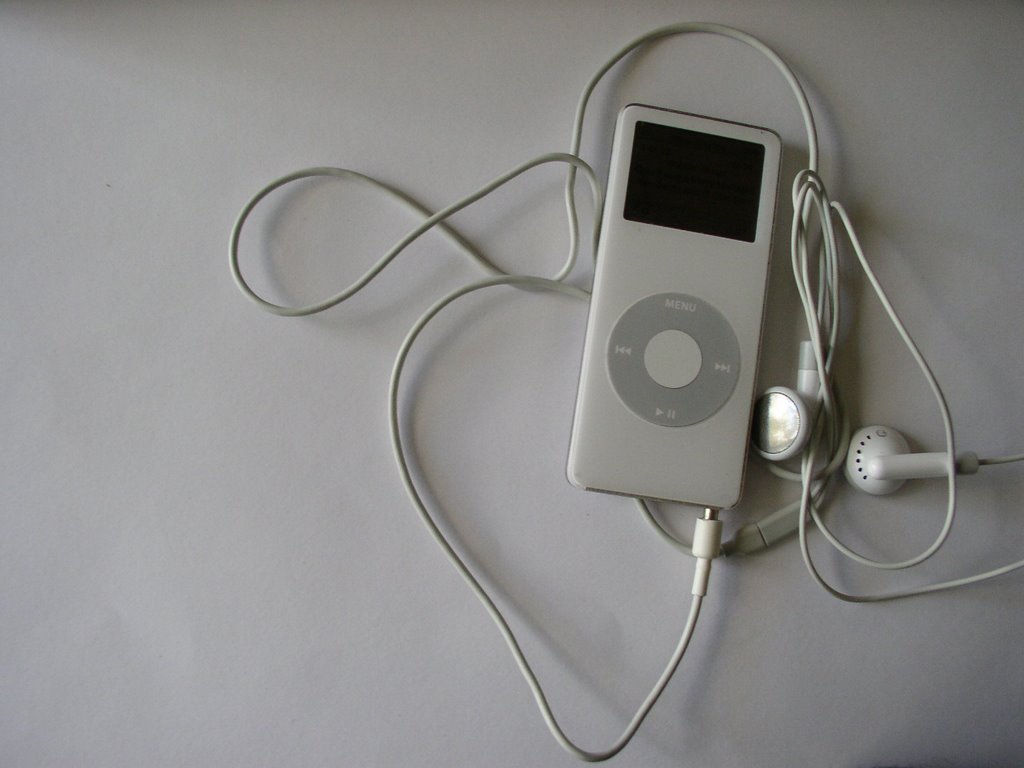
Ipod Wallpaper (notebook) David Hockneys Ipod
Andy Warhol's Ipod

Mucking around with mosaics


A photomosaics of several related images, taken for a screen wallpaper project

Tuesday, November 14, 2006

One image three cameras

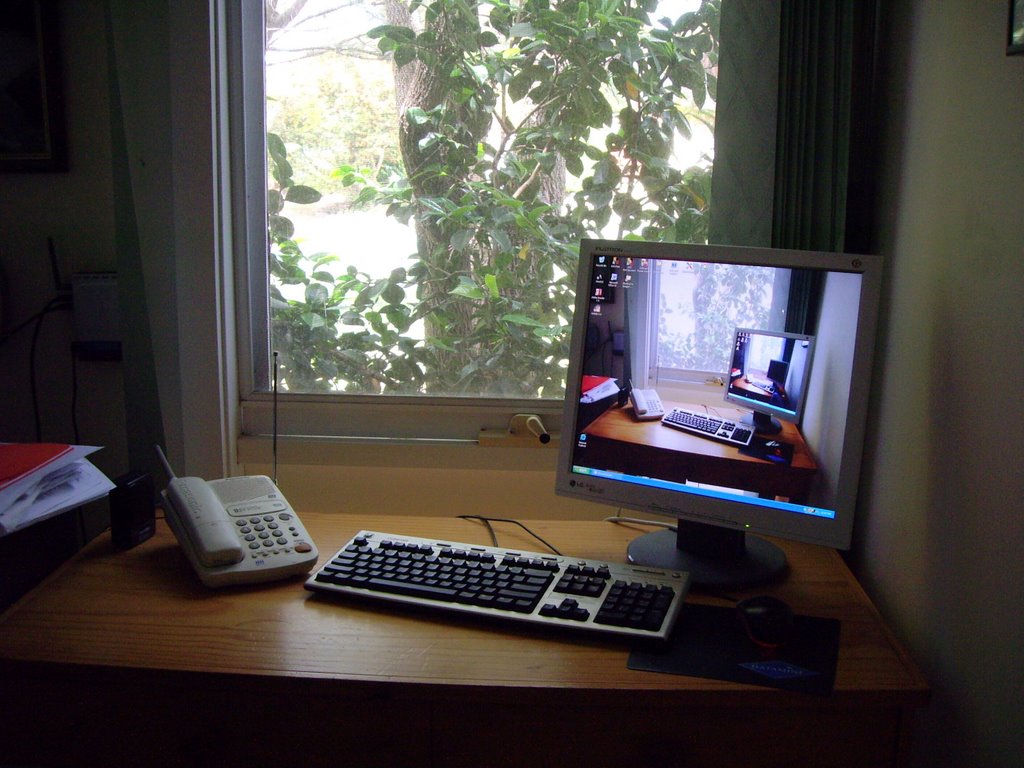
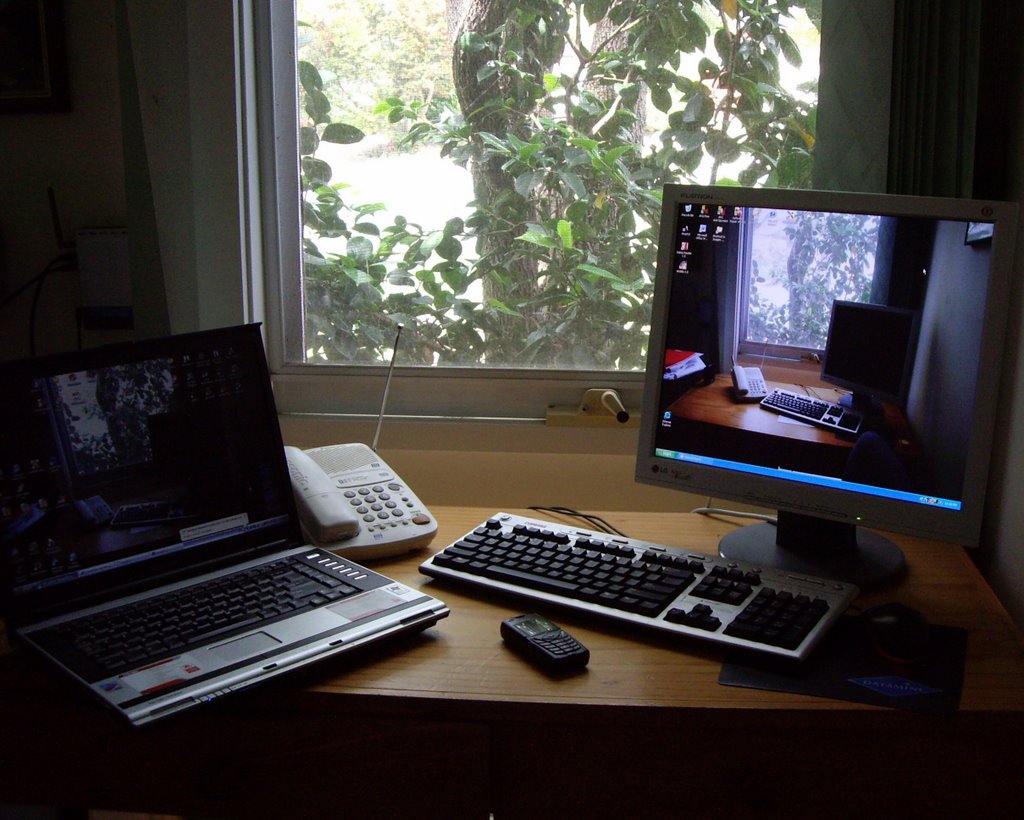
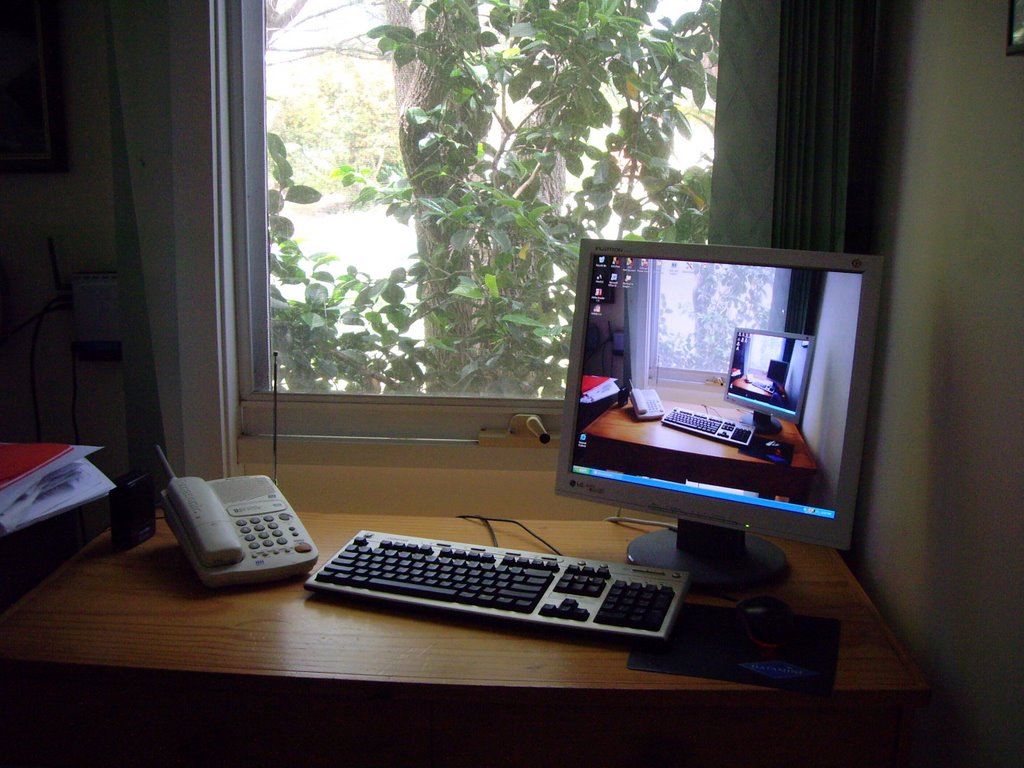
This started out as a simple enough project, I wanted to make a new screen wallpaper for my wife's computer. I am into things that self reference, like fractals and most things that people think of as complex. Today I had the opportunity, I was stuck inside on a nicer day, but with three cameras. I decided that the challenge would be to get the images from the three cameras into one photo. It was easy, I'd take a photo of the computer, with photo(s) of itself as its screen wallpaper
The Final Photo, taken by three cameras
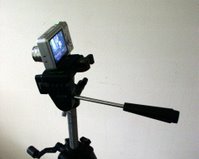
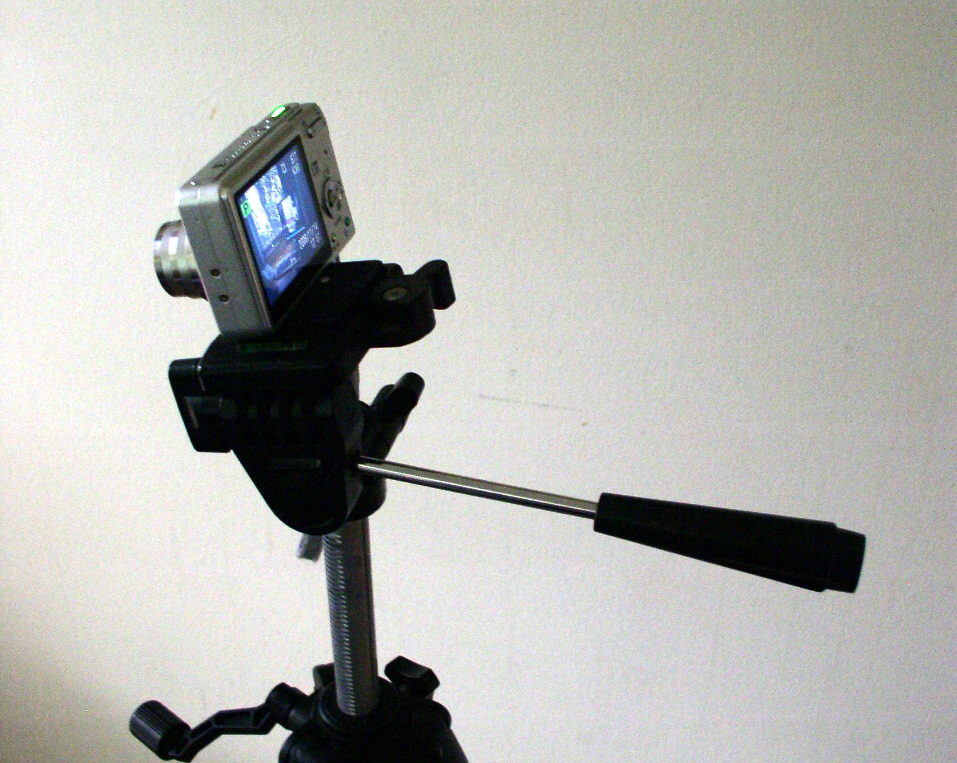
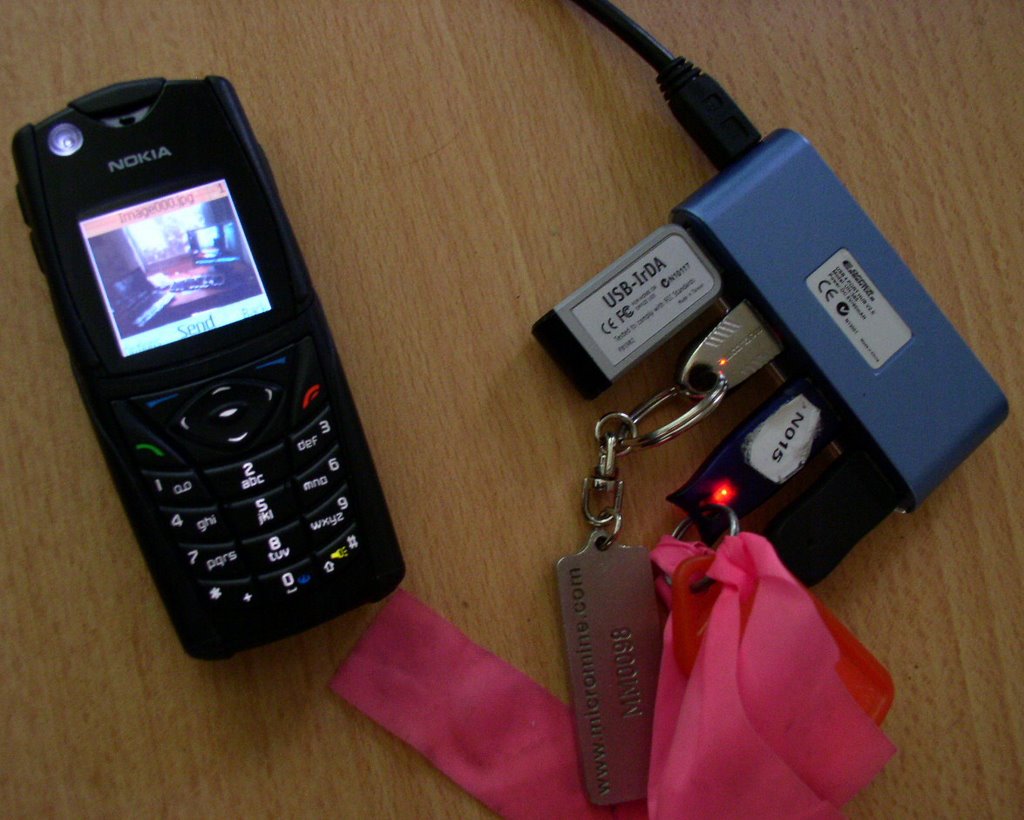
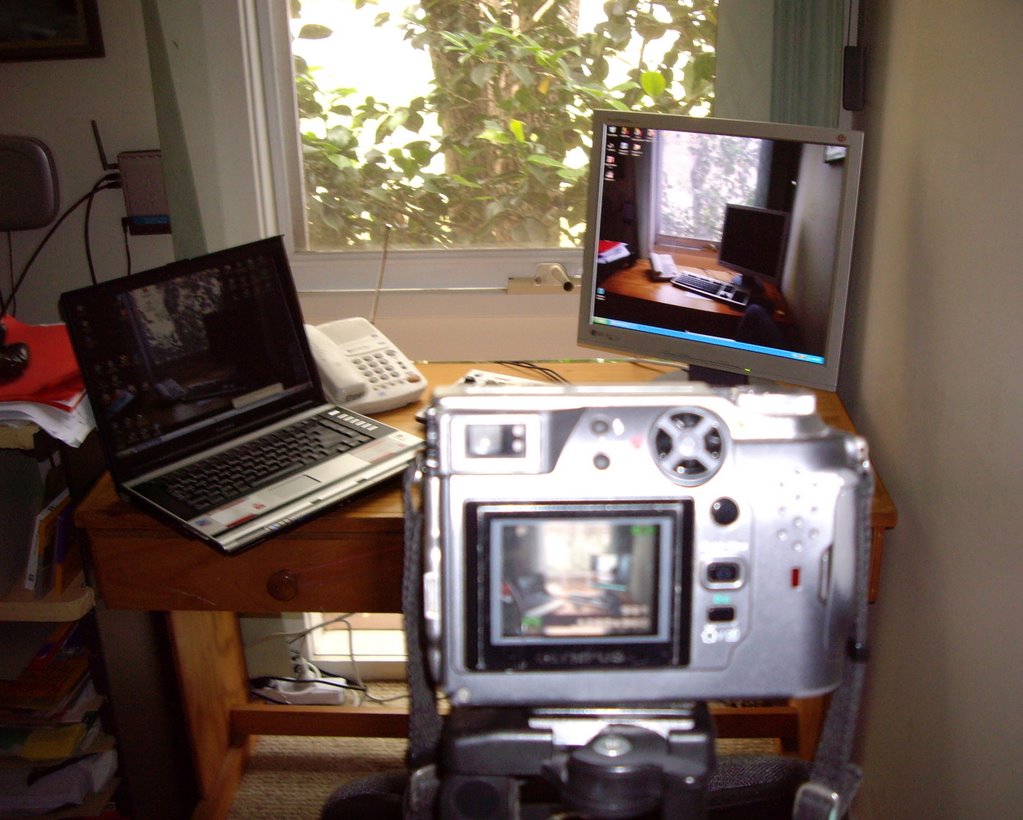
It did not take me long at all, but I had to press some extra technology into play. A tripod, a second computer (my notebook with a wireless link, a network (to get the image onto the LCD screen), picasa (to do the cropping and and resizing), my Nokia 540i cameraphone, my Olympus C-4000 and a borrowed Pentax Opti, all got used at various steps.
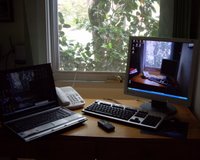
my notebook gets pressed into action the opti looking so tiny on my tripod
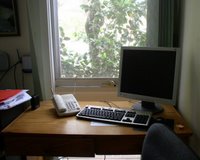
First I used my phone to talk the first generation image of the computer with a blank screen. I sent this to my notebook using the Nokia PC suite over an infrared link. Where I cropped it and sent it onto the desktop and saved it there as a background wallpaper.
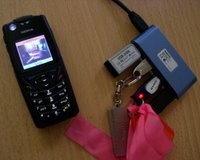
my cameraphone starts the series The first generation photo
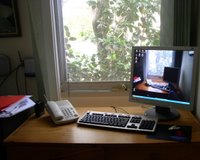
Next, for the second generation image. I got out my tripod and set my trusty old Olympus ontop and zoomed to get as close as I could to the same limits as the first photo. I took a bracketed range of photos. (I wanted to make sure the tone of the images didn't vary to much, so I took 5 ranges using plus & minus 0.3 EV steps). This time I had to take the card out of the camera and load it into my notebook that way. I selected the best match (which was - 0.3EV) and sent that to the desktop and saved that as the new background.
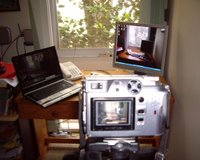
the olympus in action The second generation photo
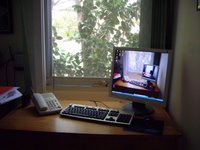
Finally, for the third generation image, I used the tiny Pentax Opti, again mounted on the tripod. The image in viewfinder looked pretty right so this time I didn't bother with the bracketed series. Again I took out the memory card and transferred to my notebook and then onto the desktop. Within 5 minutes of nutting it out it was finished. (it has taken be longer to write and upload this)
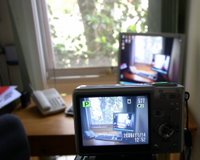
the pentax opti in place The third generation photo
My wife's verdict: "Hmmm clever, but can I have my daffodils back?" (Her background was a photo she had taken of some bright daffodils she grew in a pot, so I guess that is deep enough self reference also! Such is life!)