Showing posts with label gimp. Show all posts

Thursday, August 20, 2015

ManyMistresses :: What the heck!

The frustration of Picasa & Windows 10 had tested my motivation to sit in front of the computer. I figured I needed a distraction and thought what the heck, it might be time to let in a couple of new photo mistresses (my name for those distracting and high maintenance photocentric software) in. I have been having fun with Corel Painter Lite (mainly as a painting & sketching tool) and had found some decent capabilities within Pixl (on my android phone) and thought it time to look at the computer version, Finally I have used GIMP on and off for ages (typically to do editing things that other software could not achieve). Its definiteExtra Mistresses have arrived on my desktoply a capable bit of software but has had a very arcane interface. The other detraction was lack of documentation, but these days there are any number of good mini tutorials on You Tube to does an extensive range of effects. GimpShop is supposed to be a decent windows style interface to suit those who want a Adobe Photoshop alternative. Finally I’m half looking for a picasa replacement, must be simple & friendly and the new XnView MP might fit the bill.

Will let you know how these mistresses behave.

Monday, March 22, 2010

Sometimes the Photoshop Crop Tool is all you need?

You’ve probably already seen this photo photo with the caption "no, I did not photoshop this" but gizmodo, the bible for those with the must have shiny toys, give proof that it was photoshoped. Which brings me to the point that the easiest way to improve your digital photos is via cropping and you don’t need expensive photo editing software, like photoshop, to be able to achieve that.

Picasa from google is free to download, and works on both windows & apple mac, has an easy to use and nicely visual crop tools. So does Windows Live Photogallery and  gimp. So no need to fork out a small fortune to start improving your photos.

There are also now many on-line photo editors,like Picnik, which is available to edit within flickr & facebook. A new kid on the block is Aviary, which is written in flash and thus a little slower. The cropping is part of the Phoenix image editor. However it is an amazing full featured suite for a free on-line tool. So go get creative.

Sunday, September 16, 2007

Patterns on Patterns

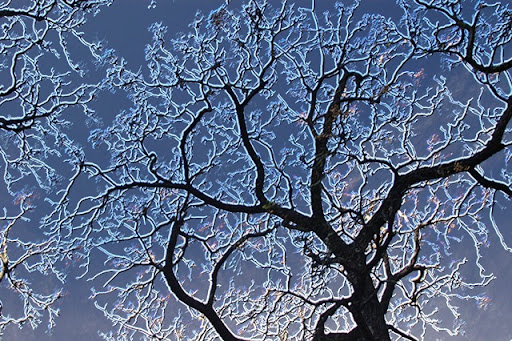
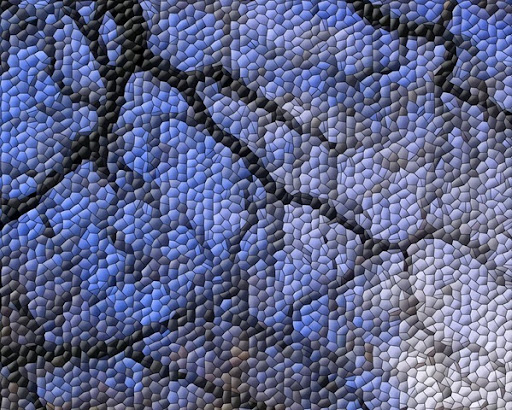
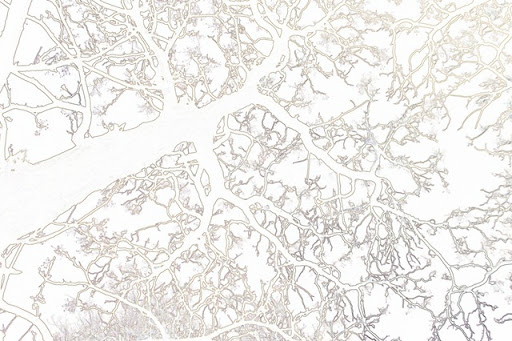
Picasa Multi-Exposure Collage of an image and The Gimp Filters/Edge-detect/Neon manipulation of the same imageThe Gimp Filters/Distorts/MosaicPaint.NET Effects/Outline

I tend to avoid the fancier features of photomanipulation packages, not sure why, possibly I'd rather do the picture forming in the viewfinder. However photos like those of the tree branches in my previous post, those with strong patterns, can make great images to manipulate.