 Some folk are hard to buy gifts for, none more so than the keen photographer. So here are a few suggestions for gifts, ranging from stocking fillers up to something special. The links here are generally to Australian sites, but a google search should give you the equivalent suppliers/websites in your area.
Stocking fillers
 Most photographer could do with more Memory Cards, most cameras used SD cards, and 4 GigaBytes is a popular size and can probably be picked up for just under $10. It is worthwhile checking on which cards your photographer uses, some older cameras won’t be able to use the HC (higher capacity) cards and a lot of high end camera still use compact flash cards. If your special photographer already a few cards they might appreciate a card wallet.
 USB Flash Memory Keys, whilst they probably won’t connect to any camera they are very handy in any camera bag. They can act as temporary photo backup storage, or a more universal way to share photos around. I have found carrying a few photographically oriented portable app around on a USB key in my camera bag has been a great travel resource. The PortableApps.com Platform is a free download that lets your photographer carry all their favorite apps on a portable device or cloud drive and use them on any PC.
 Not all computers have SD or compact flash slots so a Multi-card reader can be very handy in any camera bag. Alternatively most cameras can be uploaded via a cable (normally an USB cable), probably an appropriate cable will be supplied with the camera, but self retracting or a colorful versions of these cables can make a harder to loose addition to your photographer’s kit (but be careful to check the type of cable required).
 Smartphone lens attachments, have till now largely focused on iPhone compatibility but the cute suction cup Jelly lenses will fit most smartphones and come in a variety of “fun” effect like kaleidoscope, star bust and even wide angle. Creative types are most likely to have fun with the special effect lenses, while the more serious types might prefer a wide angle or macro lens, but don’t expect them to produce “high spec” photos, they are for fun.
 VIP and member Club Cards, that offer ongoing discounts, are often good value. For example PhotoXpert now trade out of the old rabbit stores in most locations, and your photographer will have the opportunity to post on-line of via an in-store kiosk. waiting a day or so for processing also help lower the price of prints even more
You can also see my stocking filler list from last year for a couple of extra ideas. The gifts get more expensive from here on.
May Seem Boring but Good Gifts
 If your camera tragic has a fancy camera, ask if they have a spare battery (they are not often supplied). This may not sound an exciting gift but once given there will be undoubted be many times when your gift is fondly remembered. Dead batteries and filling the memory card are the two most common reasons for missing that great photo opportunity. Digital cameras can be very hard on batteries (its mainly the LCD screen that draw a lot of power) and thus they usually have special Ni-Lithium batteries and worse they are usually all different for different model camera so get all the details (best to make note of what on the back of the existing battery, don’t just trust the camera shops catalogue)
 Lens caps are easy to loose, and there are a lot of replacement caps around but the snap-on type that can be taken off by pinching in the middle (Nikon style) or outside are definitely the easiest access and use. Unfortunately they only seem to come in black and are just as easy to loose. There are also some very colorful version that may be easier to find.
Something different
 USB Pocket Projector, there are some amazing tiny projectors around that plug into a USB port and they generally only have a 640n by 480 pixel resolution but this is fine for a good YouTube video and simple presentation of “family” or small group slide shows and wont take up much room in your laptop bag or backpack.If you are unsure about their capability ask for a demo
 Stylus and pen tablets are not as popular as they should be. Editing images on an iphone, or ipad mini is a bit tedious if you have normal sized fingers and a simple stylus can make all the difference. For work on a PC I have a wacom bamboo tablet that operate in both a touch and pen mode and it is unbelievable good when you start working with an adjustment brush, localized corrections and touch ups, A word of warning, I may already be inclined to work that way as I sketch a lot. but some folk that have only every used the mouse can find using a pen tablet to interact with a computer very daunting. All you need to do is hide their mouse for a day or two and they will soon convert.
Software
When it comes to software, the first thing people discuss is Adobe Photoshop. So I need to warn you the CS5 or CS6 version around now are very VERY expensive, have a VERY LONG learning curves and have lots of features that too few people use. In the hands of an expert they can do amazing things BUT photoshop seem to frustrate most folk. That is why there are so many books on learning photoshop, it a hard slog. So look at these alternative first
 Photoshop elements is a cut down version of its bigger brother, with most of the basic features. a much shorter learning curves and an attractive price. It is the right place to start when you are new to photo post processing.
 Most keen photographers may already have Lightroom. also from adobe and now included with the photoshop family, but if they don’t already have it Lightroom would be a great gift. It doesn’t have a long learning curve, of Photoshop CS6, the editing of RAW files is easy and quick and there is a lot else to like, especially that it is non-destructive (it always keeps the unaltered originals and just stores the post-processes you apply in its database) so it wont cause any grief.
 AfterShot Pro is a lot like Lightroom, including the non-destructive style, maybe a little simpler to pick up, but has the powerful RAW processing tools, including noise ninja. I use Lightroom and am very happy with that but I was impressed with a demo of AfterShot and I like other corel products I use.. It’s a bit cheaper than Lightroom in Oz
The Knowledge
Perhaps the greatest gift to any photographer is the knowledge to take better photos, and this takes time to learn and practice to perfect. There are photobooks a plenty, but be warned a lot of them go tediously through Photoshop features and there is probably a new one for each version update (so I would avoid those) but some research into a local photo course, given by a well know photographer, through Tafe, a camera store or even on-line can make very memorable gifts.
What Not to Buy
Here are some things that it is better to let a photographer choose for him or herself, new cameras, tripods, cameras bags (yes camera bags can be a very personal thing) and lenses. First there is such a variety of gear and features, but more important your photographer probably has a particular preference/style and so camera shop gift cards are a better alternative to actual equipment here. Photo apps for smartphones are also probably best left to the photographers own personal choices (and both apple iTunes store and Google Play offer gift cards).


 HDR Bracketed Sequence, I use this to indicate I am taking 3 or 5 a photo sequence. This is another punctuation marker that I normally use to precede a sequence. I usually don’t bother put this in front of every HDR set in a continuous series (such as combined HDR and Stitch Panorama because it is relatively easy to find the groupings). I then use the Yellow Colour Class to easily identify the HDR sequences.
 Battery Change, still my way of recording when I changes my battery, looking back through your photos and finding the previous battery change photo, then just subtracting the new photo number from the previous gives you the battery life in terms of number of shot per battery charge. On the Pentax DSLRs this can be weeks to months worth of shooting but on the mirrorless Olympus this is generally days to a week. Doing this let me work out I get around 750 photos from a single battery charge from my new


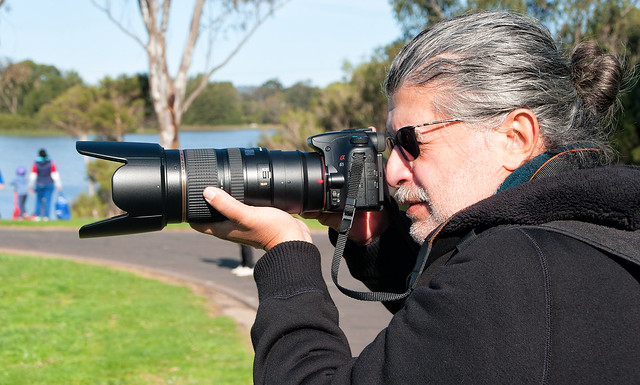


 True Stocking fillers for photographers
 The
The 


 The second key issue is the decline of originality, this is really a personal view. The social web and the “look at me” celebrity obsessions are actually producing and facilitating an explosion of imitators, ok copy cats, and a lot of plagiarist (they just steal and repost your work as their own). What was once original suddenly floods the bandwidth with lesser but superficially much the same works and boredom takes over. The general lack of attributions means that it is pretty much impossible to find the creative individual behind the avalanche of imitators. For a collector this is a real buyer beware situation. If you are a creative and have something really unique, but easily cloned, it might not be a place you want to set your work free within.
 USB Flash Memory Keys, whilst they probably won’t connect to any camera they are very handy in any camera bag. They can act as temporary photo backup storage, or a more universal way to share photos around. I have found carrying a few
  I had hoped to get this finished last week, but here is a list of smaller items that a photographer might appreciate in his or her Christmas stocking (I have tried to keep below $20/item)
 Memory cards

 One nifty small tripod-ish support that is a fraction dearer than my under $20 limit is the
  Dust Cleaners
 rubbed off with even the softest cloth. Also it is a good idea not to use and liquid lens cleaners on your lens or even the LCD screen on the back of the camera. A soft micro-fibre cloth, not a paper tissue which will leave troublesome fibres everywhere, is generally all that is required to keep your camera body clean. An old fashion brush and blower are also useful.
 Gift Vouchers