Showing posts with label low bandwidth. Show all posts

Saturday, March 26, 2016

My Norfolk Album on Flickr

norfolk island

Its been a few days trying to figure out how to get Open Live Writer going (without downloading a new version in the very low band width). Trying to get photos loaded to google photo via theiw web interface upload was a joke (How I miss that conserve bandwidth button in picasa). The one reliable thing was the web based upload to flickr. So I have been able to keep up my daily photo posts going. Click on the photo above to see my album grow,

Friday, March 25, 2016

Traveling with a Windows 10 Liability in Low Bandwidth

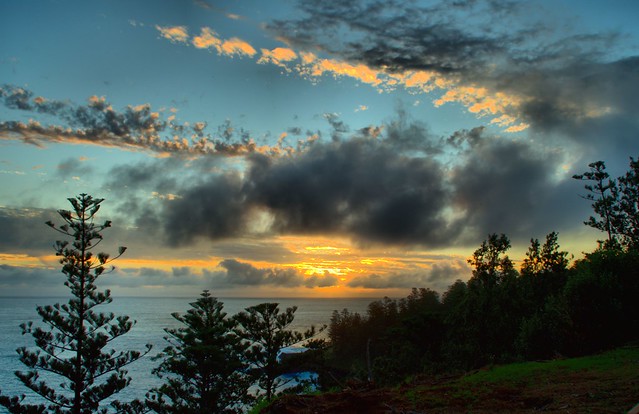
Northern coastPerhaps I should have known better, but I took my “limp along” upgraded to windows 10 laptop as my only computer on this trip, into a very low band width location. This is actually the best of my laptops the other two are effectively dead since upgrading to windows 10. On Norfolk Island you can buy a sim card easily enough but it is limited to voice and text (ie pre-3G no data). They do however have a good system where several locations in town and many hotels and accommodation place with also have wifi hot spot, for which you can purchase reasonably priced temporary access. This works fine for phone and tablets… BUT…

One Issue I didn’t realise was a problem with my laptop in its “ghost of window 7” state was that I could not change the wifi or connect to a new Wifi because that capability was replaced with the new windows app, which I can not access. Many hours of puzzling later I discovered that I could set up a new user and get to connect to the wifi. However most of the software I wanted to use like OnOne 10, Aftershot pro, corel painter and a long list including Windows office 10 what to reinstall itself, re register or some other on-line setup process… BUT … I can’t get on-line yet!

With considerable re-logging in between by two accounts I was finally able to do a tiny bit of on-line things, like email and upload a couple of photos till the computer locked up …. I suspect it was and automatic update. Now I can’t get on-line anymore, and I have to set up yet another new user. Now I discovered if I leave that account connected on-line, sign out, go back to my original account to do any work on my photos etc. then re-sign in to the new account to upload that work. I have to leave the laptop in sleep mode between all this run around. This is a joke. BUT ...

I AM NOT AMMUSED

Friday, August 22, 2008

Low bandwidth travel

IMGP5917 Whilst more and more of the world is getting wired to the broadest-band width, the places I often find myself seem to be less connected at slower rates. So here a few more tips and revisions about trying to travel and upload photos & blog.

1) Turn off automatic updates (found under control panel). This avoids a really long delay before you can even get connected.

2) Resize your photos, for blogs and to emails others, your photos only need a lower resolution and considerably smaller file size (eg 600 by 800 pixels is generally plenty) see earlier resizing post

3) Use the no frills methods, the normal flickr web portal for your web browsers is a bandwidth nightmare (I just had a week of hell trying to use flickr in indonesia, usually  waiting 10 minutes plus just to load the log in page! Other times I get a flickr is taking to long to respond message or it crashing out my net connection. You can also access flickr via the mobile portal (http://m.flickr.com/) from any computer and this is a very stripped down version. The biggest trouble for me is this portal does not have access into flickr groups. I also find that the standalone flickr uploader doesn't work on low bandwidth or from internet cafes. If it does work it takes for ever, so I end up using the http://www.flickr.com/photos/upload/ old fashion web page uploader, and patiently waiting.

4) Use offline set up and editing, there are many tools that let you set up blog posts using an off-line editor. I am using Windows Live Writer now to edit this post. Picasa lets you set up local albums of photos n your notebook and then upload them to you web album when you get a good net connection

5) Use email to upload photos. Most services. like Flickr, Photobucket and Blogger all offer email upload facilities. Some do take a while (several hours) before the updates are posted.

Finally another warning about mobile phones and global roaming. Whilst global roaming is handy for phone calls and you can get yahoo mail, gmail and even flickr tools on your mobile phone and these will be able to roam with you but check the cost before you start using them overseas (data roaming charges are normally just straight up daylight robbery).

Page copy protected against web site content infringement by Copyscape

Monday, September 03, 2007

Accessing Flickr on low bandwidth

Flickr is often cited as the great example of Web 2.0 social networking and interactivity, but whilst it can be free to use it comes at a price. The price is the bandwidth, that used for displaying photos, large graphic/pixel output is consumed. Uploading photos can be equally frustrating. If you live in the low bandwidth world (especially those using dial up modems and overstretch home networks, as your kids download from YouTube) you might find flickr frustrating slow to use, or maybe it will be straight out unusable. I have a Next-G wireless broadband modem, which is heavily advertised by Telstra as a modern day technology wonder, and whilst good around the city it can be painful using flickr out in the sticks

There are some ways and tools to easy such stress

  1. Upload via email, you can get your own unique email address to email your photos to flickr and they will get posted into your photo stream, and optional additional address can be used to both post your photo on flickr and then post the email text and photo to you blog. You find the setting under your account, personal information, email (This can take a bit of setting up, and testing so do the set up on a higher broadband access)
  2. Use the ability to change the layout of your photostream so that you just use the small images only or small images and sets. This significantly reduces the amount of image related pixels to be downloaded before it is displayed.

  3. Set up a favorites link directly to the your photos page, this will avoid flickrs front door (main page) and all the ads etc. it contains

  4. If you are using your own computer, tick the keep me signed in box, at sign in time. This avoids the log in page next time you log in. BE WARNED you should never use this, remember me, feature at a public computer (eg at school or a library, or a cyber cafe) and the next users will be able to access your account, and possibly do naughty things

    Flickr obviously recognizers that mobile phone access suffers greatly because of band width and screen size so they have a separate portal for mobile access. However there is nothing stopping you using that from a low bandwidth connected computer. OK the photos are small and menu options are very limited but it does work well and most importantly FAST.