
The individual images, showed the ripples patterns nicely, especially the +1.0 EV. (Validating my view that it is often wise to use EV bracketing when photographing low and direct light, because in those conditions the built in light meter in your camera may make the wrong decision about exposure.) The surprise was how "dynamic" and vibrant the HDR image was, even with the smooth compression (a more naturalist) tone mapping. I think this is because the image has been broken into a strong pattern of lights and darks in close proximity and your eye is constantly assessing how to interpret them. The pointillist painter realised this long before me, and made painted surfaces of tiny coloured dots trying to create this vibrancy. If you have an LCD screen try downloading the wallpaper (click on the top image and it will take you back to flickr and click on the all sizes item to get the full screen sized version). Now look at it as you move your head around. Can you see the surface shimmer? Does the pool appear deeper?
Saturday, February 23, 2008
Static Vibrancy
This screen wallpaper started out as an exercise in trying to capture things that repeat over time and then post process them using the HDRi technique into a single image (ie I was taking three photos at different exposures, then using dynamic photo to merge the images with an extended dynamic range. I expected to see the ripples moving across the image (at subtlety different exposures). The subject was the incoming tide flooding over a current cut small pool in the sand. Normally when using HDRi you must have a subject that is static across the three exposures so the images cab be matched exactly, but I like to find out what happens when you break the rules.


The individual images, showed the ripples patterns nicely, especially the +1.0 EV. (Validating my view that it is often wise to use EV bracketing when photographing low and direct light, because in those conditions the built in light meter in your camera may make the wrong decision about exposure.) The surprise was how "dynamic" and vibrant the HDR image was, even with the smooth compression (a more naturalist) tone mapping. I think this is because the image has been broken into a strong pattern of lights and darks in close proximity and your eye is constantly assessing how to interpret them. The pointillist painter realised this long before me, and made painted surfaces of tiny coloured dots trying to create this vibrancy. If you have an LCD screen try downloading the wallpaper (click on the top image and it will take you back to flickr and click on the all sizes item to get the full screen sized version). Now look at it as you move your head around. Can you see the surface shimmer? Does the pool appear deeper?

The individual images, showed the ripples patterns nicely, especially the +1.0 EV. (Validating my view that it is often wise to use EV bracketing when photographing low and direct light, because in those conditions the built in light meter in your camera may make the wrong decision about exposure.) The surprise was how "dynamic" and vibrant the HDR image was, even with the smooth compression (a more naturalist) tone mapping. I think this is because the image has been broken into a strong pattern of lights and darks in close proximity and your eye is constantly assessing how to interpret them. The pointillist painter realised this long before me, and made painted surfaces of tiny coloured dots trying to create this vibrancy. If you have an LCD screen try downloading the wallpaper (click on the top image and it will take you back to flickr and click on the all sizes item to get the full screen sized version). Now look at it as you move your head around. Can you see the surface shimmer? Does the pool appear deeper?


Wednesday, February 20, 2008
Tranquility

Moon rise over Jell's Park Lake. Yet another experiment with the HDRi technique, trying to match the dynamic range as seen with a human eye.
Tuesday, February 19, 2008
Painting with Photo mosaics
I have been making large multi-panel photo mosaics of the bird of South Gippsland, using South Gippsland scenes as the tiles for a while now. Whilst Mosaic Creator seems to do a reasonable job whatever you throw at it, I have the overwhelming view that Andrea Mosaic gives me more creative control (but alas with that comes the ability to really ruin images as well) and I got top thinking I should treated making mosaics more like painting an image. Then the penny dropped I needed to get a better palette of colours, from which to mix my new Mosaic, just like an artist selects his tubes of paint and makes up his colour scheme. fd's Flickr Toys has a neat palette generator, I think it is really meant for web designers or home decoration projects. It is so easy to use I don't need to explain that here. All you need to do is upload a photo and a palette of colours based on the colours in the photo will be generated automatically.
So next I looked through my picasa library of photos (many 1000s) using the tools/experimental/search for.../blue, etc which shortened the search tyime considerably and exported those images I thought best matched the palette. In this export I also reduced the size to 800 by 600. Then I fired up andrea mosaic created a new library of tiles with the photos I had selected, which reduced the tile size further. Now I used picasa again, to make a 200% poster, which blew up the image and made it into four parts. Finally I created mosaics out of the four image pieces using andrea mosaic. I am very pleased with the outcome.
Monday, February 18, 2008
Join the one legged club

At first I was worried about the sudden increase in one legged seagulls. Then I noticed they like to balance on one leg when they are facing a slight breeze
Correcting a few details
If you found your way to this blog from the article in the Leongatha Star, there are a couple of details that need to be cleared up

Ansel Adams was most defintely not a digital photographer, he died, aged 82, back in 1984. One of his great contributions to photography was the zone system (his wikipedia entry says he was a co-inventor of it) but I am not so sure about that. He ceratinly developed it and other techniques to capture the fullest detail across all ranges of tone in his black and white photos and his landscapes in particular are just outstanding.

The panoramic photo published in the star was a very recent one, not the panorama from my participation in the One Horizon project on flickr.

This is the panorama exhibitted in the New York Exhibition in 2006

And to keep you up to date, this was taken yesterday, at the same wonderful beach.
Ansel Adams was most defintely not a digital photographer, he died, aged 82, back in 1984. One of his great contributions to photography was the zone system (his wikipedia entry says he was a co-inventor of it) but I am not so sure about that. He ceratinly developed it and other techniques to capture the fullest detail across all ranges of tone in his black and white photos and his landscapes in particular are just outstanding.

The panoramic photo published in the star was a very recent one, not the panorama from my participation in the One Horizon project on flickr.
This is the panorama exhibitted in the New York Exhibition in 2006
And to keep you up to date, this was taken yesterday, at the same wonderful beach.
Sunday, February 17, 2008
Another great day for the beach

 Up till now I had been trying out the HDRi techniques in low light, a theme that seems to be the favourite place to start, at least in the Flickr My first HDR (beginners)group. It has been a magnificnt weekend so it was off to do my usual breachcoming photography ramble and I though I should start with a HDR test in the full glorious light of an australia summer day (a subject most digital photographer soon find out returns a very contrasty washed out image. OK I have been using a polarizing filter for such situations and that helps resort a more natural image, particulary helping to keep the sky blue , not a washed out white) and the three EV bracketed photo used in the HDR image above where taken with that polarizing filter. In dynamic photo I have been movind down hwn tone mapping, avoiding the eye catching and Ultra Contrat setting and i tend to like the smmoth compression, or human eye setting, but in the HDR photo above I used the Auto Adaptive seting because it most closelt captured my memeory the colour of the water and wet sand.
So my conclusion is HDR can be used in the "heat" of the day to help capture the gorgeous colours of an Asutralian summer at the beach.
Saturday, February 16, 2008
Crystal illusion


The beach at venus bay faces west, so on a late summer evening if there is an off shore breeze the waves get a beautiful aqua transparency.
Friday, February 15, 2008
Understanding HDR (High Dynamic Range)
You may have notice I have been playing a lot with the HDR (High Dynamic Range) technique later. I offer no excuse, I am playing, I just need to figure out how it works and how I might be able to use it. So here is my simple explanation of the general process. Note I am using FDRTools in this example because it is easier to show what is going on (I already prefer dynamic photo, see my previous post why)
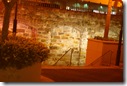

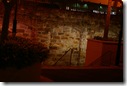
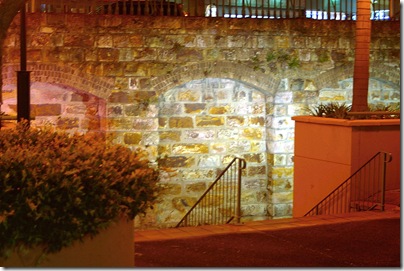 Providing you don't go overboard with the gamma and saturation sliders (if you do, you might get pretty radical over coloured images) to should end up with an photo to looks much closer to what you saw when you took the photo, compared with any of the actual exposures (compare the image above with any or all of the three original photos at the top of this post).
- Step 1, Take a set of bracketed photos, (three is a good number but you can take more) at different EV exposures.
- Step 2, Load those photos into software that can analyse the exposure range of each photo, it is normally necessary to align the individual photos, if you use a tripod this will not be necessary. I actually rested the camera on a wall to keep it steady so i have jumped over this step.
- Step 3 now create a virtual photo space with a wider
range of exposure range, using a composite of all intensity recorded (ie the darks from the darkest photos, tone range from the normal exposure and detail in the light from the lightest photo). the display in FDRtool shows this nicely, you can see histograms of the exposure intensity beside each photo. At the top of tjos display you can also see the expanded range of tones in the "virtual" composite space is usually called the HDR image
- Step4, you finally need to tone map the virtual exposure space into the
dynamic range that your output device can handle. Yes computer display and even printers have a limited range that they can display compared with what the human eye is capable of seeing. i FDRTools the main control is the silders under the histogram, moving the left hand slider sets that tone to the darkest setting (in simple terms the blackest part of the photo) and moving the right hand slider sets the lighten tone (in simple terms whitest part). there are also sliders for gamma (which i ;like to think of as colour contrast) and saturation (intesity of colour).
HDRi Brissy skyline
Using Dynamic photo again. I was without a tripod and this sceene needed a very long exposure for the EV bracketed set, but luckily there were trust round topped bollards along the waterfront.

Tuesday, February 12, 2008
What a difference a day makes?


The same tree in two different HDR photos taken just one day apart at roughly the same time.
Monday, February 11, 2008
Bird's in Flight

it was only a day or so ago that I complained that these guys [Onychoprion fuscatus] where hard to capture in flight against a bright sky. Well this guy, at least, must have heard me and staged his own close range fly by. Thanks mate!
The "Picture Grid" collage was created with picasa
Sunday, February 10, 2008

Friday, February 08, 2008
Extreme-sports version of fishing


These are not great photos, but just capturing these was a feat! These little sooty terns (Onychoprion fuscatus) dive fast and from on high, they seldom miss a their catch. However they are a real challenge just to keep the little guy in the frame while panning my telephoto lens, not to mention the low light of dusk and focusing on the fast action
Tuesday, February 05, 2008
Reflecting on reflections off glass


HDR processing, does wonders for strong reflections off glass.
What it doesn't do so well is handle people that are walking as you take the bracketted set of photos, used to construct the HDRi image (see the ghosted multi-exposed figures on the bottom left hand side of the image on the right
Sunday, February 03, 2008

No need for special gadgets
Whenever I mention geotagging to others, the topic automatically seems to become about GPS in gadgets. Well I start to explain you don't need them you can geotag your photos already without fancy stuff.
- You can use Picasa and Google Earth. If you haven't done it yet click on the link in the previous sentence, to my original post of 18 months ago. The method is still th
 e same and it is still my preferred approach. My one disappointment is you can not make use of the coordinates in the management of searching for files within picasa (as yet).
- You can uses the map feature in Flickr. I must admit I am not happy with the yahoo map engine flickr use, its hopeless in terms of detail and frequently gives and incorrect location description, for the
places i visit. For example when I geotagged my last photo in flickr it gave the location as mirbo south (which does not exist to the best of my knowledge) and mirbo north which does exist is about 50Kms away!
- You can use software such as the popular RoboGEO, which embeds the geotagging coordinates inside the photo's EXIF data. It has a wealth of features to match automatically from Garmen units, and most other GPS unit via wayfiles, and other tracking format as well as some nifty export features. There is a downloadable demo version.
- A nice freeware application is called Geosetter for windows. Whilst this does have the ability to sync with some track files, it is its very simple method of manually geotagging with google maps that makes this a very worthwhile tool, for those without the fancy gadgets.
 e same and it is still my preferred approach. My one disappointment is you can not make use of the coordinates in the management of searching for files within picasa (as yet).
But if you are still gadget mad, read the wired article GPS Adds Dimension to Online Photos
Saturday, February 02, 2008
Tiled to the extreme
I have created many versions of photo mosaics and tilings of this little superb (blue) wren. Now is the time to put those images to good use. The image above look really great on mugs and the set below where all printed at 10"" by 8" framed and mounted together as a set on the wall (very striking even if I do say myself)

Friday, February 01, 2008
Surfs Up, but where is everyone
The strong onshore swells and offshore breeze, has lifted the waves, but everyone (nearly everyone) seems to have gone back to work or school.

Wednesday, January 30, 2008
Enjoying the warmth of the sunset
It is really clear to me that the HDR techniques (performed here with Dynamic Photo) are ideal for taking "better" (in that they will look more closely like the lighting at the time) in low light, especially at sunrise and sunset, and the half light of artificially lights. In this example I took just three photos using the bracketing feature on my camera at 0.5 EV intervals (shown above).

Tuesday, January 29, 2008

Subscribe to:
Posts (Atom)