I’ve deliberately left this just a simple comparison, so you can decide yourself.

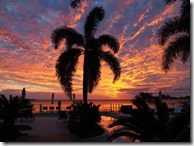

Which photo do you like best?
Move you mouse over each image to find out more about it
I’ve deliberately left this just a simple comparison, so you can decide yourself.
Which photo do you like best?
Move you mouse over each image to find out more about it

| Pentax JPEG *** (5.9MB) | Pentax JPEG **** (10.0MB) |
 |  |
| Pentax RAW .PEF (13.2MB) | Pentax RAW .DNG (23.1MB) |
 |  |
| Cannon JPEG (4.5MB) | Canon RAW .CR2 (16.8MB) |
 |  |
 It was a drizzly overcast afternoon and I was photographing some dark birds in flight, against the grey sky and choppy ocean, so I had cranked my ISO right up because of the poor light, knowing full well that whilst I might get less blurring of the birds wings I would suffer a lot of digital “noise”. Then the clouds parted and the setting sun lit up the dunes and began to paint a rainbow. I just had time to change my lens move the dial to P (because I leave my program set to take a bracketed set of –1.0EV, –0.5EV, 0 EV, +0.5 EV & +1.0EV), press the shitter & click, click ,click, click, click and then the light faded.I have the Pentax set to save both RAW & JPG format (not really a good idea when trying to photograph birds in flight because in multi-shot mode the extra time to write both the files on the card soon overtakes the memory buffer and slows image capture, but that’s a different story). In this case I ended up with 10 images (5 bracketed RAW and 5 Bracketed .JPG) and a perfect test to look at tweaking the RAW file in Lightroom 4.1 versus some recent software improvements in HDR processing.
 early efforts may have emphasized the surreal, I suspect a lot of folk don’t even realize I am using it anymore. (as judged by the lack of negative comments on places like flickr, HDR images on the web always seem to always draw out a few particularly bitter comments). One reason is I tend to mainly use Picturenaut 3.2 (it work on my portable application USB and thus I always have it on hand) and its defaults are in general natural looking.. Further it does a good job adjusting hand held images and taking it through to Photoreceptor (aka Reinhard) tone mapping is pretty automatic and the software makes good setting selection to get
  realistic images (as opposed to luridly coloured surreal effects of some other popular tone mapping approaches).
  I also read some time ago that picturenaut could not process RAW files directly, so I decide to download Picturenaut 3.2 and at the same time Luminance HDR (which I had also seen good reviews on). Well they both performed well, but I must admit I still favour picturenaut it is fast and easy, Luminance was pretty slow on aligning the images but did a good job and it has a lot more tone mapping options. I could easily change my mind once I had time to play more fully with the tone mapping options.


