The simple answer is YES, but there are reasons and not right away.
One thing that peeked my interest amongst the forthcoming changes to google photos (google drive & gmail) was not that they are intending to charge for storage (which is what a lot of current hype is about) it was a paragraphs in their November explanation of the changes. Gmail, Google photos and other google tools are being combined into s sinle google Drive Limit of 15 GB (for free) and after that storage will be charged.
When you have been over your storage quota for 2 years, your content in Gmail, Google Drive (including Google Docs, Sheets, Slides, Drawings, Forms and Jamboard files) and Google Photos may be deleted.
Another section make the same claim about inactive gmail accounts!
There is not mention of any warnings, just they now have the right to choose to start deleting inactive accounts and services, presumably without notice. Clearly its aim is to clean up storage once users are dead, or thy choose to stop using the services (including forgetting their password, etc). Which seems perfectly reasonable
The downside here is for your digital immortality (or not). Do you expect your personal data in the cloud to be accessible after you are dead?
Probably in most cases you might be glad this is the case, all those embarrassing photos to vanish. However there can easily be situations with family photos (which tend to become precious over time) need to be preserved. Its probably time to think about putting those important photos that form family memories into a separate album that gets share amongst your family members and encourage them to keep copies.
No need to panic this policy will only be started on June 1st this year. The 2 years of in activity probably begin then.
I don't think this is a google #FAIL, I just think they hopt it will get through without much fussy (compared with charging for photo storage after claiming it was the perfect place to store all your family photos - did they actually say for free?)
I was just getting ready to resume blogging. Everything about my camera obscura post was nicely formatted and ready in Open Live Writer (a much better place to set up your blog post than google/bogger’s pedestrian offering. As I put my toe in the water and clicked on the <Publish> button I got hit with an undecipherable error.
I had seen this before too many times. It will be that I am not able to upload the images to google photos as part of the publish task. The real underlying cause will thus be something google has done to their google photos system, perhaps its API, perhaps an album size limit or some new upload authorization step. Unfortunately It will be left to the voluntary developers on the Open Live Writer source project to find and fix the issue while google tries to divert any responsibility. Am I being too cynical? Heck no!
If you're having trouble posting photos to Google Blogger with @OpenLiveWriter, we have a test build with a fix. We'd appreciate it if you can test and let us know if it's working for you. https://t.co/oVOz9h3UmF
This fix seems to trigger a repeated opening of open live writer for me, so I’ll let the investigation and fixes continue. All the previous work arounds don’t work this time but I found my own, by firstly uploading the image to the web and inserting a web shared image rather than having it uploaded. Bit frustrating and fiddly but it works
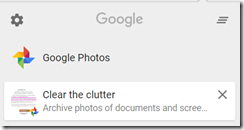
I got one of those annoying messages/notifications over the top my chrome browser this morning, but it struck a nerve because I had been looking at the mess that confronts me in google photos (ok not everywhere the older stuff I uploaded from picasa in albums s still there and nicely organized). Glear the clutter, so google is acknowledging it! Thus I clicked on the link and guess what he assistant only wants to clear documents and screen captures BUT they were block post I don’t want them archive (whatever that means because I could find anything to explain what such an archive was?). I’m getting more convinced that google’s “I’m feeling lucky” approach has morphed into “trust us with your precious data, photos, … life” we know better (aka we can play with anonymous AI and algorithms with all that is yours just share more…) Maybe that's a bit dramatic but google, and specifically google photos have totally lost my trust.
Ok I’ll go to back picasa and just upload selected photos or albums like I used to. Hang on I can’t upload, download or even email from picasa anymore. Basically I cannot successfully log into to my google account either within picasa or gmail running under picasa. That really sucks. I can’t find anything on-line other than a lot of complaints and the misguided recommendation to use google photos BUT there is actually no off-line to way to use google photos, its only browser or smart phone based. Its reluctantly back to the vacuum cleaner idea and upload everything to the cloud.
Then to really annoy me, I got the popup to updated my backup and sync. Hmm its not working properly anyway perhaps I need to do that. Well guess what!!! … it wouldn’t update. Technical foul play google your disqualified from the game.
I thought I would give google photos another chance (probably it's third) it seemed pretty harmless. While I can see it is attempting to make sense of the mess. It just keeps making the mess bigger. At least the photo it autoloads it makes private, right, until you share them, right. Actually wrong all it does is use a 40 character code to make the photo link difficult to guess, this includes all the old photo from Picasa Web Album that you thought where safely private and only shared via a password.
Effectively there is a massive jungle of photos out there and your photos are sitting there in the wild.
It is easy to test out (access a photo in google photos) there will be a long url name to access it (the name is a web link not a jpeg address by the way. Paste that into a file you write to a usb. Take the usb to a foreign computer you have not use and cut and then paste the url in a browser you have not used so It will not know your google ID. There is your photo! Other have noticed this issue.
This is a really big deal, A significant betrayal of my trust.
Whilst I intend to keep using google photos for my shared photos and images (mainly for my blog). I have already turned google photos off on my phone and I'm working through deleting a lot of photo from my google photos account.
Against my better judgement, I left google photo on my new android phone, It immediately insinuated itself into my photos uploading everything (yes I have checked the only upload photo on WiFi connection option). I then just ignore it. Well it did keep updating itself and occasionally asking if it could vacuum up (it uses the term backup) any images saved it new folders on the phone. I got one or two excited notification that the assistant had made a very lame slide show it called a movie or had enhanced one of my images (made it black and white). So I figure its mostly harmless and just keep saying no.
At their recent I/O conference, supposedly for developers, Google announced an upgrade to google photos, included improved sharing, a photobook printing service and a new feature to come called Google lens (a turbo AI charged version of google goggles that will start adding details of what you photographed to you photo’s presumably captions or metadata (read that as where to buy it)
This is google’s mobile phone oriented hype (promotional clip) to make sharing look great, and not something more akin to skynet. I’m not thinking it is so intentionally sinister, its more just a feeble “Emperor's New Clothes” metaphor/slight of hand trick to open up and share even more of you private life with a colossal secretive corporation, who make there money selling such stuff to advertisers (oh yes and the NSA and perhaps others also vacuum it up as well.)
Well there are legitimate reason to want to share photos, firstly publically, so as for a blog post or privately just for the eyes of family and friends. I still use google photo via open writer (an open source version of microsoft’s now defunct Live Writer blogging tool). Once upon a time when google photos was picasa web album you could also get a link to the ,jpeg file or embedded code that could be pasted in any regular HTML. Not any more I’m afraid, google will only let you play like that to google+, facebook and twitter (yes not even blogger). While the Open Writer connection still works I will keep using it but I am now a little less confident in its long term availability.
There are better places to publically share your photos, eg dropbox or flickr.
The private sharing is via share albums which you can allow others, with valid google accounts) to have access. Which is an improvement on having to make things publically viewable if you want to share.
The facial recognition isn’t to bad (possibly better than picasa’s)and once you identify them, add their google account IDs to the face and authorization to share with them and photos of friends and family can trigger a notification that you have a new photo of them, and they will be able to access the photo. I’m guessing this aimed at overly social teens and twenty something’s but I can see it ending in tears and regrets.
Unfortunately despite the claim better organization of your images via AI, the misclassification of places and things in my images is still overwhelmingly woeful. Ok I tend not to take tourist shots and I have travelled a lot BUT to only about half the places google think I’ve been. Under things I saw I’d supposedly taken about 50 shot of auroras! That is one of my biggest photographic desires and whilst I perhaps could have last weekend I am positive I never have. They were mainly star images with light horizons, nothing like auroras. The closest image was a strange green light I photographed in April 2010, it was in the western sky not the south and whilst i can’t explain it is probably not an aurora. (Google you keep disappointing me)
I also went on-line to my google photos web page, and its much the same as the last “upgrade” two year ago, but I did notice a new item called ARCHIVE with a new sticker beside it. Please don’t be decieved this isn’t anything like an archive it will keep all the photos but wont show then in the normal photos view. Presumably because people soon realis4 it is a very cluttered place it might be a much better alternative to not upload them in the first place. I must again stress google photo is not a safe place to store your only copy of your digital photos. If you must it can be used as one offsite place to have as a backup (particularly og phone photos) provide you have another backup under you control (like on your computers hard disk)
So I will keep any open mind, keep using google photos to hold my blog images and let it upload photos from my phone but I am unlikely to return to using google photos as my on-line place of choice to share or organise photos.
I have (been trying) to use a google photo album for my travel shots on the go. I am mainly using a conventional DSLR camera and loading them onto a computer first using the now deprecated picasa, but I am struggling because google photos wants to vacuum up everything (via autobackup, and I strongly advise you not to install that) then do most of the editing and organizing for you via Auto awesome and stories, (but they are not very satisfactory and you have to edit a photo at a time, very tedious, and doing your own organization can be equally as tedious).
What I was able to do until last week was keep using Picasa to load and organize my photos, then uploading to my google photos albums. I often edited the photos in other tools (Picasa is still great in these import and organization tasks and works well with other software that my edit the photos). Picasa’s RAW file rendering is not as good as lightroom, AfterShot Pro or OnOne but there is no penalty for using those other editors. It is a decent little workflow. However things are falling apart at the google photo end.
If you click on the google photo logo of use the view on-line button for some inexplicable reason you are connected to the old version of internet explorer (where as I use google chrome) and internet explorer tries to configure itself and set itself up as the default browser. Ok keep well clear of those buttons!
The bigger worry is what might happen when you press the big green button upload to google photos. It started playing funny about two weeks ago, Uploading a whole days photos. Then it started forgetting some photos in a multiple upload selection. Then often not uploading anything. Now it also log me out of my google account after any upload. Logging back in for each upload is very tedious especially when the log in dialogue is frequently blank and it often forgets files when there are multiples of your selection tray. All super frustrating when you are relying of available WiFi and generally low bandwidth.
I haven’t downloaded a new version of Picasa so these must be issues at the on-line google photo end, I find it hard to believe they are trying to annoy the Picasa faithful, but they are. A big #FAIL google.
PS: Whilst I don’t understand Instagram, it is clearly an easier way to share photo from your cameraphone, when you are on the go.
Oh google what are you doing? I had pretty much stopped using google photos (the on-line end) and deleted it of my phone (it kept updating and gobbling up lots of precious memory) but I am more fond of picasa and use it daily as my preferred method to off load photos from the memory cards.
The biggest advantage for me is I’m used to it, but it also organises into daily directories, named YYYY-MM-DD so that each day has a separate sub-directory and they automatically sort into dates in descending order. I then quickly cull the duds, the out of focus, unnecessary duplicates anything not worth keeping. I immediately delete both the jpeg & raw files
What I was trying to do yesterday was use googles Auto-Awesome feature to produce a small animation of a cruise ship passing late last nigh. This involved uploading 25 jpeg images, so I selecting those images and hit the big green button and let the computer sort out the bandwidth and time taken etc, the animation was created over night. (ie I didn’t watch the uploads). The animation was created as expected.
However What The?
Over night most of my photos from yesterday had also been uploaded and weird auto awesomes created everywhere (it seems to always make my HDR sets animations and almost never makes proper panorama to mention a couple of common misdemeanours). All the photos have been uploaded to the daily directories that auto backup used to use (not the albums I had been using). Except for bandwidth losses, these extra photo on google photos don’t bother me as they are private and are the size that is free to store. I just can’t figure out why they are uploaded, I have avoided loading google’s autobackup on this computer. Further I can not see anothing in picasa that might trigger such an upload.
The more devastating occurrence was that at the same time (or more particularly overnight) the album I am building from photos of my current trip had been filled with duplicates of some of the images and many others are now missing from the album. It is possible that I have somehow been involved in this because I did up load some new photos into that library last night. I do have the original images on my computer and also safely backedup up on separate hard drive. The causality here is my faith in google photos, well there isn’t any left now
Google’s taunting of me continues. Today I notice that the popular post summaries over on the right hand side bar have at last started to displaying flickr images but now they overflow the screen. The effect of truncated images is really distracting. I hope this is not a ploy to bring me back to google photos. So I’m going to turn off displaying image thumbnails in the popular post in my side bar for now, Which sort of defeats the purpose on a photography oriented blog.
I have actually had some good feed back about the idea of a popular post summary, probably because my blog rambles all over the place. You can still follow topics by clicking on the green labels (blogger’s version of tags) at the bottom of the blog post. Alternatively there is a label cloud still on the righthand side bar.
At the moment, although I can easily find my most popular posts, I can not find an alternative way for a reader to find popular recent posts (other than the blogger popular posts tool). So Sorry folks no pictures in Popular post (for the moment)
I definitely don’t want to create a panic, so I need to careful in what I am warning here. The past few months have seen several disappointing announcements from those offering “free” photo storage on social media services. The ”One place for all your photos”was a claim that worried me from the start. Social media services are definitely not the only place to store your photos. You can use them to share selected photos but trusting them with the only copy is very dangerous. They have already shown that they change their minds, sell the business and/or possibly will even shut up shop.
So before the crying and gnashing of teeth stage. If you don’t have copies elsewhere it is time to make sure you do. Backup those on-line photos now
Bulk Downloading from Flickr
No so long ago you would have had to do it one photo at a time or better still one album at a time (look for the download arrow icon). Now with this the new camera roll feature it is even easier. You can just select all (which does select all your photos, so definitely don’t press delete, the red rubbish bin on the left hand side) on each grouping the the camera roll. You can then move onto the next grouping and press select all again, which add the new set to the selection bar at the bottom of the screen. Normally the camera roll is order by date (either taken of uploaded) and this is a good way to structure your downloads, say my month or by year. However remember if you have uploaded a lot of images it can take a fair while to download a really large collection and it might be wise to break the downloads into logical groups. If you are more interested in organizing your collection by theme you can consider using the magic view to help you select batches of images to download in thematic groupings (there may be a few miss-classifications).
Bulk Downloading from Google Photos
Despite the promises about recognizing how much work people have put into saving and organizing their photos in picasa. Google have been quiet about how to save any on-line uploads from Picasa into picasa web albums. The picas web photos are still on-line but now they are in Google Photos. However finding where to download them is no longer as simple as finding the download to Picasa button. Both the the individual and album views have three vertically arranged dots in the upper right corner, which signify more options. Clicking on these dots brings up an action sub-menu which contains the download feature. It the case of albums it is a download all. I haven’t found a way to selectively bulk download. If you are using auto-backup the photos will be grouped by date (each date will be its own album)
Remember :: It is the right time to Backup those on-line photos now
PS (May 2016) I have discovered you can bulk download everything using google's takeout service
Whilst the free download for Picasa has been removed (as promised) it still works fine. In fact on my recent trip was the one reliable piece of software an a laptop struggling under a windows 10 upgrade. The alternative, google photos boldly promoted by google on the picasa download page, just proved inaccessible while I was away. Mainly because I was having difficulty accessing the local form of WiFi hotspots. Basically I see googles photos as an on-line and mobile only service and thus of little interest to me. Whilst I once recommended sharing via google picasa web albums, as a way to control the sharing (rather than it being always public, as in most other social net services). This is no longer the case and to share on google photos is effectively public. You can still store your photos privately and that is the default. However if you are concerned about privacy, a better option is just don’t upload photos to the net services. My trust in google as a place to store your photos has been significantly eroded this year already and my recommendation is to make sure google photos is not the only place you keep your photos (ie download then and back them up, do it now!)
There is one exception, after Microsoft abandoned Live Writer, I started using Open Live Writer (Microsoft had made the sensible move and made their well loved blogging tool open source). which just happens to seamlessly store any photos for the blog post in google photos. This works fine so for at least the short term (ie until that stops working) it is public sharing and I’m aware of that and I contune using google photos in my blog posts (a task largely taken over by flickr at the moment by the way) but probably for nothing else.
I have been impressed with flickr’s autotagging of photos, It is much more precise than google photos’s search groupings. My thought was always that the google photo system should give the user the ability to flag their photos and say for example this is not a cat However I could never find such and option. Up to now I had not felt inclined to try and correct flirks system, which occurs as you load the photo, Today when I went to remove a couple of tags incorrectly allocated to this photo of a ring tail possum, which flickr had tag as a cat and a pet, and the lattice fencing it is peering through as a photo border, I found I could not delete the autotags. So flickr is also missing the opportunity to have users help improve their classification.
Flickr was a very earlier introducer of keyword tagging and you can have up to 75 tags, This helps both yourself and others find the themes in photos. The introduction of autotagging happened last yeast and these tags are differentiates by being in a white box with a grey outline. Whereas the tags you add are shown in a grey box. To remove a tag you just hover the mouse over it and a X shows up on the right hand side, clicking on it then deletes the tag. The issue I discovered today that this while this works on your tags (the grey boxed tags) it does not work on the the autotags (white boxed tags)
PS: Just a day after I posted the above obserbvation the ability to deleted auto tags has returned. It probably only went away last week. However judging my the help forum thread a lot of other users noticed it as well. I appluad the flickr team for respondng quickly. Unfortunate the forum post associate this with a possible drop in the performance of correctly classifing photo, but I must admit I find it hard to believe that this might be cased by users deleting miss classified photo, I think that should improve classification.
Google has chosen Google Plus, another service it many be winding down, to announce that they are now offering the well love NIK software for free downloads. These are the computer version (Mac & Windows) that function as add-ins to Lightroom, Photoshop Elements & Photoshop. Googe bought NIK a few years ago supposedly to get access to the snapseed mobile versions of NIK. They still offer snapseed as a standalone on IOS and androids apps but the snapseed like edit functions have been removed from the current offering of google photos.
This is a all little worrying given google’s history of killing off applications, It does suggest they have changed direction and supporting non on-line photo editing and management is no longer in their photo strategies. So like Picasa, the NIK software is great and if you want to be able to keep using it now is the time to download it to ensure you have the latest version.
Recent change over at google and flickr … and seems like everywhere else as well, have seen me seriously looking for alternative to where I can post photos for blog post and the best place to share on social sites. I was starting to warm to flickr, and use their auto uploadr to make my life simpler contributing to my daily photo album. Loosing that isn’t such a big deal but the way it was done does diminish trust. Further my trust has pretty well also been savaged by google changes.
So What do I do?
1) Blogging, I went looking for automatic uploads (to both Flickr and Google Photo, without using their native apps). This seemed simple because most programs now have social share with options. A lot have the flickr symbol and a few have google+. Well guess what I tried out all of my photo managers and only one of them work to flickr (and that's ACDsee, which I am only trialing anyway) and that actually used two steps where it invokes the old flickr web up loader, then let the web loader do the upload but it worked. Picasa sort of works to google photos but its a maze to then find to where they are stored. The new Open Live writer, works just fine with google photos, so I am happy to continue with that, but none of the photo managers offers an inbuilt upload to google photo. I even went back to withknow, and the Idea of re-establishing the POSSE approach, and the upload to flickr doesn’t work! (the twitter link does still work). I’m having a little more success uploading to Tumblr but its not a compelling enough platform to change to, and I will just keep experimenting with it for my (not exactly) daily sketches.
So its Open Live Writer to google photos when I blogging and flickr “manual” web uploader and then embedded to blog or just get a link to share as an optional extra.
2) Social Sharing, well I could not find anything that does what a want except DropBox. There are cross posting icons everywhere but that means public sharing. My trouble is I don’t want to share with the world (those images are dealt with in option 1 above, Flickr and google photos are my only face to the world) so I’m abandoning all the social media share hysteria. I’m just going back to using drop box which I know I can share with a specific person (or people). Drop box isn’t totally photo friendly but it is very easy to use, both on phones and computers. If thats not suitable for the recipient or time is very tight its back to resizing down and using either MMS of email.
So its dropbox, MMS or email for sharing family photos. Further I’m adopting similar approach with friends and potential purchasers of my art, none of whom have yet complained.
That 15th March deadline is approaching fast for the cutting off picasa in favour of google photos. Although I know I must keep using google photo for my blog, but it is clearly wanting in many aspects compared with Picasa web albums, connected to Picasa of the desktop
Sharing privately is now very difficult if your family member do not have google accounts. It is possible to send links to selected photos and albums, and whilst you can share publicly to a number of social networks with one click, you need to get a link and then cut and paste to be able to email the link. The URL is not a direct link to the photo anyway but some google address that google needs to translate. All this is tedious and not obvious.
Albums in google photos should be called events or photo sessions as they are rigidly saved as the chronology (of the first uploaded photo). Something you are trying to constantly append to (eg a 365 daily photo or year long photos from one location) disappears into the past If you don’t provide an album organization the photos are grouped by date anyway. One small screen and even standard opens because of the album tile size, anything older than a couple of weeks disappears “below the fold” (ie you have to go scrolling to find it).
You can no longer choose create common licensing. In fact it would appear you can not copyright images either (at least there is nothing to that effect displayed). The terms of service
The People organization is not as comprehensive as the people (face recognition) in picasa
Classification of Places and Things are even less successful. What’s more disappointing here is there is no way to redress the misclassifications. (eg. my wife does not appreciate being on the tile labelled things)
Why oh Why! was SnapSeed editing removed from google photos? The current edit capabilities are so very limited. Its just sad really.
Why is something as fundamental as resize (eg smaller to email) missing?
Where is the exposure histogram?
What about all the other EXIF & metadata?
What has happened to geotagging (location)? Is it merely being used occasionally in the location organization. Why not have an option to display it in photo details?
I haven’t been successful in getting google photo autobackup to be selective, either from my phone camera or computer, it just behaves like a vacuum cleaner (and miss-behaves a lot as well, so I have removed it). The android google photos app kept updating itself and then crashing requiring yet another download and re-setup I just gave up and deleted it (and enjoyed having a lot of space back on my phone). If my older android version was not compatible wouldn’t it have been better not to have kept trying to update. No matter its gone also.
I’m frequently off the grid (ie no internet access a lot of the time) and I normally load and preview on my laptop computer first (I know I will continue using picasa to do this) THUS the [DEPRECATED] picasa connection makes the cloud based google photos irrelevant to me.
The list could go on but my firm opinion now is that google photos is way below my expectations. Ok Google photos can keep storing images for my blog but is not the place I intend to use to share and store my photos on-line anymore. I definitely intend to keep using picasa on my computers locally but the search is on for an on-line service that makes sharing and organizing easy, that will at a pinch do a reasonable job of simple editing, not strip out metadata and clearly display licensing, eg creative commons &/or copyright. Face recognition and auto organization might be nice but that’s not the deal breakers, lack of control is.
It only seems like a short while ago but it was back in April & May, both flickr and google where re-inventing themselves as the place to store all your photos. So in June I frivolously started a race to let them do what they wanted (just on my phone). It began simple enough but Google Photos kept administering self-inflicted injuries in the form of upgrades. Too many of them. Mostly that just meant I had to restart the autobackup (or turn off of the upload features to tone down the bandwidth usage). However I now notice the Google Photos logo has gone (I do realize that google have been updating logos and typography) and been replaced by the little green android robot with an obscure title that it is an android app. The underlying app is still google photos but with a screen that is at least a fortnight old and nothing showing for the current phone gallery (it looks like its in hibernation). My original concern that this race might end in tears was perhaps a bit prophetic. I trust you, my readers, have not put all your eggs in the google camp.
For the record the clear winners are Dropbox (which wasn't even supposed to be in the race) and Flickr.
I haven’t totally given up on google photos or google+, just yet, and I wanted to report in my blog that google+ had a new logo. I could get a url link easily enough but not am image that I could share. I’ve had to download the image, use Paint.net to fix an uncooperative transparent background and seek the assistance of Window's Live Writer to display it. All of which just really conforms that google+ (and google photo) are not really the place to share with the world ( Thus I prefer using flickr at the moment).
I must admit I seldom visit google+ anymore. It doesn’t show many post by people in my circle (perhaps they have stopped posting), just lots of other stuff that doesn’t interest me much. My blogger post are still often cross posted into google+, This only seems to be when I post or edit a post via the web interface of blogger. Such posting does bring extra views reported to my blog analytics (well according to google, but I am suspicious it just means it has been displayed on someone google+ stream, not they have read my blog). I am continuing with google photos BUT …
If you are a windows user now is an important time to back up your digital photos, only don’t back them up using google+ …! The 29th. July & 1st. August are possibly two significant dates for digital photographers using Windows PC, Tablets and Phones.
The 29th is the date microsoft is planning to roll out free version of windows 10 to anyone with a valid windows7 or 8 licence. If you are one of those you will probably have already seen the little get windows 10 icon on your task bar. (if you think you should have received this invite but haven’t, then log on from the computer concerned to the microsoft window 10 site and find the reserve windows 10 button). I doubt this is going to be a Y2K style non-event.
However I really do expect to see some heart ache and sad stories. Upgrading an operating system generally comes with some such hickups. So what should you do to avoid any grief?
Backup upall your photos now. It doesn’t really matter what software you are managing the photos with at least backup up all the original photos (be it .jpeg, DNG or other RAW formats) just make sure you have a viable copy on a separate media (ie not on your computers hard disk) I would strongly recommend a media that is easy to selectively restore from (ie avoid large compressed archives or cloud solutions) just use removable media (like CDs or DVD, probably lots of them) or better still USB style backpack drives (a 1TB drive should be less than $100, and will be a useful backup well after any upgrade). Why not make two copies and store one off site (ie a proper backup strategy)
Look at the key software you have and search out the original install disk and/or the registration codes for downloads and updates. Check the suppliers web sites because they are likely to have important driver updates or other advice. If the worst case scenarios eventuates and you have to reinstall, you are ready.
If you are still worried, wait a while. Even when to get the message windows 10 is ready you actually don’t have to update straight away (you have one year to do it) and might prefer to wait and watch complaints from other users. I have several PC and I am planning to just update one at a time, starting with the least used.
The 1st August is apparently the day google is planning to kill google+ photos. Ok there is a fair bit of hype around but I have already read Goodbye Google+ Photos, hello +Google Photos! What I can make of this is it really about the google+ android and IOS phone/tablet apps. They will be removed and soon stop working, yep stop working on the photo side. It doesn’t really go into what happens to the photos already in google+ photos (or picasa web albums). Still the mention of having to get them via google takeout (and thus shift through zip versions) doesn’t fill me with confidence. Right at the moment I know you can still access your photos in the old picases web album interfaces (see te link in yellow below), I really want that ability to stay, However be aware that google+ Autobackup may not create that viable backup I’ve suggested in point 1 above. Again best to wait a while before you need to panic, but there is a google photos version, so updating now is a good idea if you want to use the backup feature . I’ll be amazed if photos you have already uploaded can’t remain being access from the new google photos.
Pawn/fish farms and palm oil plantations are replacing mangroves and salt marsh at an unprecedented rate.
This photo has had an interesting voyage around cloud computing (unintentionally). First I was investigating the updated google photo app, and eventually got to see my on-line photos again. In the meantime when I was in Singapore google autoback must have vacuumed up all the photo I had taken that day, when I put my camera card in my laptop while checking my email and attempting to blog. So I was looking at the jpeg version of the photos, thinking what the?, and wanted to straighten this one. Turns out the edit features are no longer snapseed they are a simplified set of basic tools (without a straighten tool), A lame set of colour filters and a cropping tool (ok that can wiggle the image from left to right). Bit of a disappointment really. However tucked away in the options (just on the android app) is the option to edit the photo in snapseed, so I did and played a bit (eg adding the borders) and I saved that on my phone. In the meantime my flickr app had updated (and even though I had previously turned off the automatic upload) it to vacuumed up my phone images (including the edited photo above) and posted to flickr (albeit privately). I kind of liked it and it tells an important story so I changed it to public. Even better I could paste the link to the photo here in blogger.
So what is the important story it tells. I am working on a new art project I have begun to call "The Veil of Gaia", and I want to illustrate the beautiful analogy of James Lovelock of various earth systems as a force to protect life itself. He suggest rainforests are like her lungs, but we are tearing those down at a great rate, which must make it much harder for her to recover. Rivers are her circulatory system and particularly wetlands act like her renal system purifying her vital waters, but we are now slicing those apart too. This must be making her very sick indeed and her task of keeping the earth suitable for all forms of life is going to get more difficult for her.




 thought I would give google photos another chance (probably it's third) it seemed pretty harmless. While I can see it is attempting to make sense of the mess. It just keeps making the mess bigger. At least the photo it autoloads it makes private, right, until you share them, right. Actually wrong all it does is use a 40 character code to make the photo link difficult to guess, this includes all the old photo from Picasa Web Album that you thought where safely private and only shared via a password.


 Whilst the free download for Picasa has been removed (


 The 29th is the date microsoft is planning to roll out free version of windows 10 to anyone with a valid windows7 or 8 licence. If you are one of those you will probably have already seen the little get windows 10 icon on your task bar. (if you think you should have received this invite but haven’t, then log on from the computer concerned to the
  The 1st August is apparently the day google is planning to kill google+ photos. Ok there is a fair bit of hype around but I have already read