Monday, July 31, 2006
Back to the cold.
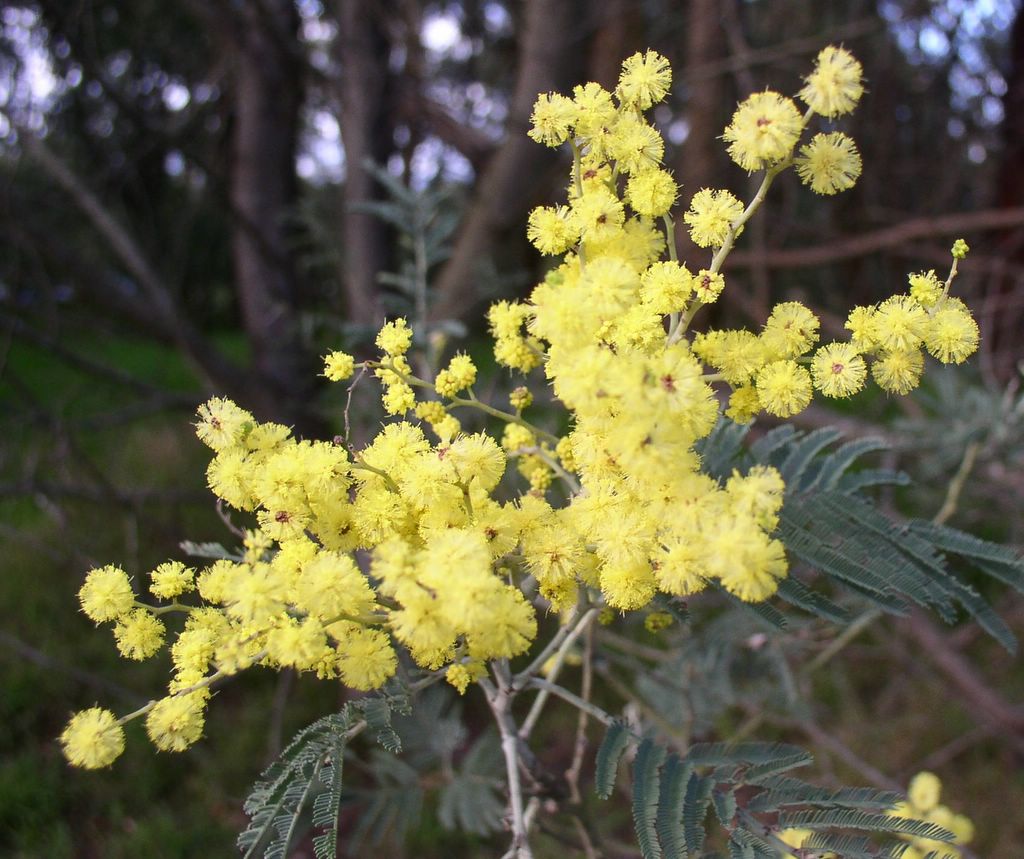
Despite the cold, the splashes of yellow (wattle bloom) indicate spring is on its way.


Wednesday, July 26, 2006
Breakfast Panorama

Breakfast Panorama
Originally uploaded by imageo.
Getting the exposure right from a digital camera when you are aiming at a rising sun is a tricky business. So in order to get the sky correctly exposed I used braketing (using 5 EV ranges) and then took 4 different but slightly overlapping views (ie there were 20 photos in the series). I then selected the -0.3EV from each of the bracket sets and then ran them through autostich. A fair bit of mucking around but I am pleased with the results. It give that big sweaping broad landscape feel I like. (By the way I don't have any kind of "sky" filter for my camera)
Monday, July 24, 2006
An emailed photo

An emailed photo
Originally uploaded by imageo.
This is a gauva fruit enjoying the rain. It is an example do photo that was been emailed to flickr and then forwarded as a blog post (with photo).
Photoblogging by email (using Flickr)

Photoblogging by email (using Flickr)
Originally uploaded by imageo.
I knew It was too good to be true, i should not have praise flickr fortolerating low bandwidth access.
Today when I tried to upload to Flickr, the upload process timed out several times. So I should really explain there are other ways to work from low bandwidth (and that includes WAP enabled mobile phones). Flickr lets you email in your photos. They give you a specific email address, which can be found under the your account section. Look for the Uploading via email section, (it's the first item) click on the link and it will display the address to use (as a MailTo link).
Even better if you look lower (near the bottom) of the Your Account pageyou will see another section about posting to your blog via email. This involves setting up a default layout (you need to do this ahead of travel time) and blog options (see insert). You can then send an email with a photo attached and the text of the email will be used as the body of you post and the photo inserted as per the select format.
This blog post is such an email submission. (with a screen capture instead of a photo)
PS Its just a pity about the way it gets re-formatted!
Sunday, July 23, 2006
Passin Bilong Kaikai Buai
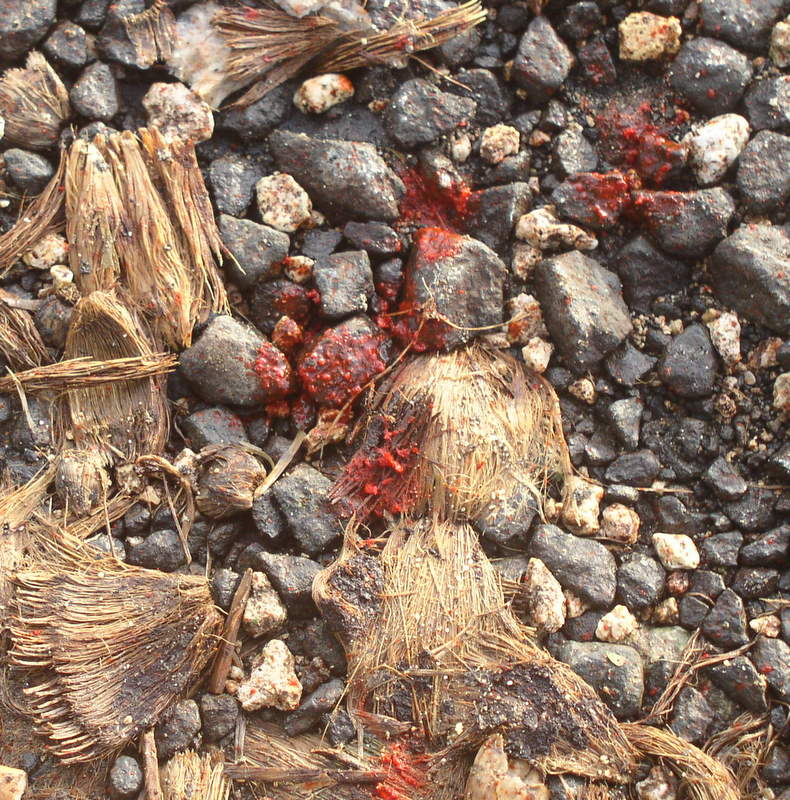
For Photo Friday: The common habit of chewing betel nut (kaikai Buai) in the outer island of new guinea, leaves bright red spit and husks everywhere.
Be careful where you step or you will get very stained souls.
Saturday, July 22, 2006
Photobloging over low bandwidth

22-jul-2006 lihir_pit02
Originally uploaded by imageo.
The fact that I have been able to post this panorama, from the remote location it was taken, has overcome a couple of real issues that has stopped me photoblogging when I only have access to very low band width connections to the net. (like when you search out the cyber cafe, if there is one, and it has a 486 PC running windows 95 with and ancient dial up modem).
1) Nice FTP base Uploads don’t work (or are blocked). 2) Frequent Line Drops, Time Outs and errors, which mean that any large file is guaranteed not to be uploaded via on-line forms.3) Trying to geotag photos with complex on-line scripts (or google earth) which also inevitably fail because of time outs.
For this upload I firstly used flickr, and the upload form in my account, to up load a medium sized version of the photo. I’m not sure if flickr have changed this upload but it does seem reliable and doesn’t fall over or time out. Possibly if such things do happen, it can pick up were it left off and continue. Then I used the blog this button to set up this blog post. Saving me to have to log onto blogger and go through a number of steps all of which where prone to time outs.
I have also used the fantastic script localize whilst still in flickr to capture the coordinates and geotag the photo. Again it worked, a little slowly, but without falling over.
Previously I preferred to use google earth, for remote locations, which I felt had better satellite and air photo coverage, but the google maps coverage is catching up fast. Click on the link below and have a look at the open pit mine from above as well
See where this picture was taken.
All of this was done on a shared satellite link at snail pace speed, but it worked reliably!
Friday, July 21, 2006
The story behind the photo

I realize the is a very late submission for Friday Photo's topic Remarkable, but i have been waiting all week to take it
See where this picture was taken.
The story begins when I started to fly from Melbourne to Lihir Island in Papua New Guinea. At Melbourne is was noticed the plane had been dinted by the air bridge, and there was a long delay whilst the damage was inspected and repaired. I had resolved to miss my connecting flight in Brisbane but due to fog in Sydney and general chaos in Brisbane I a mange to catch my now delay flight to Port Moresby. It seems my bag was off loaded, somewhere and didn’t make it to Port Morseby till Monday, but customs would not clear it because it was locked, On Tuesday I discovered this and said they (customs) could break the locks and inspect the bag. They decided they needed to have some one from the airline watch them do it, but he apparently did turn up till after the flight to lihir had left, further he left the bag at the international terminal. that was on Tuesday, it took till Thursday to make the 400 meter journey to the domestic airport and catch a charter flight to lihir. After 5 days in the same cloths, in a very humid tropical climate, the novelty had work thin.
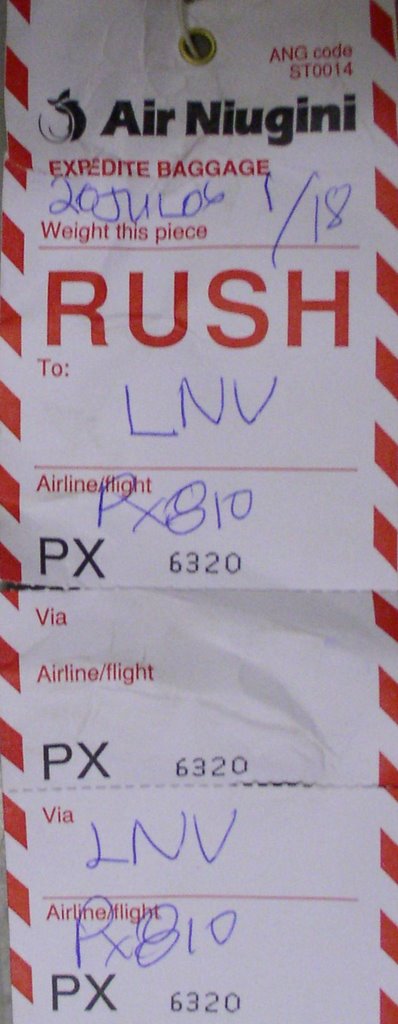
I got to the airport about 15 minutes after the plane has landed last night and everyone was packing up to go home. But there it was "my bag" waiting patiently on the side of the road.. And somewhat amusingly one of the tags on it says RUSH (Sunday. Monday, Tuesday, Wednesday Thursday... that some rush!)
But today I do have fresh cloths and deodorant.
(So there may be a moral here I think if you fly to Bali and don’t lock your bag you will probably end up in jail, where as in new Guinea if you lock your bag they will just keep your bag!)
Monday, July 10, 2006
Early Celebrations
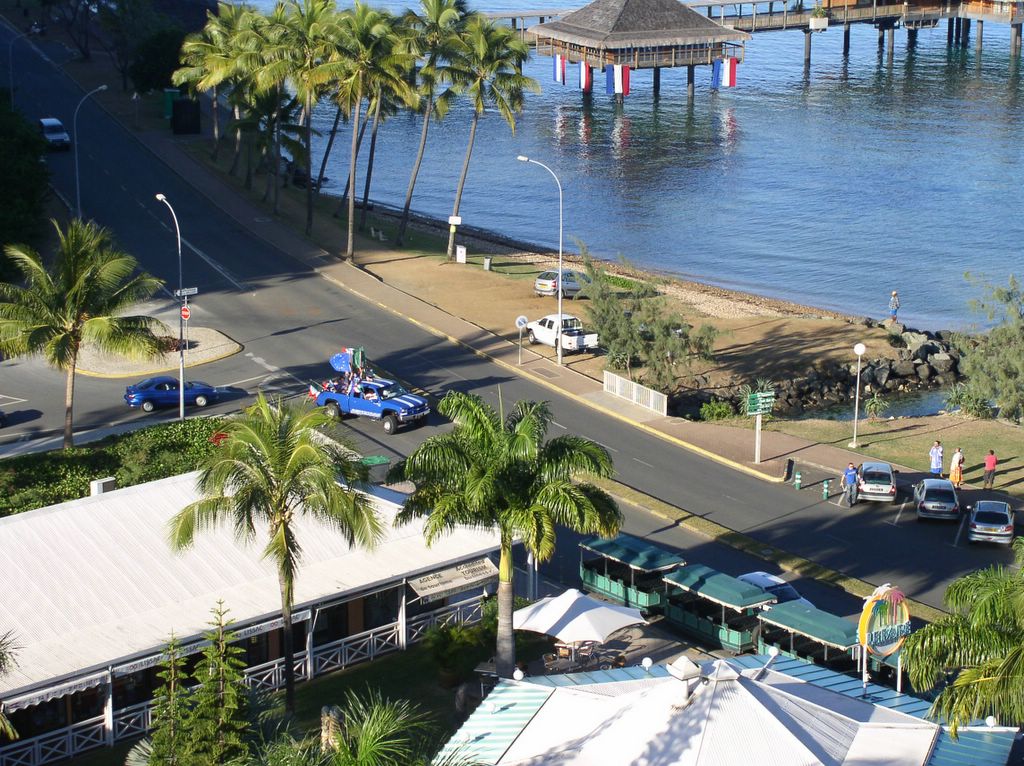
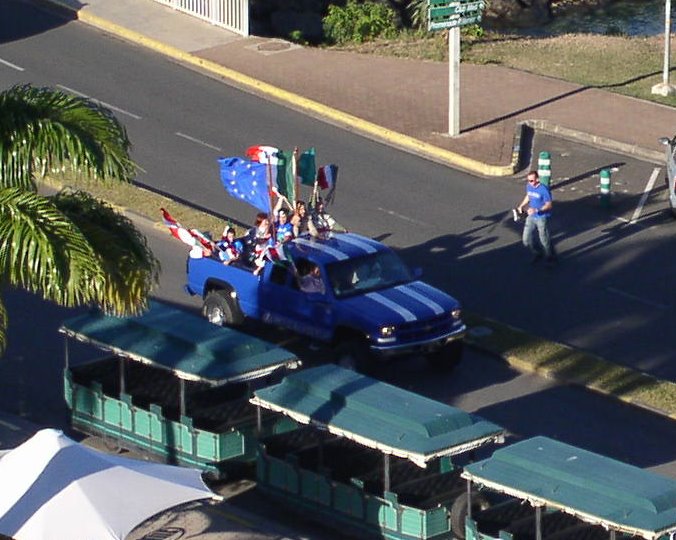
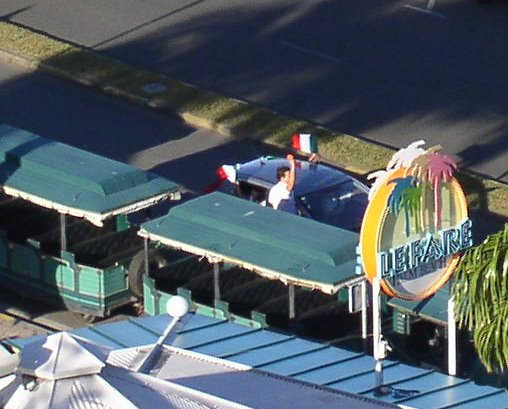
The world cup celebrations strated early in Noumea (it was already the next day), the head butting incident and penalty shoot outs just over.
Saturday, July 08, 2006
Summer (in Winter)

For Photo Friday: Topic "Summer" (despite the fact that it is actually winter here in australia, it looks summery on the Low Isles in Far North Queensland)
Sunday, July 02, 2006


Friday, June 30, 2006
Migrating Plovers
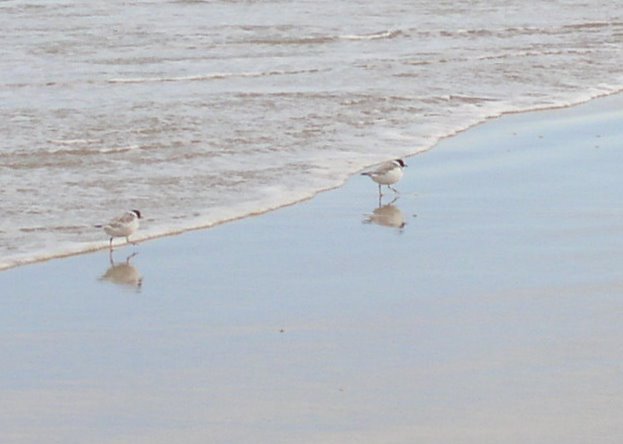

Initially I thought these where a pair or sandpipers, then possibly banded dotterels, but they are hooded plovers Thinornis/Charadrius rubricollis.
If you are keen on bird photography why not join up to flickr group Field Guide: Birds of the world
Thursday, June 29, 2006
Geotagging Photos with Picasa & Google Earth
You don’t have to post on Flickr, or be a member of the geotaggger's group, to be able display your images on a map. A new, and not well publicized feature (at the moment) added to picasa, is a geotag tool, which uses google earth.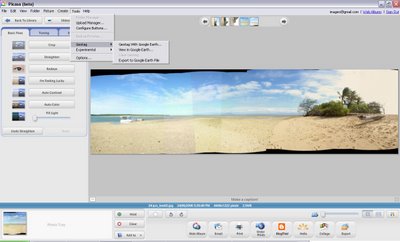
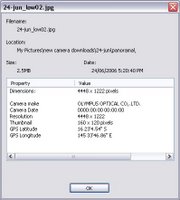 It lets you add latitude & longitude coordinates to your jpeg photo’s EXIF data . It is pretty easy to get working. Select a photo in picasa and then select the geotag with google earth option from the tool menu. This fires up google earth assuming you have it (if not is time you downloaded it’s free)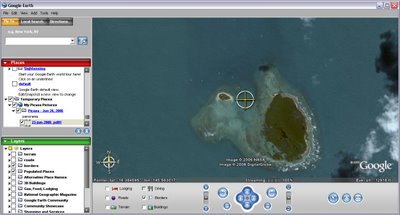
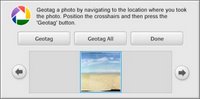 In google earth you will notice there is a central target. Down the bottom of the screen you will see a little picassa generated window with your photo. Just move to the location you took your photo (or the location you want to tag) and click on the geotag button in the picasa window. That’s it!
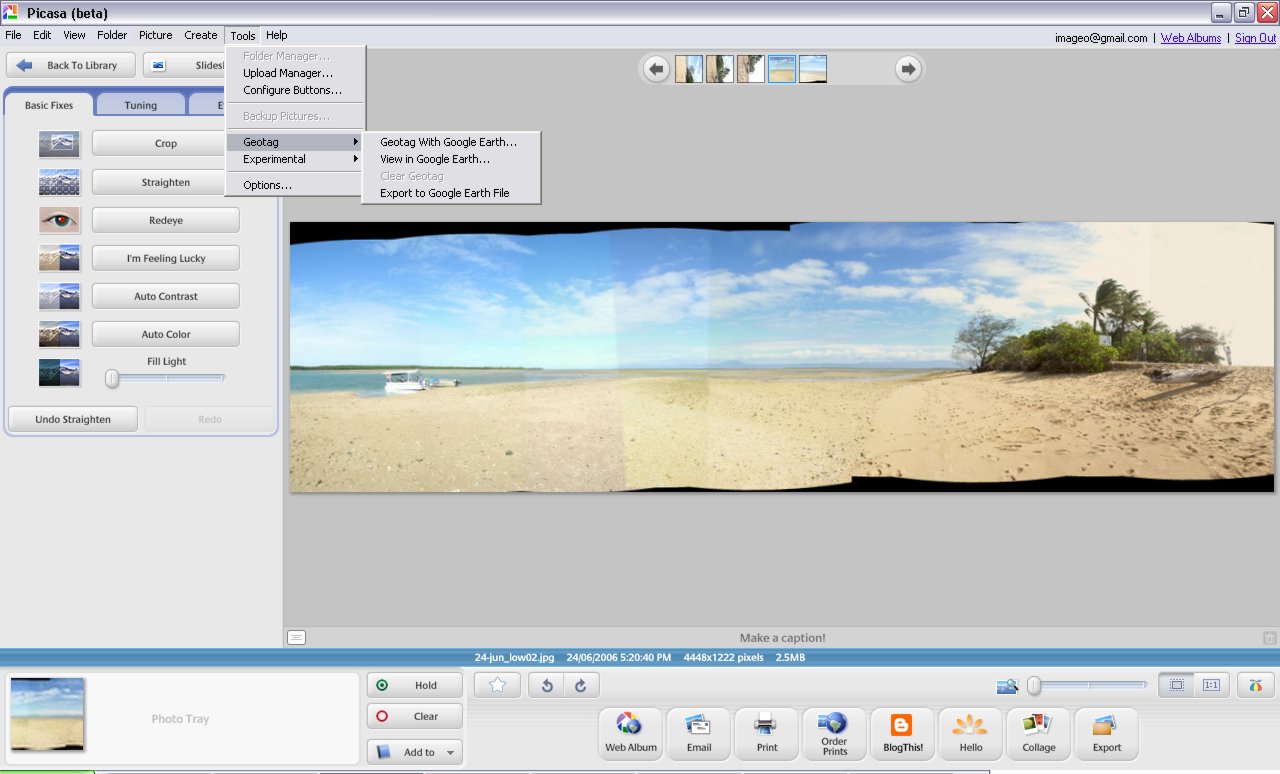
 It lets you add latitude & longitude coordinates to your jpeg photo’s EXIF data . It is pretty easy to get working. Select a photo in picasa and then select the geotag with google earth option from the tool menu. This fires up google earth assuming you have it (if not is time you downloaded it’s free)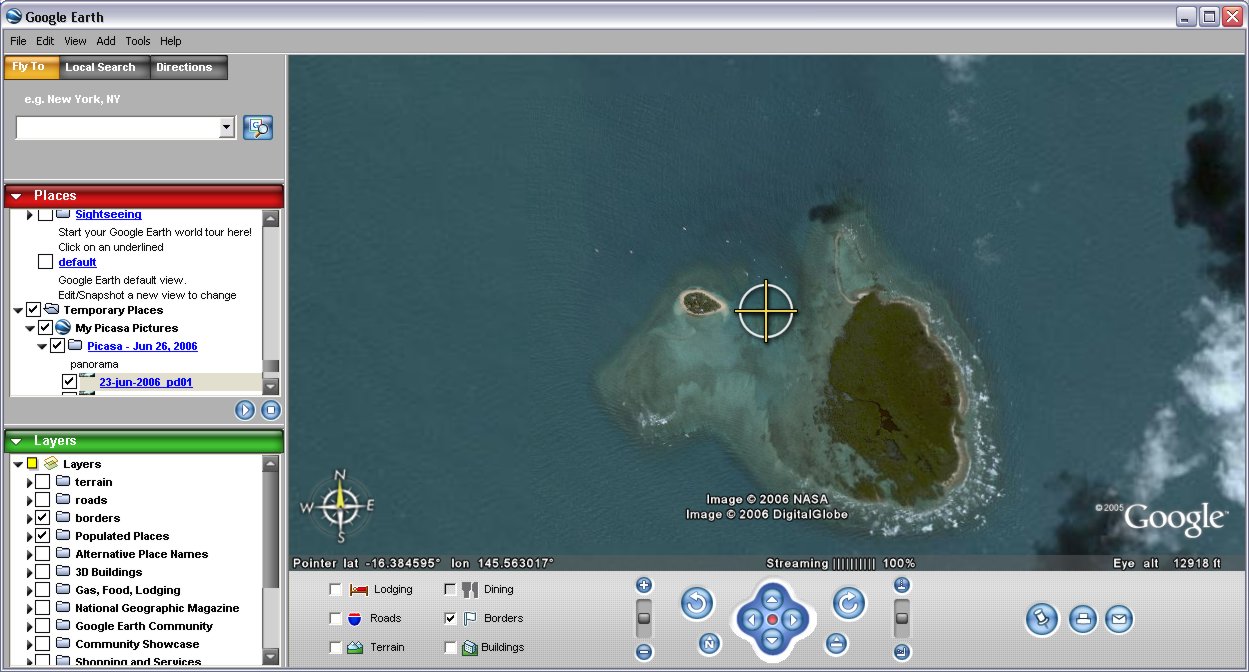
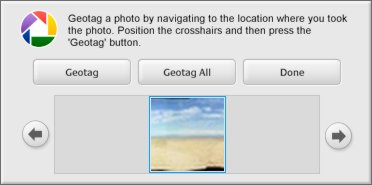 In google earth you will notice there is a central target. Down the bottom of the screen you will see a little picassa generated window with your photo. Just move to the location you took your photo (or the location you want to tag) and click on the geotag button in the picasa window. That’s it!
Wednesday, June 28, 2006


Tuesday, June 27, 2006
The amazing localize
The developments in geotagging are racing ahead, literally day by day, so you will find me posting more on this topic.
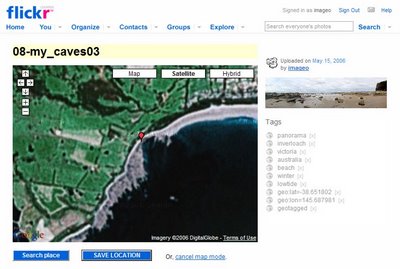
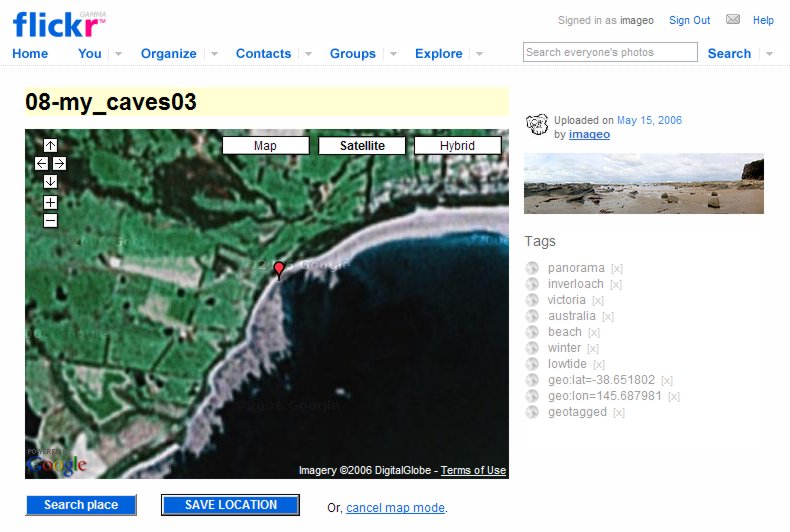
This one is a real gem, for flickr users, it’s a little script called localize, (you can download it from this webpage). It allows you to do everything on the one page and the coordinates are passed back without any cut & pasting (well you don’t have to do it). You just go to your photo page on flickr and run the script (by clicking on the localize bookmark) and a google earth map appears, in your flickr window. Locate yourself and click on the blue save location button. That’s it!
This one is a real gem, for flickr users, it’s a little script called localize, (you can download it from this webpage). It allows you to do everything on the one page and the coordinates are passed back without any cut & pasting (well you don’t have to do it). You just go to your photo page on flickr and run the script (by clicking on the localize bookmark) and a google earth map appears, in your flickr window. Locate yourself and click on the blue save location button. That’s it!
Thursday, June 22, 2006
Rainforest (Spider) Hilton

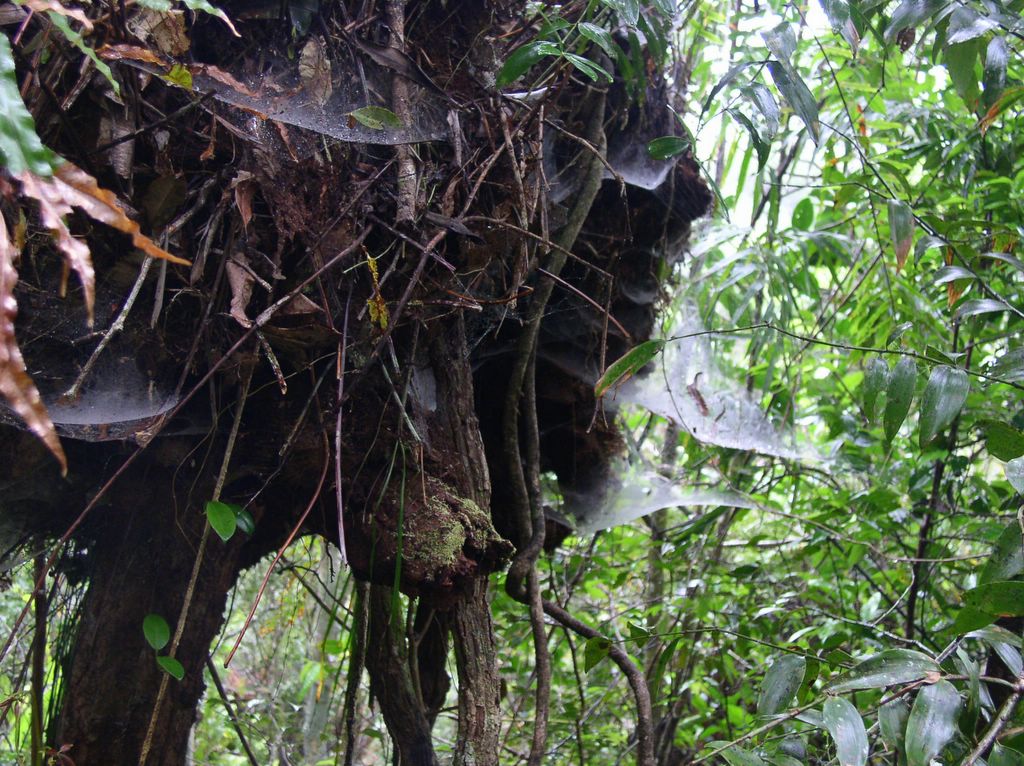
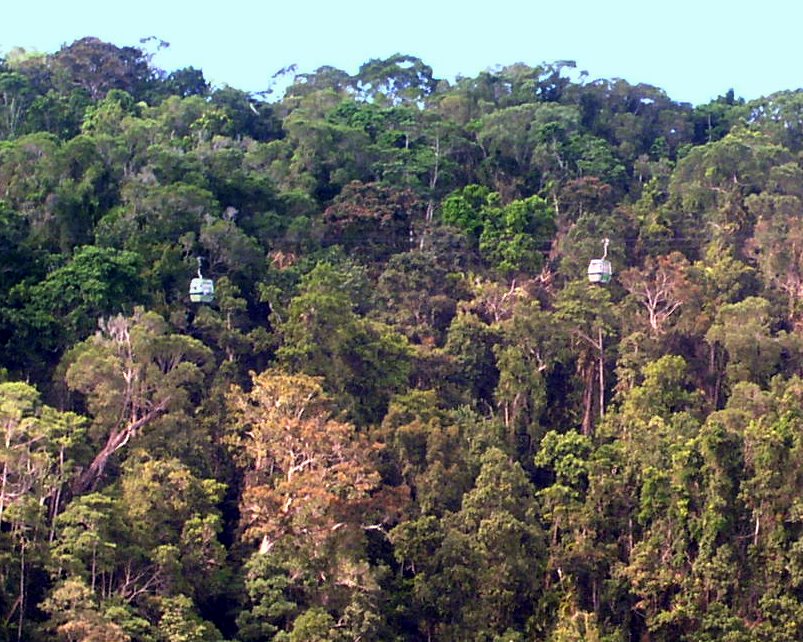
These amazing spider webs are located beside the rainforest walkway at the first rainforest station on the skyrail between smithfield,near cairns, and kuranda, in far North Queensland.
Monday, June 19, 2006

Thursday, June 15, 2006
Geotagging for flick
Almost as soon as I had posted my Making Photographic Placemarkers in Google Earth post I began to realize I was miles behind on what can be done already. There is a lot of discussion in geo tagging group, and this is probably the best place to keep up to date with the latest and greatest.
 I personally have tired out and really like the approach created by Andrew Harris, also a Melbourian by the way. You can find his approach discussed on the thread Round-tripping geocodes from Flickr to Google Maps and the actual code can be obtained from his blog “about pretty much nothing at all”. You must first save the two script from his blog article , gmap2flikrtag (which find the coordinates and writes the appropriate flickr tags) and Flickr2gmap (which will take you from a flickr photo display to the google map at the location of the photo). If you have Internet Explorer you need to select the link to these scripts and right click and select “Add favorites”, otherwise you can drag the link and drop it onto your bookmark bar on other browsers. These “favorited” links do not actually take you anywhere, like a normal bookmark would, they just run the scripts for you.
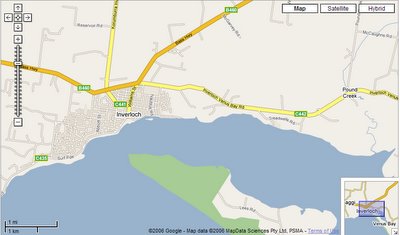
You must be in the appropriate screen to use these scripts. It is also handy to have two windows open in your browser. The first at google maps and the second open to your flickr photostream and displaying the detailed page for the photo you are tagging. By double clicking on the place you wish to locate the gmap will automatically center on that point. You will find that by selecting the area and progressively zooming the map in (you do this by moving up the slider on the little ladder on the left hand side up towards the + button) and re-centering you will be able to get very precise in your location if you desire (in Australia the “satellite” and “hybrid” options only give a “we are sorry we don’t have imagery at this zoom level” once you zoom down so you’ll have to stick on the “map” display if you want positional accuracy). You can also single click on the image and while holding the mouse button down and moving the move pan the map on the screen as another way to center the map.
 Once you have the map centered on the point you want, go to you favorites/bookmarks and select the gmap2flickrtag and once it runs you will see the coordinates written into the search box at the top of the screen. Select that and copy it. Pretty simple eh!
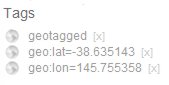 Now switch to you flickr window and click on the add tag option and paste the corrdinates and also add the tag geotagged. That’s it! Your photo is tagged with its geospatial position and available for all the wonderful spatial search applications (like flyr)
Those using Internet Explorer 7 (its still in beta I think) may find you just get an “error in page” message when you run the scripts. You can avoid this on the gmap2flickrtag script by Disabling Script Debugging (Internet Explorer) and Disable Script Debugging (Other) found under Tools, internet options and then advanced. However at the time of writing I have not found a way to get the flickr2gmap scrip to run under IE7. The scripts run perfectly for me under IE6 & Mozilla Firefox
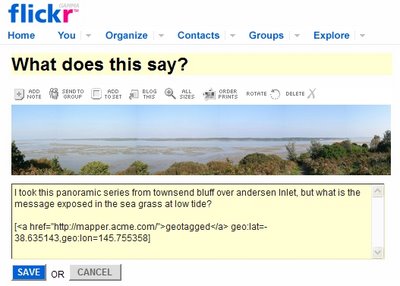
Finally I also use a hyper link to Jef Poskanzer’s Acme mapper as a link on my geotagged photos. Anyone viewing my flickr stream just has to click on the hyper linked underlined geotagged line and they will be automatically be transfer to a google map look alike that shows the photos location (in a similar fashion to them having their own flickr2gmap script). I also like to post in the coordinates into the comments (but this does not get recognized by the geotagging conventions to flickr, it is just for appearance)
 I personally have tired out and really like the approach created by Andrew Harris, also a Melbourian by the way. You can find his approach discussed on the thread Round-tripping geocodes from Flickr to Google Maps and the actual code can be obtained from his blog “about pretty much nothing at all”. You must first save the two script from his blog article , gmap2flikrtag (which find the coordinates and writes the appropriate flickr tags) and Flickr2gmap (which will take you from a flickr photo display to the google map at the location of the photo). If you have Internet Explorer you need to select the link to these scripts and right click and select “Add favorites”, otherwise you can drag the link and drop it onto your bookmark bar on other browsers. These “favorited” links do not actually take you anywhere, like a normal bookmark would, they just run the scripts for you.
You must be in the appropriate screen to use these scripts. It is also handy to have two windows open in your browser. The first at google maps and the second open to your flickr photostream and displaying the detailed page for the photo you are tagging. By double clicking on the place you wish to locate the gmap will automatically center on that point. You will find that by selecting the area and progressively zooming the map in (you do this by moving up the slider on the little ladder on the left hand side up towards the + button) and re-centering you will be able to get very precise in your location if you desire (in Australia the “satellite” and “hybrid” options only give a “we are sorry we don’t have imagery at this zoom level” once you zoom down so you’ll have to stick on the “map” display if you want positional accuracy). You can also single click on the image and while holding the mouse button down and moving the move pan the map on the screen as another way to center the map.
 Once you have the map centered on the point you want, go to you favorites/bookmarks and select the gmap2flickrtag and once it runs you will see the coordinates written into the search box at the top of the screen. Select that and copy it. Pretty simple eh!
 Now switch to you flickr window and click on the add tag option and paste the corrdinates and also add the tag geotagged. That’s it! Your photo is tagged with its geospatial position and available for all the wonderful spatial search applications (like flyr)
Those using Internet Explorer 7 (its still in beta I think) may find you just get an “error in page” message when you run the scripts. You can avoid this on the gmap2flickrtag script by Disabling Script Debugging (Internet Explorer) and Disable Script Debugging (Other) found under Tools, internet options and then advanced. However at the time of writing I have not found a way to get the flickr2gmap scrip to run under IE7. The scripts run perfectly for me under IE6 & Mozilla Firefox
Finally I also use a hyper link to Jef Poskanzer’s Acme mapper as a link on my geotagged photos. Anyone viewing my flickr stream just has to click on the hyper linked underlined geotagged line and they will be automatically be transfer to a google map look alike that shows the photos location (in a similar fashion to them having their own flickr2gmap script). I also like to post in the coordinates into the comments (but this does not get recognized by the geotagging conventions to flickr, it is just for appearance)
Wednesday, June 14, 2006
getting in close

I'n not sure why it is usually called macro photography, but close up photos are usually easy to take with most digital cameras, which can focus even at objects a few centimters away from the lens. Normally there is a specifical macro mode of focus setting usually indicated by a flower silohette (maybe because flowers are a favourite macro subject) So start looking for simple still life like composition in things you might normally step over.
Tuesday, June 13, 2006

Friday, June 09, 2006
A feast for bees
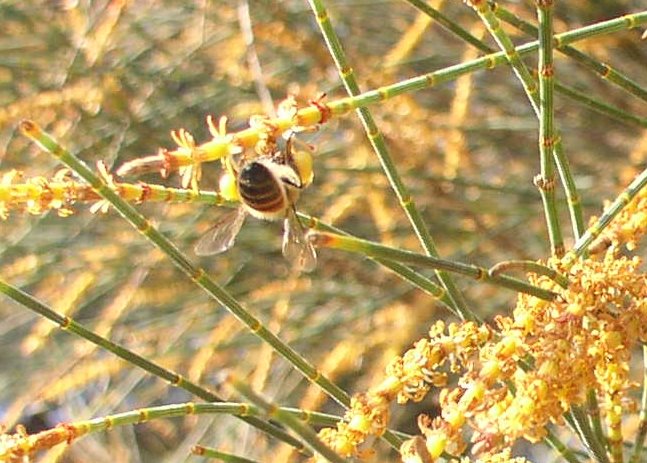 The drooping sheoak's (Allocasuarina verticillata) are flowering, and the natives bees are swaming in delight. The trees are either male or female and have different flowers The male flowers are red elongation at the end of the.round nedle like leaves, These flowers are so loaded with pollen that they bees can be seen to wear large pollen pouches on their legs.>
Subscribe to:
Posts (Atom)