Showing posts with label distortion. Show all posts

Tuesday, August 23, 2016

Don’t Stand So Close

The Lens BoxI have been having a little fun with a very cheap accessories I bought at Typo (yes the stationary and scrapbooking accessories place). Its a simple clip on design and the lens just sits over the small camera lens. It works fine on both my Android phone and my HP Spectre (a tablet laptop cross over) although there is some vignetting at the edges.


#234 Experiments with a cheap clip on macro\wide angle lens for my phone.

As a wide angle of a distant screen it is fine, but I’m not really a fan of the fish eye effect on a landscape. However letting it get right upclose (the macro aspect) definitely gives a different, aka interesting, perspective of some familiar items around my studio

Pentax & Tamrom Lens, my favourite comboCanon with zoom lens

The Red Wireless MouseThe Wandering Webcam

Saturday, May 18, 2013

PhotoProject :: Photographing Art & Lr5b Upright

One of the biggest issues when photographing art is getting rid of the lens distortions.This barrel morphing of the edges and keystoning, (that trapezoidal effect you see when a projector is at a slant to the screen) means that the frames will not align with the edges. There are some steps you can take when you are taking the photo, like using a prime lens , rather than a wide angle, or especially a wide angle zoom and photographing the work straight on and avoiding strong direct light.

2012-12-22

Perspective correction in Photoshop can be used to fix these effect, albeit with a bit of a learning curve. The new upright feature in Lightroom 5 beta is a very easy to use alternative, and ideal for “Fine Tune” straightening up the edges. The above snaps where taken of my art works hanging in private homes, taken hand held in place they hung on the wall, so I was not always able to take a distortion free set up.In Lightroom 5b before I do any other editing I go down to the Lens Correction/Basic Tab and then use either the Auto (which tries to fix the main distorts or the Full (which I probably prefer) which attempts to align both vertical and horizontal strong lines, like the picture frame. I then crop to the art work and do any other exposure adjustments. Remember it is important to get the white balance right but avoid over post processing so you keep the colours real,  It’s that easy!

image

Sunday, March 30, 2008

The secret worlds of tall trees

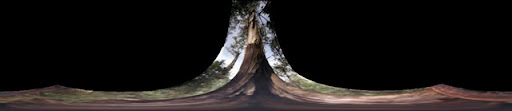
weirdly stretched panoweirdly stretched pano

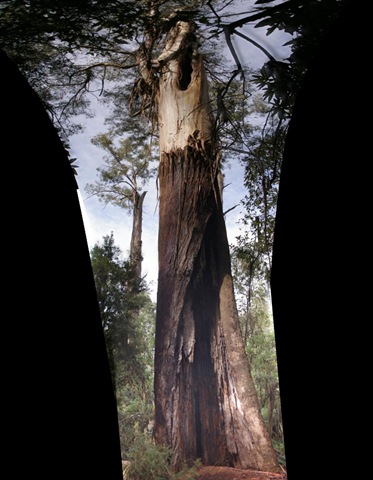
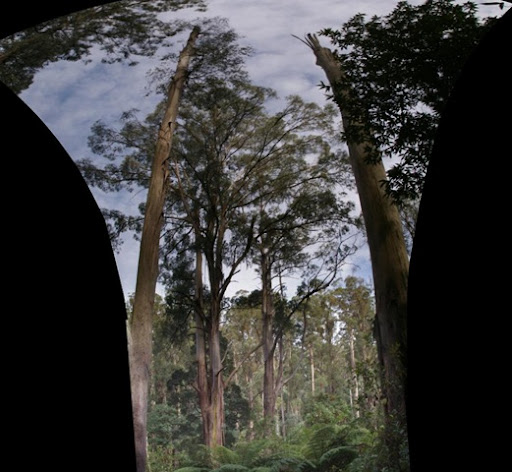
tree pano (2)-1  tree pano (3)-1

These weird distortions where created by autostitch as I tried to create vertical panoramas from stacked images. Not quiet what i expected by strangely compelling images all the same