Showing posts with label #socialdistancing. Show all posts

Thursday, March 26, 2020

Indoor #photoassignment :: Chasing a Rainbow of colours


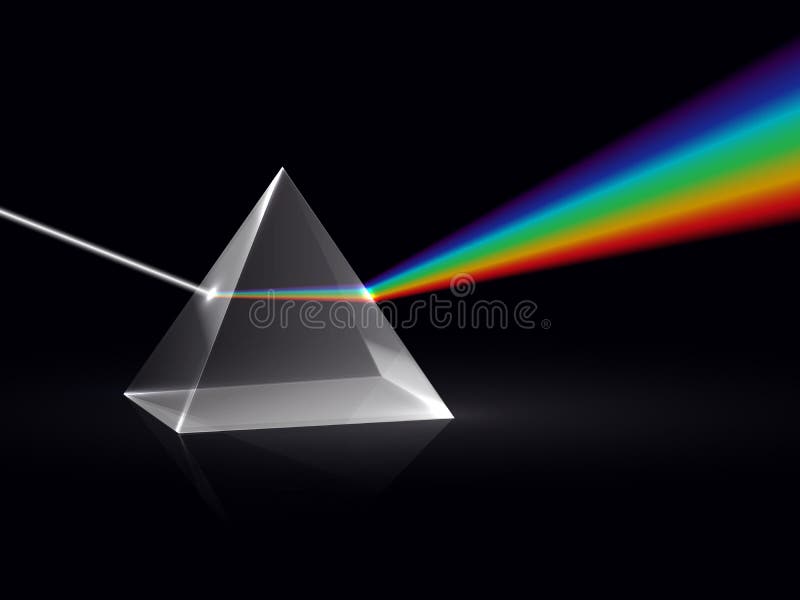
This is a week-long assignment for those confined inside (ie roughly half your self-isolation period). Issac Newton suggested there were seven colours in the spectrum/rainbow of colours he could split daylight into using a glass prism.

They are Red, Orange, Yellow, Green, Blue (a lighter blue a bit closer to cyan) Indigo (a darker blue) & Violet. Each day select one colour and find a place or object around your home that is full of that colour. (Hint you might be doing a lot of close ups). The colour need not be vivid it could be a paler or pastel shade it just needs to convey the essence of that colour.

A  lot of modern renditions of the rainbow only show 6 colours. Which colour have they left out?

If you don't have a glass prism handy and want to show the kids how light can be broken into a rainbow of colours. Find an old  CD, DVD or BluRay disk and look at the underside, it has a defraction grating built in which acts like the prism for the laser reading the disk. You will see at least two strong rainbow lines radiating from the center.  The number of line you see will depend on the number of strong light sources in the room. Again how many colour can you see?

Wednesday, March 25, 2020

Hmm Don't Do It


Our Prime Minister warned about panic buying/stockpiling, and his message was simple "Don't Do It".
I hope I'm not involved in the lead up to the lastest COVID19 delays. A number of on-line photo finishing services have sent emails explaining they are overwhelmed with orders and will have some difficulty providing everything within their normal turn around. So firstly I must thank them for a bit of advanced notice in these uncertain times.

So if you are doing as I suggested on Sunday and taking photos to put on some form of on-line photo service product, be patient. I'm sure  they will keep their doors open as long as they can comply to local restrictions (and we all know these can change from day to day.)

Secondly, I would avoid any overseas services, with the tightening of borders everywhere, the chance of product being caught in limbo is high. So if you are in Australian look to PhotoBook Australia, Snapfish as decent places to start (BUT check both companies source some specialist products from overseas) many local stores also offer either in-house or local fast turn arounds on photo printing and some special products, eg Ted's Camera, Harvey Norman, Office works, Big W and Kmart. There are possibly other obvious places I've overlooked and most offer on-line uploads but may required prepayment and/or store pickup, again check (shopping centers are open now but again could be closed at short notice)

I had thought of putting links to these companies websites but they will be so easy to find I encourage you to do that yourself, also look for special offers or deals, they might save you some cash, and in these times that's a good thing.

Tuesday, March 24, 2020

Making a Photo Essay


This idea really comes from Brookes Jessen (his Lenswork publications and podcasts are worth a listen) as different ways develop to share and show your photographs. Also you can probably get more interest from others when there is a story or common theme that links things together.

My current photo essay project
 is "Underfoot"
 So what is a photo essay? I'm not the arbiter of the term but what I am going to discuss is a collection of photos that tell a story or theme (in a visual way). It can be produced as a series of prints, a short small book, a slide show or better still a downloadable PDF for sharing via email or the web. This is an ideal photo project to undertake while you are in a period social distancing, quarantine or lockdown

What do you have to do to create a Photo Essay
  1. Think of a theme and plan out some photo ideas (you can change your mind as you progress).
  2. Take the photos (a smartphone is fine, I'll be using a small mirrorless camera, but compact cameras and DSLRs will be just as good)
  3. Organize and select those that best tell the story or represent the subject. (this might be a gallery app on the photo, built-in photo software on a PC or mac or up to a specialist digital photo package)
  4. Use Software or an App that lets to arrange the photos, and publish them (into a common distributable format eg. PDF, slide show or video)

Simple really.

As an example have a look at a couple of my recent photo essays. I've used Photo Mechanic & On1 to manage and edit my photos and the app Canva to format and export the PDF. I'll be posting a bit more on the last two points in the next days and weeks

Monday, March 23, 2020

Indoor #photoassignment :: Chasing Light


This assignment may suit if your social isolation or quarantine means you are confined to home. Keep your camera or smartphone handy and check out the light and/or atmosphere around the home. Find a place and time you like best. You will probably have to take a few images. Later in the day or after dinner sit down and choose just one photo.

You are allowed to come back tomorrow at roughly the same time and "stage" a second attempt (eg remove distractions. closer crop etc).

Sunday, March 22, 2020

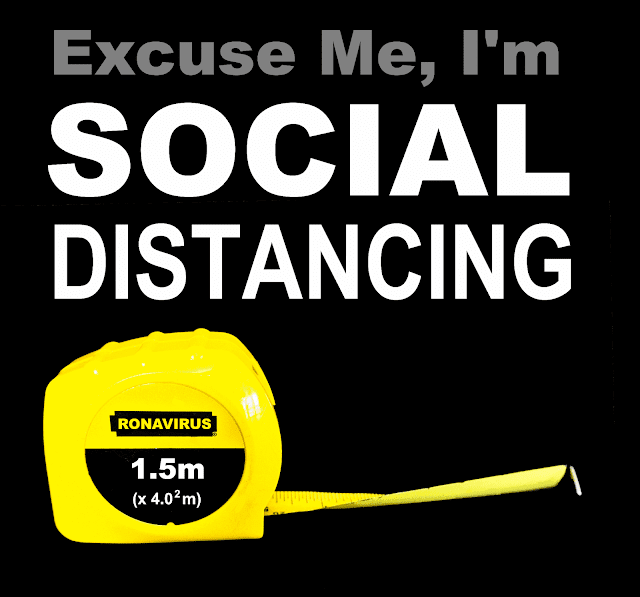
Small #PhotoAssignment :: Making A T-shirt


I decided my today's photo assignment would be to make a tshirt (or in more general terms it could be any photo product, mug, calendars, mousemat, phone covers, tote bag... etc  that are available through any on-line service). I have a redbubble account and they do good stuff including tshirts (possibly a little on the pricy side).

Anyway at 9:30am I mapped out a rough idea and took a couple of photos of a tape measure against my black coat. My idea was based on the Australian Government have issued clear guidelines as to what social distancing means (1.5m away from others and indoors each person requires 4 square meters of space). Very succinct and clear. So a few words and changing the text on the tape measure was all I needed to do.


I'm at my beach place and only have my little HP spectre which only has photography software loaded so I had to use ON1 and Paint,net to do the more computer graphics parts, which they did well.

Then it was onto my mobile modem and uploading to the redbubble website and choosing the items I think it might be suitable to print on. It was up and publically available by 11:30am.

Moral of the story :: It was a fun way to exercise my creativity for a couple of hours. So todays photo assignment is for you to make a photo product that someone in your family or friend might appreciate and get it created by an on-line service.

Also you can buy theTshirt if you like.