I posted last week, about the HDR or more precisely HDRi (
High Dynamic Range Imaging) technique, to attempt to get a higher dynamic range into a single exposure. I was inspired enough try out what can be achieved with a few popular freeware and shareware/trial version of software, and it is time to share my finding so far.
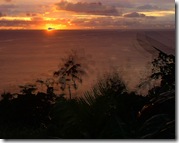
Well the first big shock was in the amount of ghosting I saw. This resulted because the images could not be superimposed adHDRequately and was mainly due to the fact that I had taken most of the bracketed exposure sets handheld (without a tripod to ensure that the images where exactly the same view). In fact some of the ghosting was so bad in many cases the final photo looks out of focus.
Most packages offer some way to adjust individual exposures but most where to say the least tedious (ie more up and down one pixel with each press of the mouse or arrow key, in just horizontal and vertical directions independently). Only Dynamic Photo seems to allow rotation as well, and it has a nice
"pin warping" method that snap difficult areas undependably. On this count alone this means that only dynamic photo and Fdrtools are the only software from this trial I will keep installed on my computer.
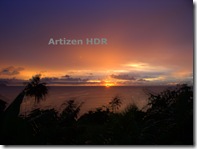
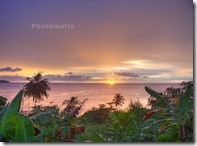
Artizen and
Photomatrix are probably the first HDR software you'll discover with a google search. The final tone mapped images are nice but I was too frustrated with the ghosting to give them a second chance. I've deleted both! They are both trial version and have a prominent watermark on the output.
 FDRtools
 was refreshingly easy to use and I will run through an example later using it. It gave a lot of opportunity to tweak things without undue complexity. Its default tone mapping is not quiet as rich as the other packages
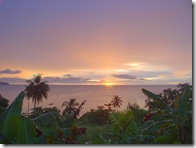 Dynamic photo
 ended up my favourite, just not 100% sure why, I think is was a combination of being able to align handheld images and the nice tone mapping choices. it has a small watermark on the free version
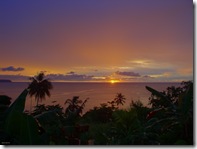
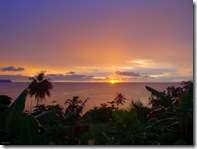
For comparison purpose this was the "best of" the original bracketed set. Note all the detail in the foreground is lost.
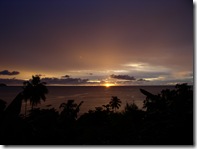

 wander across your photo and cast an awkward shadow of even block out part of your subject? For conventional HDRi\ this can be a disaster, or a lot of cropping. These where taken with my android phone using HDR Camera, which has a “feature” that it uses the first photo as a reference and other items in a single frame only will be removed, rather than included as a ghost. Not sure how its done but it does take some stress away.


