Showing posts with label Enhancer. Show all posts

Tuesday, September 25, 2018

Could AI help Photographing Art

imageWell after all it is my new “toy”, sorry I should have said tool. Will AI (Artificial Intelligence) be of help when photographing art?

I have found that photolemur generally does better on the olympus RAW (.orf) files, and as I generally take RAW + jpeg I did have a RAW version of my multimedia sketch (I’d used in the previous comparison).

And It did! The creases are a consequence on my folding the original A3 to get the sketch to fit on my A4 scanner. Otherwise we are getting much much closer to the original,  improvement id exposure and colour rendering but not perfect reproduction yet.

Camera RAW Enhanced by PhotoLemur


Sunday, September 23, 2018

More Flavours of HDR vs AI enhanced

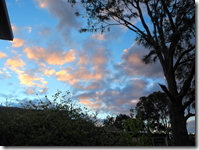
Sunset is a time that it can be difficult to capture a decent (and appropriate) dynamic range (tonal levels) of light. Bracketed exposures are a great way to ensure you get a decent exposure and taking this into traditional HDR merging and tone mapping will usually guarantee a decent picture. Finally how does this compare with my new software toy application PhotoLemur (aka AI enhancer). Is the extra effort worthwhile?

This first row are the original photos (The EV=0 image as a jpeg)

OLYMPUS DIGITAL CAMERAOLYMPUS DIGITAL CAMERAOLYMPUS DIGITAL CAMERA

This second line are the results from processing three bracketed photo through my current favoured HDR application Aurora HDR, using just the default tone mapping and Realistic Balance preset as a start, then small tonal and colour tweaks.

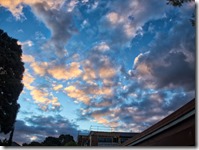
P9230002aP9230008aP9230011a

This third line was prepared with On1 Photo RAW’s new HDR merge which is pretty fast and the default tone mapping is realistic.

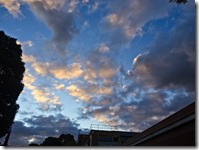
via On1 RAW HDRvia On1 RAW HDRvia On1 RAW HDR

This Fourth line is using the AfterShot pro 3 to merge and tome map, keeping the changes to minimal tone stretching and slight lift in vibrancies. This was once my preferred application and approach for HDR (as it was my only application to allow merging of RAW files) but I seldom use it now. It was a more involved process with reasonable amount of adjustment (“slider strain”) required if I don’t use their presets (which all have that “over baked” contrasty saturated look).
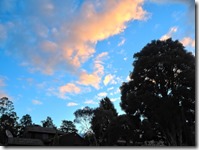
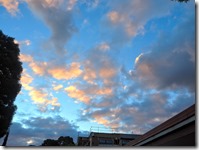
via AfterShot Pro HDRvia AfterShot Pro HDRvia AfterShot Pro HDR

Finally I ran the middle exposure (0 EV) RAW photo through PhotoLemur, and accepted the full enhancement.
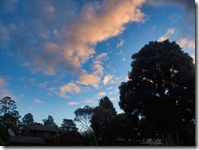
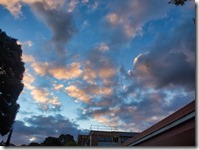
P9230002P9230008P9230011

Once again the results differ but not dramatically and it is really a question of your personal preferences.

By the way, I actually would not consider PhotoLemur a “toy” application, because unlike a lot of other one click filters (or presets) it makes good adjustments decisions based on the photo being processed. All within a few seconds. Its a toy because I like to play with it, it still amazes me.

Will I just use Photo Lemur instead of doing a traditional HDR? No! (not yet)

Sunday, September 02, 2018

Is PhotoLemur really an Automatic Fixer?

Photolemur, from Skylum, introduces itself as the world’s first fully automated photo enhancer powered by Artificial Intelligence. A big claim, and does it live up to the claim.
Maybe it Does!
image
It probably isn’t the total magic autofix app, that photographic postprocessing killer. However it is very neat and does a really wonderful job with exposure, tonal balancing and colour. It’s probably close to weaning me off the need for HDR to get photos that look like I remember the light was when I took the photo. P8290027Having said that there is one feature that is sure to appeal to those that avoid post processing photos. There is only one button (the export) and one slider (the paint brush dot), which activates  a nice screen width slider which allows you to control the amount of “boost” from the the original to fully enhanced. I would love to understand how the AI works in detail and I don’t yet, but I am impressed this is a significant step in the right direction. Specifically it is touch sceen friendly so perfect for my little HP spectre.
If you act fast you can get both a free trial (with the watermark) and/or buy it for a great preorder price today at PhotoLemur.