SD cards have become ubiquitous with digital cameras and microSD cards with smart phones. They are relatively cheap and generally robust. However they can be damaged and can very occasionally fail. My experience up till last week was that failure does happen but was very unlikely. I had one bad experience several years ago where a card came apart in my camera and jammed the card socket. With patients, a magnifying glass, a torch and the tweezers from a swiss army knife I did get all the pieces of plastic and gold foil contacts out of the card slot and no damaged was done. Luckily!


By this stage I was worried either the camera or the card reader was damaging the cards. So an intensive investigation of cards and cameras and card readers followed, including testing the write protection sliders. No problems found and I breathed a long sigh of relief.
So What might have causes the failures?
Then I realised I had changed how I was using the cards on my recent trips. I was using a new card each day and not clearing it off. After being loaded I would put it back in an elasticized pocket in the camera bag. There were only three such pockets and six cards so there was doubling up and I remember a few cards slipped out and floated around in a mesh compartment which also house a few other accessories. I now suspect that is where the little plastic slide switches got damaged.
So I have gone back to my old practice of re-using the same card in the same camera and clearing off the photos after they are loaded. Only a singe SD card is stored in each pocket, as spares in the field. 
Before I try the rotating card process again I’m need to find a suitable protective wallet for the cards and take better care of them.


 SD cards come in a large variety of capacities, in general the bigger the capacity the more expensive, but there is a second consideration speed. The
  This was all fine for still cameras but video is even more demanding, so there is now another class the SD XC or UHS (Ultra High Speed), which an come in capacities up to 1 TB (terra byte(more commonly 32GB). Their speed class is shown in a U, The class U 3 is equivalent to 30MB/s (as shown on the left). Some newer cameras and particularly video cameras like the GO Pro actually require these higher speed cards.


 Buy more memory cards? Well they are getting almost as cheap as film, once you pay for its processing. For example a cheapest 4GB SD card I can find at the moment (in Australia) cost around $20. Many older camera can only take 1GB SD cards, which cost around $12. The table below will give you a rough guide to how many photos in
  Write CDs at the local photo booth. Most modern photo kiosks, especially in areas frequented by backpackers, offer a service to write a CD from files on your memory card. Often this is very cheap if you get a few photos printed. Rather than carry the CD around, why not post it to yourself (using a protective cardboard CD pouch).
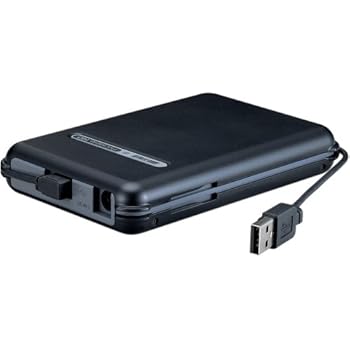 Backpack drive, these are external disk drives, normally just temporarily connected to you computer(swapping between your home PC, laptop or notebook) via a USB connector. If you make sure this is relatively empty when you start you will have plenty of capacity for your trip.Today very large capacity 300 to 500GB are quiet affordable. It may be wise to invest a little more in a shock resistant model with its own travel case, as it will also be travelling with you.
 A new type of Multi-media storage device for photographer is appearing, a kind of hybrid photo frame, card reader & backpack storage. At around $600 plus for 40GB at the moment, they are not cheap, eg. ten 4GB will SD cards be less than half the cost.


