Showing posts with label dawn. Show all posts
Showing posts with label dawn. Show all posts
Friday, September 01, 2017


Sunday, October 11, 2015
PhotoFriday :: My Favourite Location (this year)

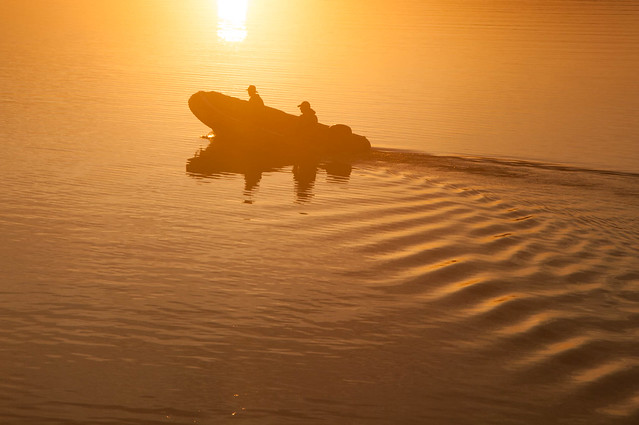
My all time favourite photographic location is still probably South Walkerville, but over the past year I have been taking a lot of photos just down the road in Jells Park. The scenery may not be world shattering but I am enjoying capturing the migrating birds, the subtle changes of light and reflections.
 For PhotoFriday‘s topic My Favourite Location
Wednesday, July 08, 2015
Red Sky in the morning
 I must admit I’m normally still snuggling in a warm bed at this time of the morning, and it has been a very cold spell. However I was up and awake early today and able to capture the first light of dawn. Giving me a great opportunity to compare my “girls” (the three current mistresses, aka photo managers/editors, I’m using rather than picasa/google photos) as I would normally edit/tweak them. The Photo on the right is the original unedited Jpeg. The photos below are edited by AfterShot , Lightroom and Perfect Photo Suite 9. These three systems render my .pef file (Pentax’s RAW format) differently but their RAW file renders all look very flat compared with the jpeg. I liked the dark silhouette of the trees, so I have left the images very low key and just just concentrated of adding a little extra contrast and vibrance.I also straighten and cropped each version. In the edge they all look somewhat similar, supporting the observation that it probably doesn’t matter a lot which software you use as long as it does what you want.
AfterShot Pro 2, which has become my first stop on my laptop. In this case I have just click on Perfect Clear and lifted the vibrance slider a little. With a straightening and crop to finish. All over in seconds
 Lightroom 4.4, was a little more considered and all done in the development module, lifting clarity (rather than contrast) and a little vibrance (not saturation) then straightening and crop.
Perfect Photo Suite 9, was a actually my second port of call but I have left it till last as it seems to match my memory of the moment best. I started in Perfect enhanced (which is where cropping and straightening are normally undertaken. Whilst there I couldn’t resist using their wonderful content aware magic perfect eraser to remove the two light poles (which would have bee a very time consuming task with a cloning tool on the second post behind the tree). I also finished with perfect effects, a natural Dynamic Contrast, A fall enhancer Colour Enhancer bought back to 60% layer opacity and a soft darker vignette
Monday, June 15, 2015
MDR rather than true HDR
I’m using the abbreviation MDR to mean Maximum Dynamic Range, to differentiate these approaches from “true” HDR.
Something I haven’t tried out in a while is Amalence’s HDRAW standalone utility. This utilizes Tone Mapping technique, allowing it to preserve the details while fitting the highest dynamic range image, taken from a single RAW photo, into the limited dynamic range of a single JPEG or any other 8-bit format.

It displays the options in popular filter examples that you just need to click on the most pleasing option (ie not shinny painting please)
Another way I have seen described to get a HDR set from a single image is to take a well exposed image and create an overexposed version and save that and then an underexposed version. Normally by moving the exposure slider by the equivalent of one f-stop. This might let you use tone mapping tools but it does not get you extra tonal range, you can find in bracketed exposures. If you want to follow this approach the new AfterShot HDR has this as its second option to create a HDR file (I don't recommend this approach)
The final approach, which I feel is the most obvious, is to use software like lightroom to stretch the tonal rendering to its maximum (well maximum acceptable amount). In this example I am using lightroom’s development module I just use the basic tonal controls controls at the top of the development tool panel. I fist try the whote balance, although in this case I feeel the as shot does reflect the warmth of the first dawn light colours well. Next I have a adjusted the exposure up a little (moving the whole histogram a littel to the right because it is so heavily biased to the left, the dark side). Next I adjust the shadows and blacks to keep the forground dark (and hide the shadow detail, for pictorial reasons). Finally I lift the highlights and the whites (there aren’t many as shown by the histogram). I lift the clarity (local contrast) and vibrance (the intensity of the deeper co0lours just a little. I do have a preset I developed ages ago called SDR+ which follows these steps but I actually prefer to do the steps manually because I can finesse the sliders in each step.

A number of software programs offers histogram stretching tools and they can produce HDR like results but they are less easily controlled than the tonal tools in packages like lightoom and AfterShot.
A Beautiful Dawn and being Accustomed to My Camera
 Even though I was still half asleep and had not put in my contact lenses, I couldn't help but notice the magnificent sunrise. So I quickly grabbed my camera, despite being dark and not being able to see clearly I was able to get the camera in Exposure Priority and dial up what I thought might have been a higher ISO (I got both right) But I could tell the exposure would be way to slow (ie 1/4 second) to be hand held (click on the image on the right to see how blurry the resulting photo turned out). I didn’t even check the screen and cranked the aperture wheel down a few notches (not knowing or being able to see). These sounded better, possible quick enough, and I took a couple of overlapping images to make a panorama..
The image above is just a quick collage created with picasa. I think my beloved Pentax has done a great job even though I wasn’t able to visually check the setting or button I was pressing. Naturally I could see enough where to point the camera in the right direct and could hear the autofocus tracking my lens back and forth.
This story continue (I took a few sets of bracketed), after using my muscle memory to select my user programmed mode on the main dial (which is preprogramed to create a series of EV values)

I had breakfast and put my lenses in, upload the photos and like the initial pano set. So I have taken it though Autostitch and used Perfect Enhance to hold down the digital noise.
The exercise of using your camera without looking at the dials, and just taking the picture is highly recommended. (Even in the Dark)
Saturday, April 25, 2015


Friday, April 25, 2014
Anticipating the Dawn

It was a clear night and therefore a crisp morning, but thousands where getting ready in Australian and New Zealand to uphold the ANZAC tradition. “We will remember them”.
Monday, February 03, 2014

Tuesday, January 14, 2014

Saturday, August 10, 2013

Saturday, March 16, 2013
Red Sky in the Morning...

The fact that it has rained on the grand prix will not surprise those that saw the sunrise.

Saturday, March 09, 2013
Photographing the dawn
As the first rays appear the beach was already full of joggers and dog wakers, and photographers!

Monday, June 13, 2011
Volcanic Dawn?

The Chilean Volcanic ash in the upper atmosphere, is now disrupting our air space. It should in theory show up in the sunrise and sunsets as richer colours. Admittedly last night with clear skies (few clouds to colour) and this morning was very foggy. However I really couldn’t see any dramatic change in these wonderful daily lighting display, it was might cold al the same!

Monday, September 13, 2010

Monday, October 12, 2009

Wednesday, November 19, 2008

Friday, August 22, 2008

Sunday, December 16, 2007
Sunrise

 Yet another multi-image panorama, the photos were taken in new guinea two years ago BA (thats Before Autostitch, well before I started using autostitch). Just goes to show it can be worthwhile revisiting some of your old photos.
For PhotoFriday's topic Sunrise
Wednesday, March 28, 2007
red sky in the morning

it has been so long since decent rains down here in south eastern asutralia, is the the "shepards warning" we are all waiting for?
Wednesday, February 14, 2007

Subscribe to:
Posts (Atom)