Showing posts with label landscape. Show all posts

Wednesday, May 31, 2017

Van Gogh the Seasons

I'm not sure what Vincent would have made of the crowds looking at his art?The NGVs winter extravaganza, the 2017 Winter Masterpieces, is a collection of Van Gogh’s work from several periods related to his focus on capturing the seasons.

It was just a little too busy for me, I'm not sure if photographing art is a modern subsitution for actually seeingI was continually crossing paths with a guided tour and because photograph is not only allowed but also encourage so there was a line up in front of all the later paintings. Still there was a very comprehensive range of work from early scrapbook inspirations through to a small self portrait.

So many people so many selfiesI have always liked Van Gogh’s line/marks of tortured brush strokes in his wheat fields and cypress trees. I had not realised they where subjects that tortured him. Perhaps I would have liked to see a few more of his drawing

David Stratton and David Wenham’s multi-media guide provides a lot of context and is really worth listening too before you visit the exhibition.

The short introductory film about what inspired Van Gogh is not to be missed

“I’m drawing a great deal and think it’s getting better.” – Vincent van Gogh

Monday, July 04, 2016

ArtInspired :: Seeing a photo via a painter’s eyes

“I see things in terms of paint, all else is irrelevant.”

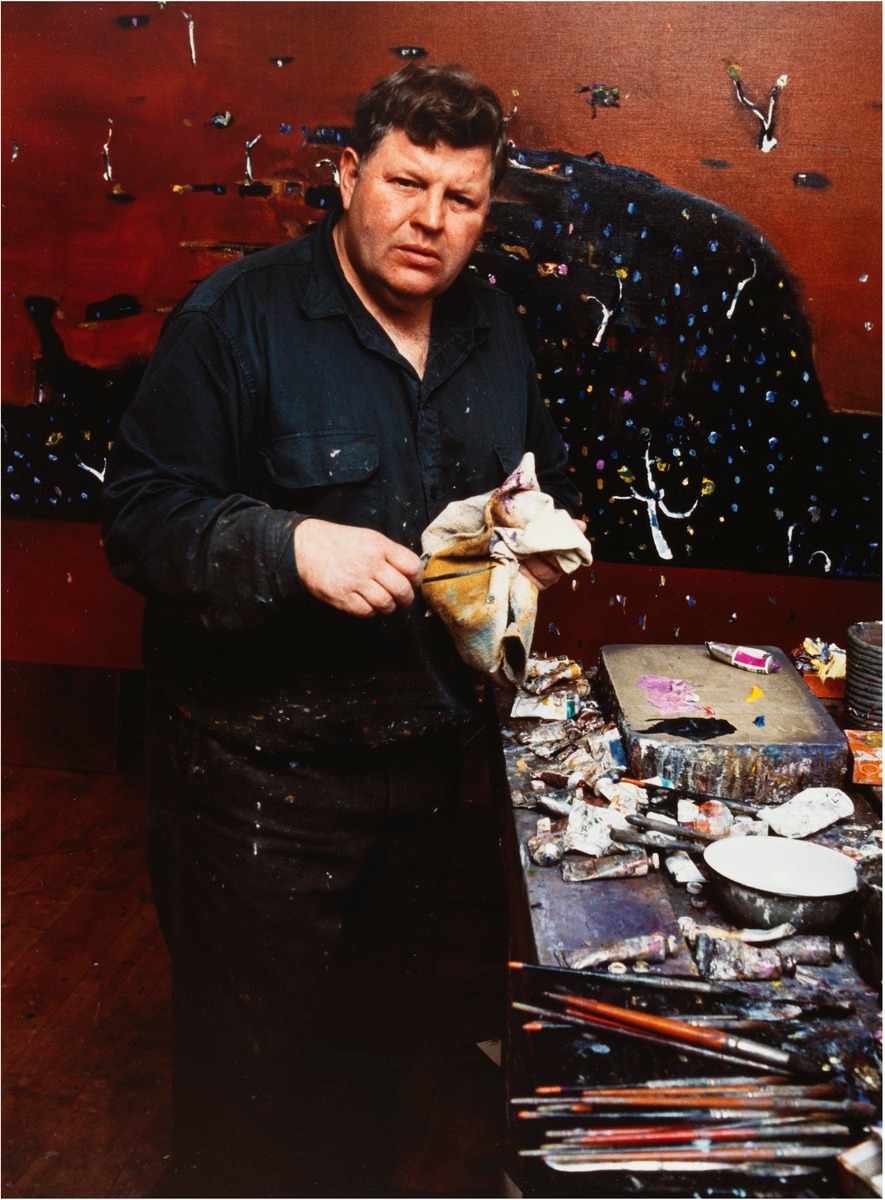
… Fred Williams

Following on from my experiments with textures, I went and had a relook at the Fred William’s works currently on display at the NGV Ian Potter Centre (there are currently 5 but they are spread around, One in the Luminous Australian Watercolour exhibit, two in the 20th Century Australian Gallery and my two favourites in the Joseph Brown Collection).

Fred’s landscape inspired abstracts work so well at a large scale, at a distance they are compellingly interesting, very characteristic of the bush areas he used as inspiration, particularly in colour and textures. Close up they are very confidently painted splodges and squiggles on a rich ground, essentially abstract.


I have deliberately begun with two simple images of the scrub and gumtree truck taken in Jells Park plus and image of the same place taken without a lens and deliberately under exposed.

_IGP7027 original photo_IGP7025-original photo_IGP7028 Photo taken with lens removed

tree0001 copy


These form my “sketches”, to which I added another simple sketch of some line work. It is important that these are the way I might make marks. However it is not a realistic sketch more an exploration of composition and line. After the success of using dreamscope and layering back into the work I again generated a couple of deep dream interpretations of the photos above. Firstly just using some of the standard filters provided.


Using the dreamscope sketch filter Len-Less image using the dreamscope Picasso filter (he obvioulsy avoided dark hgreens)

The magic started to happen when I used my line work sketch as a custom filter. So the deep dream process in dreamscope was looking for the style of lines I might have used and emphasising them.

Using my line work as dreamscope filter Using my line work as dreamscope filter

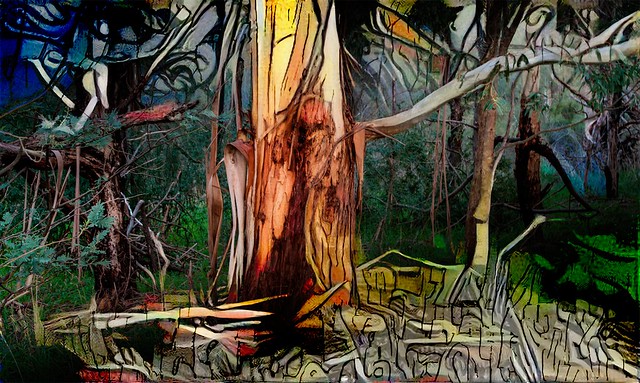
I’m still not sure how to tackle his rich selectively coloured backgrounds. In Enchanted Forest 1, (below) I tried using the the len-less image after it was interpreted via a Picasso filter, Its certainly a colourful result, but perhaps too colourful and not really characteristic of the Jell Park scrub but I trust you find still a pleasing interpretation.

_IGP7027 Enchanted Forest 1

I noticed that the sketch dreamscape of the tree truck did have the limited range of colours I was after, perhaps a bit more vivid than Fred’s treatment, yet his colours are undeniably rich. So I have used that image to bleed through the background and a descent into my line work style at the bottom of the image.  Enchanted Forest 2 (below)#184_IGP7025-Enchanted Forest 2

Thursday, July 09, 2015

Taking the time to really look

There is a slight optical trick here, go to flickr and make this image full screen then look at it from close up. Your eye will be fascinated with the pattern and texture of the bark, and that will dominate what you see, Then stand and move back a few place and you will start to see the beach where this tree grows.
Really looking
Working on the inspiration of Fred William's paintings of the essence of the Australian Landscape.

Tuesday, November 25, 2014

The Patch :: Falling back on joiners

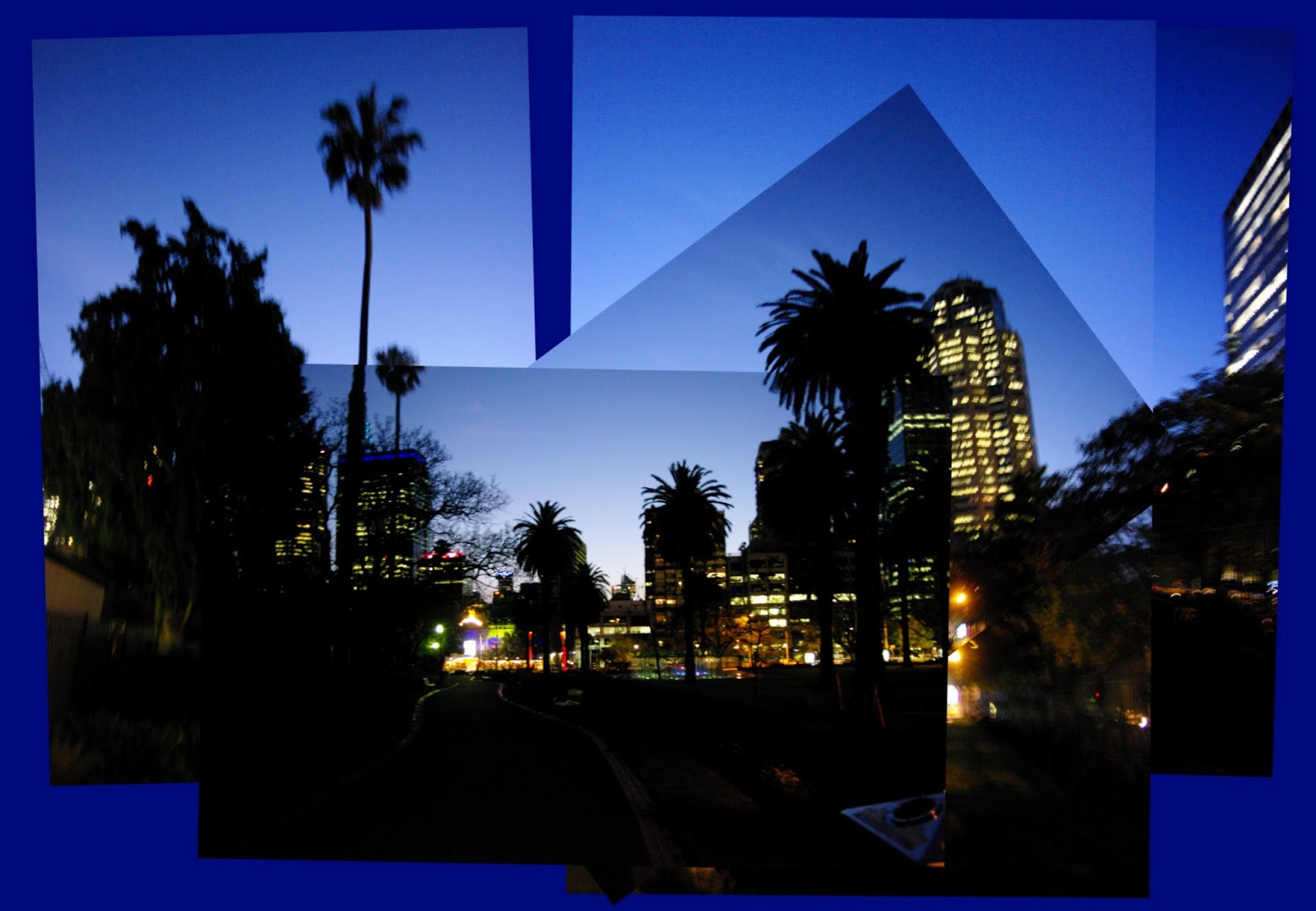
I had been scouting around for a photoworthy urban landscape and whilst I live in a “vibrant” city I really don’t fine it so attractive (infact this week I was more confronted by the ulgy side of the urban aspects), So whilst I took many photos of buildings and motorways, the only ones that even inspired the idea of a worthwhile landscape for me was a group of shoots I took hand held looking back on Melbourne at dusk.  However rather that try and work up a panorama I felt there was extra charm in leaving them as a stack of images.
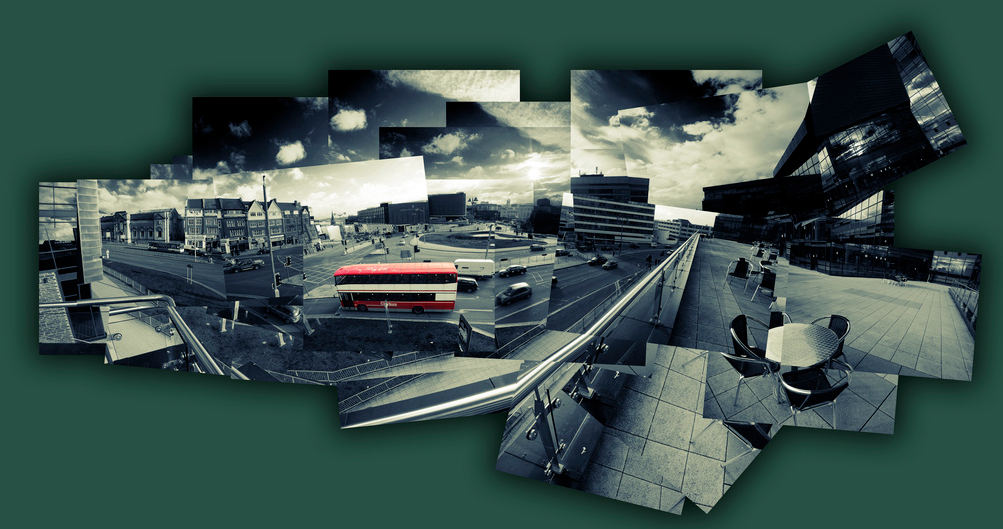
Whilst photo collages have been around a long time its is the joiners developed by David Hockney that can bring a rich artistic feel of personality and being an original work. His original joiners where just polaroid images (lots of them) assembled and stuck down to make a larger image. Not necessarily taken from the same vantage and often deliberately not quiet matching. I have found the collage maker in picasa is an idea place to build similar joiner style collages. However there is plenty of software out their to do a similar job (Hockneyizer is a wonderful “filter” style app,originally for flickr photos but you can upload any photo to it directly, that will take a single image and break it into a hockney style collage)
Picasa collage ScreenIn picasa you just need to select the photos you want and the select the collage builder tool (either the Create/Picture Collage menu item or collage button if you have one on the bottom toolbar).  The first step is to select the picture pile format which is as if you are just scattering the photos on your desktop. under that is a series of border templates (the collage above has the polaroid frames, in homage to Hockney but they are not what I wanted for the final image. I prefer borderless option.) However I like to using a drop shadow which emphasis (rather than hides) the join between photos. The next step is to move around and possible resize and reoriented to photos. When you select a given image a control circle if overlayed on the photo click on in and moving your mouse slides the photo over the surface. You can resize the photo with the mouse wheel (or clicking on the orange dot on the little control button on the edge of the circular tool and moving it in and out (horizontally). To rotate the image again click on the orange dot and now move the mouse vertically and you will see the image rotate. the controls are very easy to master and you will soon be able to rotate and resize at the same time.
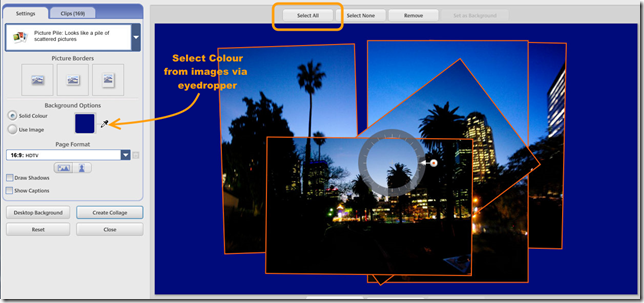
Picasa collage ScreenOne of the bigger charms of Hockney’s later joiner work is that he did not try to fill the whole space and left ragged edges and some gaps but he did take time to judge a suitable background colour, something that could bring the whole together. I like this approach and so I used the eye dropper tool to select the dark blue of the sky as my background, Then a bit more rescale and realignment of all the photos together (press select all at the top of the workspace and all the photos will be outlined and can be reoriented and scaled as one). You must then hit the create collage button, which creates the composite image and puts them in a separate album called collages. You can then work on this as any other photo in picasa so I did a fraction more cropping. The advantage of the picasa’s tool is you can return and re-edit the original collages in the collage album at any time.
There should of course be some “art” applied to your selection and arrangement of the images but if you are lost for inspiration you could always try the scramble and/or shuffle button at the bottom of the collage workspace (remembering that any alignment of images will be lost)

Tuesday, November 18, 2014

ThePatch :: Landscape & Water …aka At the Billabong

IMGP9737-HDR-001My original intention for this week’s The Patch theme on Landscape and Water was to be a dramatic surf seascape, but circumstance keep me from getting down the coast, and a usual time was running out. Saturday night bought the heaviest overnight rain for many years so I next morning I headed for the Jells Park Lake expecting to see flooding everywhere (or at least some good puddles to get a reflected landscape. Trouble was the sky was a dull grey, with just the occasional glimpse of blue and it was still drizzling!

The Creek was certainly in flood and I had to get my feet wet to get around the back of the lake (several very average water photos later I got to a normally dry billabong and with the sun briefly peeked through breaks in the clouds long enough to get a panorama set with bracketed exposure of the reflections and a nearby river gum, When I realized I probably had the makings of the unofficial Australian Nation Anthem (well the one any True Blue Aussie knows the words to) Waltzing Matilda. Ok it is not a real Coolabah tree but it is a real Billabong, and with some water in it!
At the Billabong- Autostiched Pano/HDR* setAutostitched Vertarama of the River Gum in HDR*

Back to the Photo assignment, first step was let google+ do its autoawesome HDR* and then I used autostitch to join up these photos. Finally I used the new Perfect Photo Suite 9 (I’m still  checking out the trial version) to do the crop and a little further tonal tweaking, especially toning down the lurid HDR* colours and adding a little warmth. Finally adding that great Big Softy vignette (every so slightly off center).


Tuesday, November 11, 2014

ThePatch :: Landscape/Sunrise

This was one theme I was really looking forward to, I like the striking lighting of sunsets and sunrise but have learned whilst they make wonderful images they don’t sell as prints, I suspect everyone thinks they can do better themselves with their iPhone or compact digital camera. So I hadn’t been putting as much effort (perhaps subconsciously) into being there at the right time and in the right place recently. However I had figured getting nice reflections off the nearby lake in Jells Park would be perfect. Well nature let me down! I had a week of very ordinary overcast lighting and so little colour. Its not as if I got bored or discourage. There was actually plenty of things going on to photograph. Which reinforced the 50/50 time limit rule, at least that’s what Matt Kloskowski called it in a recently. The idea is to take your intended shot(s) and then take a many again trying something different and perhaps more creatively. You will return home happier trust me! Here are just a few of the things I saw & photographed
_IGP9564 nice backlightingCheckout the bottom two items in the park signs_IGP9644 the Ibis returning to roostIMGP9536 the full moon setting as the sunrises
Returning to the theme at hand. I only got one morning with much colour and I was not in the spot I planned, but I did find a couple of interesting compositions and thankfully took a couple of bracketed sets. The autoawesome HDR* created by Google+ was very good by their normal performance BUT it was teetering on the surreal, not what I wanted. Oo I redid my own HDR this time using Picturenaut to just merge the images and give me a 16bit file which I further manipulated in Lightroom with some additional tonal and colour tweaks in Perfect Effects 8 ( A sobering thought is I probably wouldn’t have gone that route if I hadn’t seen the google+ HDR*, see the first two images below).
_IGP9542-Edit in Perfect EffectsIMGP9492/94 Merged Layers in Perfect Photo


PS please excuse the lateness of this post I was actually hoping for a good sunrise this morning.

Saturday, November 08, 2014

Morning Has Broken

Morning has Broken
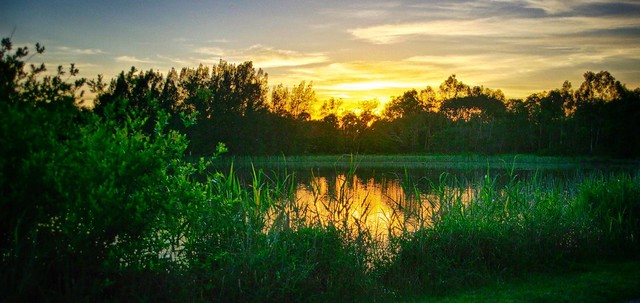
 I got up early this morning, to try and get a good #Landscape #Sunrise Photo for this week's The Patch Theme. I was not quiet in the right position but I did like the result of this image through the reeds in google+'s Autoawesome #HDR.

Original: imageo.withknown.com/2014/morning-has-broken

Tuesday, November 04, 2014

ThePatch :: Trees in the Landscape

I must admit this weeks thepatch subission caught up with me right on the last day, so I had a pleasant walk around Jell's park after a great BBQ dinner (its day light saving here now). I figured there are plenty of interesting trees there. There are perhaps a few to many!

The ibis where flying in for the night and a waxing moon  made for some good shots, albeit distractions.  The light was fading as I reached the Oaks Picnic area with its wonderful stand of young Oak Trees, complete with a flush of new leaves for the spring. The green-ness was amazing (remember that green Derwent pencil everyone loved) and this stock standard google+ Autoawesome HDR did the place justice. So it is this week submission


Saturday, September 29, 2012

Three Ways to extend Dynamic Range from RAW files

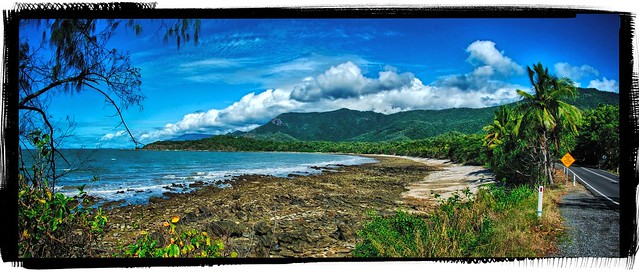
autostitched panorama-created from 2 lightroom tonally enhamced RAW imagesI have been seriously looking at how much I really need to “stretch” the dynamic range in my “big landscapes”.In wide panoramic views there are actually a few different issues at play. In simple terms the dynamic range describes the ratio between the maximum and minimum measurable light intensities (white and black, respectively). This is actually different for the overall illumination of the scene being photographed, and then the capabilities of how well the camera and screen or printer can reproduce that range. Some scenes like the one used here, that have quiet a range of incident and reflected light from a bright sky to a deep shadow, such a range is intrinsically difficult for the cameras light meter to correctly expose. However the human eye tends to allow for such a high dynamic range better and we often see photos taken in such light as flat or dull.

In traditionally in film photography there were some well established dodge & burn techniques during enlarging and development but are there equivalents for the digital photographer? Here are three example approaches to widen the dynamic range. In the end I used the tonal histogram guided adjustments in lightroom to firstly enhance the two images before stitching them in autostitch for my panorama above.
HDRi (Picturenaut – 5 photos) hdRaw (single RAW file) Lightroom (tonal development)
cardinia HDRdraw_thumbnails_cut lightroom histogram
picturenaut_photoreceptor hdRaw reinhardt park2-2

Sunday, June 29, 2008

HDR Afternoon

 
Gippsland green in HDRi, taken near the new foot-bridge over the Tarwin river.
Posted by Picasa

Friday, August 24, 2007

Massive photomosaic panoramas


I am still continuing to push the limits of just how many photos I can stich together. The top photo is just from 8 photos, but the botom photo is a composite of 20 photos. It would seem that autostitch is only limited by available memory, but large images stitching does take time, still the detail is worth it.