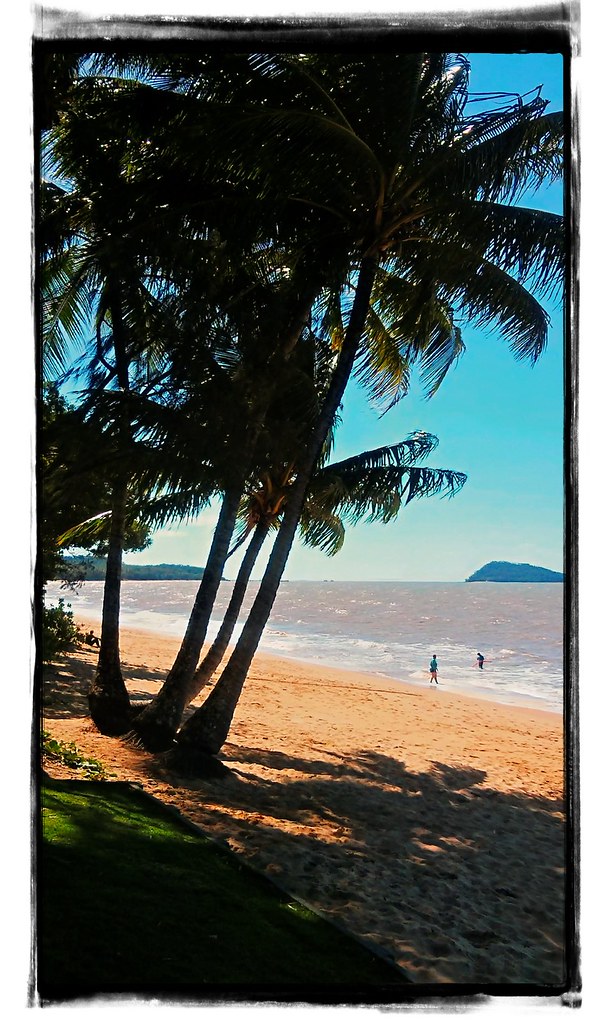
Showing posts with label beach. Show all posts

Saturday, January 06, 2018

Back to experiments in HandDrawnPhotography

I’ve been sketching at the beach and also took a photo (or two) so it is a good time get back into the Hand drawn photo project. which is an elaborate way to say I’m merging my sketching with a digital photo. In this examples I’m using google deep dream generator  (in Deep Style Mode) and using my hand drawn sketch a the training image. I’m using the mark making style from the sketch but trying to maintain the colour from my photo.

Original Photo Half Moon Bay My Sketch

Half Moon Bay ""HanDrawnPhoto" ?

Sunday, April 02, 2017

The Challenges of Watercolours at the Beach

final (5)I now have a very comfy beach chair that is perfect to sit and do some sketching at the beach. I also have a nice little backpack that holds my art gear. So I should have little trouble making decent sketches. However there are two challenges wind & sand that introduce a fair bit of stress to the watercolour sketching process.
Using my wet/watercolour portable pallette on the beach is a like a magnet for sand. The mixing areas in particular have areas of wet paint being mixed and any small sand grains tend to collect here. The sketch book itself often collects a lots of sand on the damp areas and the little grains tend to suck in the surrounding moisture and pigments creating a speckled effect (nice for foliage and sand but not attractive in the flat wash of sky). If I put the sketch book down on the beach to dry … sand everywhere.
_IGP5074
However it is the wind even just a brisk breeze that plays more havoc. It blows around more sand and also pulls at the pages of my sketch book )one sketch book was pretty much unbound on this trip so it is now a lot of loose pages. Also the wind makes it hard to balance my portable paint pallette, brushes and water
There are a couple of  good solution to windy days, that I discovered, and relied on, on my recent trip. The first is big bulldog clips and/or masking tape. to hold my sketch book securely on my drawing board. The second is my set of Derwent Inktense Blocks which I use little like a “dry” pallette. Using a water brush I can just pick up the paint I need from the blocks and essentially leave the blocks dry (and less sand attracting). I tend to then mix the colours on the sketchbook page and I’m pleased with the results.
scan0003scan0004

Tuesday, January 31, 2017

Sketching Kit One (Canon Camera Bag)

I’m experimenting with what is the minimum amount of sketching gear I need. Specifically what can fit in my camera bag along with mu normal camera gear, The first kit consists of an A7 sketch book and the very compact little Cotman’s Sketchers’ Pocket Box produced by Windsor & Newton, a water brush, a soft pencil, a dagger brush and a jell ink pen. I also hand carry an A5 general purpose sketch book (shown below)which slots nicely into a pocket on my new beach chair.Sketching Kit One with A5 sketch pad
A7 sketch pad is good for small compositional sketchesThe original benefit of the water brush is it has its own reservoir for water, so I don’t need to carry a wash jar and water. However the water brush is really cool you can easily control how much water is required by squeezing on the barrel. I did find a need somewhere to blot off the pigment when I want to change colours, the back of my wrist was fine at first but I think I’ll start putting a little folder kitchen paper in the sketch box in future. The little A7 sketch book is really only good for simple sketches particularly a quick composition or notan sketch.
Trying out the Cotman ColoursThe watercolour is in half pan size and the colours really intense but the dilute down to wonderful translucent washes. I have already added a turquoise, in place of Chinese white, but I find the two greens (viridian and hookers green in the set a bit intense, and might swap one out for a mauve, indigo or even payne’s grey. Time will tell. This is a really wonderful little set and fits snuggly in the front of the standard canon camera bag.
Final I also have my camera, may canon camera is my designated beach camera at the moment, so I can always take a few photos as reference.
Photo - sailing inverloch
I Like my watercolour wash sketch a lot even though I didn’t get time to let it dry enough to finish off on the beach. I then remembered having some good results using my compositional sketch as the training style with google deep dream generator and dreamscope app so I put a few other photo/sketches through the style filter. The results are pretty amazing.
deep dream_photo/sketch 1dreamscope_Photo/Sketch 1deep dream_photo/sketch 2dreamscope_Photo/sketch 2

Monday, January 30, 2017

Post Beach Cleanup

1-2017-01-31_11-10-03_HDRI realise that painting and photographing an endless summer will involve a number of beach visit. Fine sand being the natural enemy of precision camera components, and particular hard on SLR camera. Thus I have designated my canon camera for beach duty. Not that I haven’t used my Pentax many times already at the beach. However the Canon camera bag is smaller and seems a tighter so less likely to fill with sand (or so I thought). after a few days of such beach duty The camera and bag had fine sand everywhere, so before I looked at dust on the inside I got out my hairdryer (I have one to dry watercolours) and gave it a good cool blast and use a soft watercolour wash brush to dust as I went. I also emptied the camera bag, took it outside, turned it upside down and gave it a long blast with the hair drier. That fine sand is pesky stuff but it does respond to a strong air flow.

HOWEVER SET THE HAIR DRYER TO COOL!  be careful not to overheat the camera or components

The all important question remains. What about dust on the sensor? Well I didn’t change lenses at the beach and the sensor appears to have no more dust than usual.

Sunday, January 08, 2017

The Summer People Series begins

_MG_0048-EditAfter mucking around with the frame within a frame idea. I remembered a painted I did almost a decade ago, of beach people in outline with a loosely framed sections of a stylized beach (it is about 900 by 900cm square). I still like it and despite a couple of decent offers have not sold it.

So I decided to update the idea of a smaller instargam-ish fashion image (only 20cm by 20cm) and just paint the background of the sky, surf and sand in bright acrylic colours in a beach sand inspired frame. Once I started I released I should also paint the brightly coloured (or not beachwear) but leave the people blank (representing they are only short term summer visitors to the beach). I also wanted strong outline so I found some Indian ink and cut some reed pens.

_MG_0049-Edit  _MG_0050-Edit

_IGP1001_HDR

I like the result (at least this first attempt)

This is a small step in my EndlessSummer project, and you can follow along on my @Oz_EndlessSummer instagram

Thursday, January 14, 2016

Stinking Hot One Day, Almost Winter The Next

IMGP9440_on_patrol It was 44 yesterday and 16 today. So the Lifesavers have had a cold but easy day.

Sunday, August 09, 2015

The not so dark side of “almost auto”HDR

I must admit I haven’t upgraded up to lightroom 6 or decided to buy into their rental/subscriptrion (just not my personal choice) but I did test it out and in particular I was interested in the much hyped HDR & Pano features. If you are looking for a comprehensive HDR tool kit this is not really for you. It just performs the maths of extracting the maximum dynamic range out of the image, and more particularly it works with RAW files (so it has no trouble creating 16 and 32 bit colour renderings). It only have limited tone mapping but passes that task onto the already very good lightroom tools. It is almost the one-click fix I’m not keen on but it is relatively easy to set up and worked fine for me. panoApparently it has to be run individually for each set (I couldn’t find a way to batch it) but there is less fiddling than most other HDR tool sets. Speed was ok but picturenaut and aftershot 2’s HDR are faster. It did handle hand-held bracketed sets well, without obvious ghosting. It avoided dirty skies and the haloing around the sun can be forgiven.

In this case I took 9 images, that meant three HDR sessions. I wanted to then try the panorama but alas the new lightroom pano feature wouldn’t play on these HDR images. Probably because I rotated the camera slightly between shots. So the final stitching was carried out in Autostitch.

Palm Cove HDR pano

IMGP0064Whilst this probably looks “over baked” to many, it does satisfy my desire to take photos in the style I might paint. To prove that aspect, here is a small sketch I had just finished while sitting on the now empty chair, before I got up and took this bracketed set of photos contre jour.

Friday, July 24, 2015

PhotoFriday :: The Essence of Summer

The Escene of Summer
It is actually technically winter here in Australian, but no one has told Far North Queensland


For PhotoFriday‘s topic Summer

Friday, July 10, 2015

Monday, June 22, 2015

PhotoProject :: a joiner collage, stitched pano, sketch & HDR

Phone photos made into a joiner collage using picasa


My first day in FNQ (Far North Queensland)
was nice and warm and I had a great coffee with a very late lunch at a wonderful cafe with a great view, so much so I have recorded it in 4 ways,


Multi panel pano bprepared in autostitchMy Watercolour SketchHDR prepared in Aftershot finished in perfect effects

Friday, June 19, 2015

PhotoProject :: Focus Stacking

This month theme for the 12 Months with Matt Kloskowski group on flickr (its a private group for those that have upgraded or purchased OnOne’s Perfect Photo Suite 9) is photo stacking, something I have never tried. I was have lunch at a favorite stopping point and could see a perfect place to try out the technique. I opened up the aperture as far as it would go (just f 5.6 on this kit zoom lens, my good lens has a broken mount), in the mistaken thinking I could challenge myself. (opening up the aperture reduces the depth of field)
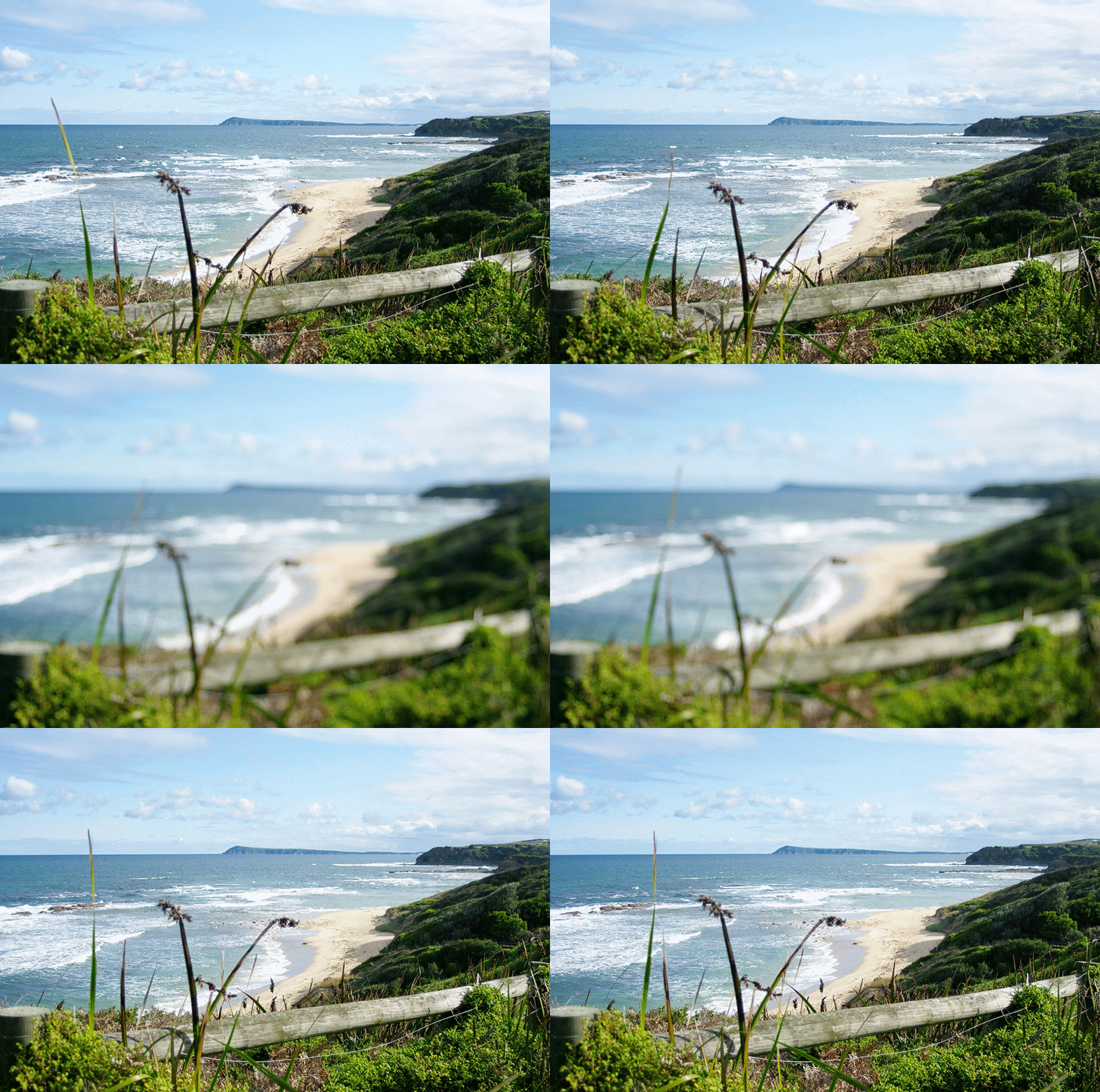

The first spot I picked to try out the focus stacking series had some good point of interest from the bluff in the background the beach and waves an the foreshore vegetation and then the fence. Trouble was the stiff breeze (aka gale) was straight from Antarctica. So the reeds in the foreground here dancing around and the waves are pounding in. Not to mention my fingers where freezing. (the google photo auto-gif doesn’t record how cold it was). The other important issue I realised as I took these photos was I realised I was taking the series hand held in the wind, which was likely to make merging the photos a challenge. I walked along a bit further and found another overgrown fence post with a view down to the beach. Having warmed my hand in my pockets and braced myself against the wind I took another three set. Firstly focussed on the distance, then focused on the near beach and finally the vegetation on the post.
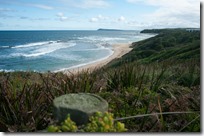
_IGP9463 _IGP9462 _IGP9461
Distance Focus Near Beach Focus Vegetation on Fence Focus
These are not the only photos I took but they appealed to me most to bring together a number of points of interest at different distance and still have an interesting composition. The photo still bounce around a bit (compare the horizon and exposure of the sky) and I did have to be patience adjusting the images to fit (this is because I hand held the camera) using the Transform Tool in Perfect Layers. Would have been a lot easy if I’d used a Tripod. The actual blending of the layers was easy, even though the images have noticeably different exposure. I use 50-75% feathering between the distant and near beach layers but only 25% feather and a smaller brush to lift out the fence and vegetation. While I was at it I used the magic eraser to remove the fencing wire. None of the photo really has the top of the fence post in crisp focus so I had the feather between the close up and near beach focus to fudge the weathered post end. I probably should have taken a fourth exposure (or more sensibly used a smaller aperture (like f8 or f11). All that remained to do was use Perfect effect to finish the photo using the Dynamic Contrast Natural filter, but moving the medium detail slide a fair way to the right and the Big softy vignette.First Attempt at focus Stacking>

So what did I learn?
  1. Use a solid tripod! (especially in the wind)
  2. Don’t go crazy with a trying to use a low F-stop (ie don’t try and show off)
  3. Take extra intermediate focus points, when in doubt.
  4. Its a fun way to maximize your depth of field.

Friday, May 22, 2015

PhotoFriday :: The Beach

_IGP2260-Pano-2-2 copy

A seven photo stitched panorama testing the perspective panorama feature in Lr CC.

To understand how big this pristine beach is.
Can you see the two people at the edge of the surf?

For PhotoFriday‘s topic Beach

Monday, May 18, 2015

Auto Awesome Blooper or Optical Illusion?

I took these photos of my footprints in the sand late yesterday afternoon. The Auto awesome HDR* photo on the left is taken looking away from the sun and the HDR* on the right is taken towards the sun. The effect is not as noticeable in the single images, but is very apparent in the google+ autoawesome HDR*(which by the way was not intended to be created and sorry about the annoying solarizing-style effect on the wet sand in the upper right of the left hand image, my interest in in the footprints which appear inverted)
Taken looking away from the sun  Taken looking away towards the sun

Do the footprints on the right hand side look inverted?