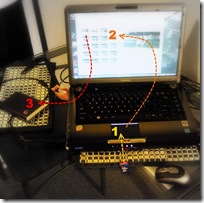

I have again been suffering a bit of disobedience from my laptop, refusing to wake up. It has become terminally slow a waking up if it wakes at all. I assume it is a Vista thing. Something I’m not really stressed about, because it means I don’t have to check on email etc. However it does take me outside my comfort zone of taking photos and managing them as I travel. It would seem I have become very confortable with “
the Picasa 3 step”, and without my laptop (and thus my version of
my Picasa database) that dance is a little difficult.
I must admit I have been a bit skeptical of the elaborate
digital photo workflows, generally originating from the USA. I suspect much of their origin lies in the complexity to
understand photoshop and
apple centric expectations (ie there are way too many mouse clicks man!). If you like those workflows use them but understanding what you want to do and doing that quickly and efficiently is the real aim. Still there is a lot to be said for being so familiar with the flow that it is a habit that lives in you comfort zone and does not feel like a chore.

So here is my comfort zone Picasa 3 steps, when travelling
1
Import 
into Picasa. This is simplicity itself, I just slide in my SD card and get
Picasa running, and then press the
import button up at the top of the screen, or as I prefer the short cut keys
<Ctrl><m>.
2
Weed & Star, I like to scan through my photos and look at them for the first time on a bigger screen (my laptop is not a “calibrat

ed” screen but I am used to it). I usually star, or use the short cut keys
<Ctrl><8>, any really good images as soon as I see them. I also get rid of the “total duds”, the unfocused, overexposed, the accidental photos of my feet, duplicates and the just straight “bad”. The short cut to delete forever is
<Ctrl><Del>.There might be one of two marginally blurred or underexposed that I decide to keep but I am learning to more be brutal in the weeding.
I once upon a time used to do my “tagging” at this time but it can be too time consuming and hinders the
like/dislike selection process. I also avoid doing a lot of image tweaking (exposure, white balance, colour saturation, red eye, cropping) because this also eats up time and diverts attention away from image selection/ranking and is better done on my larger desktop screen that is calibrated.
A really quick way to see an image full screen is to hover the mouse point over a thumbnail image, then with your other hand press and hold
<Ctrl><Alt>. The image will instantly be full screen and releasing the
<Ctrl><Alt> keys will restore the normal thumbnail display.

3.
Backup to my backpack disc. Sometimes I use the Picasa backup, it can be found under tools on the drop down menus, which has the advantage of Picasa then knowing what and what has not been backed up, but just copying the latest directories, via drag and drop out in windows, works just as well.

Whilst on things
Picasa, there is a pleasant surprise for
Picasa Web Album users, Google have
rejigged its quotas for free accounts, Photos less than 800x600 pixels and videos less than 15 minutes in duration no longer count towards your 1GB quota. As I deliberately keep my blog images small (It makes the blog display faster and also tiny images are a little less desirable for people to steal) I went from about 60% to 28% of my quota without having to do anything.
 I prefer to load all my photographs, jpeg, RAW and movies into picasa because it is much faster and easier than waiting around for lightroom. I also prefer to read the SD Card, rather than use a cable to connect to the camera, but this is just a matter of preference. I just leave the import folder at picasa default (date taken, in YYYY-MM-DD format so that an alphabetical sort puts them in date order). I have also experimented with the Windows live photo gallery to do the copy and it is pretty quick and easy as well, but it never grabbed me as better than picasa. In particular I got lost when it tried to guide me to download drivers for RAW format, like my pentax .pef and cannon .cr2 both of which I had already installed the drivers for? Picasa wasn’t perfect here but they provided RAW support some time ago. I got to see the RAW files much sooner than in lightroom but the renderings were sometimes well away from the paired jpeg and what the cannon, pentax utilities did or even what lightroom might do. I don’t really like the picasa rendering on most RAW files and prefer just to see the jpeg version, as the camera took it!
 My solution has been to “ignore” the RAW files in picasa, which is very easy to do via Tools/Option/File Types, and just untick the box. However I actually like to make sure that I have actually imported everything (occasionally the import leaves the RAW files or movies on the SD card, not sure why). Also I find it best to delete the bad photos (both jpeg and RAW versions) immediately on my first pass view of the photos as they are uploaded. So I am usually toggling this setting on and off. In other words I like to see picasa load the RAW files but I don’t really look at them or do any serious editing of my RAW files in picasa. That is a job for lightroom, where I just to do a File/import photos and videos from the folder that picasa has loaded the new files into. All this might sound like double handling but it is still faster than loading directly into lightroom, (I can’t figure out why) and I get to cull the duds as a bonus.


