Wednesday, March 09, 2016

Gritting of teeth … bummer flickr

imageIn two week from now if you have a free account with flickr that wonderful little auto uploader will stop working. Yes seriously!

Flickr will be making some changes to their pro account, well continuing to be able to use the auto uploadr is the only difference I can see. There are other benefits to getting a PRO account but they come with an annual subscription. To encourage people to join up as a pro they are offering a 30% discount (I assume just for this year).

I had just reached the conclusion that flickr was the right place to share my personal interest images (as opposed to google photos) and had set up a directory and subdirectories to be matching albums in which I merely had to copy to those directories and by magic they would nicely arrive at flickr a short time later. Nice as this feature is I don't appreciate being “cloud-mailed” into purchasing a pro account.
,, yet another disappointment, but not a deal breaker.

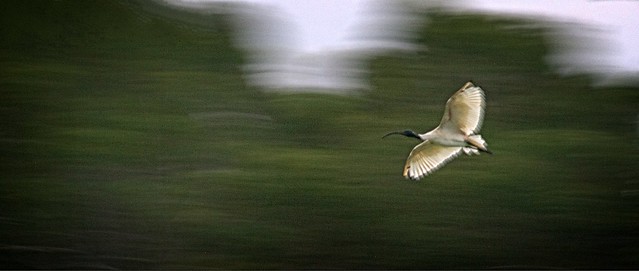
The Ibis swoop in

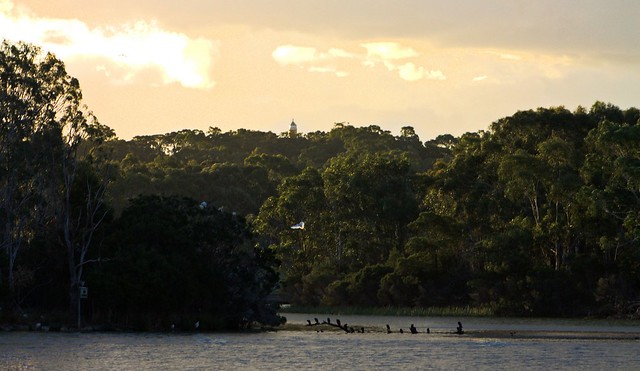
20160309_IGP1091_ibis_at_dusk

_IGP1120    _IGP1104

Time is running out for Picasa


That 15th March deadline is approaching fast for the cutting off picasa in favour of google photos. I’m choosing to keep picasa running on my computers, as long as I can. It is easy to use and fits in well with the other applications I use (ok there is some tension between my various photo software mistresses) but picasa is very reliable. She definitely handles the reading of my SD cards (via a card reader) faster and more efficiently than any other program I’ve tried and gives me flexibility of which files Picasa's Import Icon(I can select thumbnails) and importantly weather I want to delete upload files or not. Also the organization of subfolders to load into (I prefer a date base format YYYY-MMM-DD so that the sub-directories for each day are in chronological order)
Selections available when import into Picasa

Picasa's Album LogoIt is with family photos (which I almost never post on-line now) that she really still outshines other software. Her face recognition is a cut above the other offerings, there are the occasional misclassification (interestingly often with other family members or their parents as a child). Importantly it is easy to correct misclassifications. This is incredibly useful to find people, and therein lies one of the biggest issues, how to save this organization, if picasa becomes truly obsolete. (I do have a workable solution which I will outline in a future post). The family friendly aspects extend in her easy of use and the creation of albums in addition to the data based upload organization. For all majour family events I also select the better photos and put them straight in an album (the album appears to contains those photos but is just a link back to the original photo (where ever it is stored). It is then very easy to set up a slide show of that event (and perhaps chrome cast it to a TV) or in the past upload and share that album via Picasa web album. (Even if google do provide other a way to access existing web albums, I would be wary of sharing anything on google photos now and definitely can not recommend it).

Some of the edit tools available in picasaI have put together a few workshop on digital photography for artist and have always recommended picasa as the best way for them to get organized on a PC (sorry but I have given up trying to help those in the apple-verse). It was the easy visually select and tagging and/or creating albums that meant that artist could take charge of large reference collects (without having to tediously give metatag every image).  The fact that it is a non-destructive manager & editor is often overlooked, but this help keep collection managable. Those used to illustrator of bit-map graphics ediotors some get overwhelmed with versions. Most photo software now offers similar ease of organization. Whilst not extensive picasa does provide most of what an artist might want in terms of manipulating images to support and provide reference for their art. Typically this might be cropping, adjusting tone and colour and maybe collage. I also show them the way to better composition via colour desaturation (and notan), layers and how powerful the retouch brush (to clone away things) can be (albeit the one process that adjust the original but keeps a copy). If their art is mainly photographical based and they shoot RAW they do probably need extra photo finishing features (like lightroom, photoshop and/or add-ins, browsers like OnOne10) however these can share the photos with picasa. Importantly because picasa was a free download it fits most artist merge budgets (if they even have one or money to spare)

imagePicasa is on all my computers and is the goto application if I want to find a photo. Whilst I am far from an obsessive metadata or keyword tagger, there is enough organization logic build in via face recognition, my albums, the chorological upload order and occasional key wording. I actually have a separate picasa library that is my catalogue to my photo archive. (and have a copied of the picasa install package stored with that archive)

At the moment I expect picasa on my PCs to function as normal (it does work fine under windows 10, despite the website only suggesting windows 7+ compatibility), except for the on-line web album connection. However it is probable that it might not be loadable onto future version of operating systems or hardware (eg it doesn’t work on apple mac or ipad, or on android phones). Thus another set of issues I’m working on and will post about soon is protecting the organization and context of the photo collection. So I will be sticking with picasa, on all my computers even after March 15th. After my hassles with windows 10 I have grown to dread upgrades anyway.

Picasa peut-être morts

Mais à long Picasa en direct


Tuesday, March 08, 2016

A dozen regrets, and reasons I’m not excited about google photo

That 15th March deadline is approaching fast for the cutting off picasa in favour of google photos. Although I know I must keep using google photo for my blog, but it is clearly wanting in many aspects compared with Picasa web albums, connected to Picasa of the desktop

  1. Sharing privately is now very difficult if your family member do not have google accounts. It is possible to send links to selected photos and albums, and whilst you can share publicly to a number of social networks with one click, you need to get a link and then cut and paste to be able to email the link. The URL is not a direct link to the photo anyway but some google address that google needs to translate. All this is tedious and not obvious.
  2. Albums in google photos should be called events or photo sessions as they are rigidly saved as the chronology (of the first uploaded photo). Something you are trying to constantly append to (eg a 365 daily photo or year long photos from one location) disappears into the past If you don’t provide an album organization the photos are grouped by date anyway. One small screen and even standard opens because of the album tile size, anything older than a couple of weeks disappears “below the fold” (ie you have to go scrolling to find it).My wife would pefer not to be poster girl for things
  3. You can no longer choose create common licensing. In fact it would appear you can not copyright images either (at least there is nothing to that effect displayed). The terms of service
  4. The People organization is not as comprehensive as the people (face recognition) in picasa
  5. Classification of Places and Things are even less successful. What’s more disappointing here is there is no way to redress the misclassifications. (eg. my wife does not appreciate being on the tile labelled things)
  6. Why oh Why! was SnapSeed editing removed from google photos? The current edit capabilities are so very limited. Its just sad really.
  7. Why is something as fundamental as resize (eg smaller to email) missing?
  8. Where is the exposure histogram?
  9. This seems to be all the EXIF/metadata data on displayWhat about all the other EXIF & metadata?
  10. What has happened to geotagging (location)? Is it merely being used occasionally in the location organization. Why not have an option to display it in photo details?
  11. I haven’t been successful in getting google photo autobackup to be selective, either from my phone camera or computer, it just behaves like a vacuum cleaner (and miss-behaves a lot as well, so I have removed it). The android google photos app kept updating itself and then crashing requiring yet another download and re-setup I just gave up and deleted it (and enjoyed having a lot of space back on my phone). If my older android version was not compatible wouldn’t it have been better not to have kept trying to update. No matter its gone also.
  12. I’m frequently off the grid (ie no internet access a lot of the time) and I normally load and preview on my laptop computer first (I know I will continue using picasa to do this) THUS the [DEPRECATED] picasa connection makes the cloud based google photos irrelevant to me.

google photo's limited edit facilitiesThe list could go on but my firm opinion now is that google photos is way below my expectations. Ok Google photos can keep storing images for my blog but is not the place I intend to use to share and store my photos on-line anymore. I definitely intend to keep using picasa on my computers locally but the search is on for an on-line service that makes sharing and organizing easy, that will at a pinch do a reasonable job of simple editing, not strip out metadata and clearly display licensing, eg creative commons &/or copyright. Face recognition and auto organization might be nice but that’s not the deal breakers, lack of control is.

Monday, February 29, 2016

Looking @ Nothing

20160229_MG_0927_looking_at_nothing

Its 9:30pm on the last day of February and looking at nothing again! 
No Daily Photo yet!

Saturday, February 27, 2016

More walking to KEEPMyTracks

My Please KEEPMyTracks GPS Protest DoogleI had started planning this walk a week ago to continue my tiny protest about google shutting down the wonderful little app called My Tracks. This app lets you record your track (wayfile in gps jargon) using any android phone fitted with a gps reciever. I had decided it might be interesting, and good exercise as well, to find some routes that trace out the google My Tracks logo (an orange arrowhead). My second walk was more ambitious (and much hillier). I had mapped out the rough route on google maps and even did a quick distance estimate using the built in toGoogle maps estimate of distance.ols, which suggested around 2.52km, which sounded about right and even taking a few photos should not take more than 30 mins. It even found and recharged up an old HTC phone which also had My Tracks loaded (but no SIM card). I figured without net access I’d be able to keep using MyTracks as a standalone app, even if google officially turned off the map access and sharing etc.

Then I went for the walk, only to immediately find their was no footpath for the first part of my trip. That’s ok I just cut through the trees and mga carpark. The obvious photos being the vista over to Mt Dandenong, Alas every where I tried to get a good vantage point the view was partly blocked, Then I discovered the my track on my android was frozen (or my tracks had not actually started taking readings, which is a problem I had noticed before on both my phones). The downhill on the first leg was easy. The uphill on the next two legs more challenging and rose a sweat. When I was only  half way up the second leg and the gps read I had travelled 2.33 km I started to think something fishy here. The finished loop gave me a reading of 3.91km. That’s big discrepancy that can not be easily explained by my small deviation along the way by necessity or to take photos. When I look at the tracks and compare the two phones, the newer LG phone has quiet a few jaggy bits which I clearly did not take. The HTC path is much more constant and follows the road more closely but is missing perhaps the first 300m (it gives remaining distance as 2.5km). With my confidence in the gps tracking a little dinted by this, I then discovered that the normal update to google drive didn’t work. The kmz files where making it to the web its just the desktop app that keeps a local copy of my google drive is “unable to connect”, and no way to find out why. has the desktop sync app for google drive been [DEPECATED ] as well? Google what's going on?

Comparing My Tracks phones

Maybe this gps tracking, and its precision, needs further investigation?

Wednesday, February 24, 2016

Stacked filters in Dreamscope

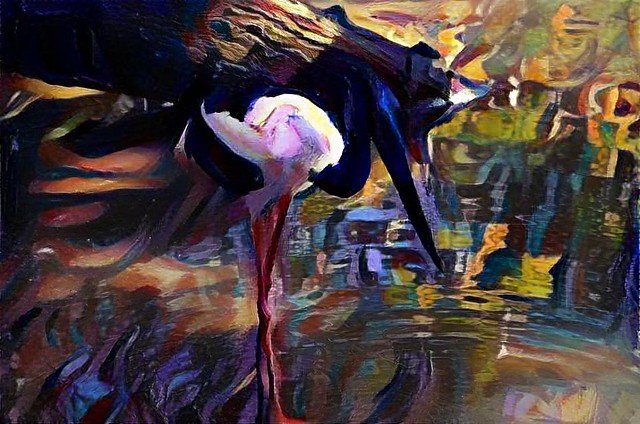
Dreamscope represenation of a black necked crane
Example of "stacked filters" in dreamscope. A custom filter based on my photo of a peacock's head as a custom filter to enhance the rich blues and greens followed by a purple shade filter. In other words I'm trying to move towards what might be an artist's interpretation of the right colour palette to suit this image, if they were painting this scene.

A rethink on those one click wonder photo filters

Example one-click filter on android upload to flickrI have never really been a fan of those one click wonder filters that have become so popular with the on-line photo services. You know the ones you load your photo (from your smartphone) and you see a number of thumbnails of various “looks” that can be crated from your image (sometimes it shows your images transformed other times it is a generic image). I have never seen them as a creative asset. The web is already crawling with “look and me”, “copy cat” and “wanna-bee celebrity” stuff that after the first wow interesting moments, they quickly becomes not another boring thing to scroll past, seen-it, seen-it…..

However three packages which offer such one-click filters, but with the ability to modify them and/or stack them, are changing my mind. Googles first version of snapseed, as implemented in Google+ photos let you select a filter and make standard changes but with the option that you arrive on a page with various sliders that created that look and then lets you refine the changes. In other words you select the basic look and then can tweak it (often just to bring it back a little). Unfortunately snap seed is no longer used for default edit in google photos on the web and has gone missing on the android phone app for google photos. However you can still download it as a standalone app on the android (albeit with less effects filters)

OnOne 10 effects screen

The second software, which surprised me, but had the biggest influence on my change of mind is OnOne 10. In their effect tools they has been working towards the analogy that the effect worked like adding a set of filters in from of your lens. However there was always the actual sliders, buttons and dials very prominently on the left hand side. This is where you did most of the adjustments. there where thumbnail of the main tools on the right hand side and you could get larger version showing the effect on your photo from there. The Version 10 interface has been reworked and it a lot cleaner however I think most of the tools remain. (Resizing images was one overlooked but has been added back now (version 10.1.0) There is now more emphasis on the tiles (they are bigger than thumbnails by default now) and it is easier to start on the right. Many tools have a few tiles with slightly different settings on the original sliders. I’m now becoming convinced it is easier and more natural to judge an effect visually than remember how far or my what setting to adjust a given slider.  As before you can save the filters stacks as presets, making the system very powerful. You could previously add effects on top of each other but the analogy of stacking filters is really obvious and powerful. even when they are stacked you can still make refined adjustments individually over on the left, OnOne have done great things here, even though they are essentially cosmetic.

Dreamscope screen that lets add another filter

The third app is dreamscope, which is a total surprise to me, because it was the classic, up-load your photo and here are a number of alternative looks to select (end of options). Admittedly the effects were very interesting (and often could be creatively used). I have been using them off and one for a while mainly for icons or simple graphics to support my blog posts. They must have been listening closely to user feedback and have now added larger output, customizable filters and most recently the ability to stack filters. Their users have embraced these changes and their home photostream is looking a lot less like “more of the same” and more “wow that interesting”,

Dreamscope screen I've added a peacock to emphasis the greens & rich blue

Creativity is allowing yourself to make mistakes. Art is knowing which ones to keep.

Scott Adams

Sunday, February 21, 2016

Revisiting edits inside flickr :: Rotate & Crop

I had never imagine a big toe could be so painful, but a sudden attach of gout has laid me out for a couple of days and frustrated my daily photo project. Still I have my android camera phone and that’s fine to take photos. Pain killer and rest seems to be working for the toe but the long term prospect of having to give up so many of the foods I like is not so attractive. The one ray of sunshine is that coffee and complex carbs, as in nuts, are not banned and may actually be good for me.

flickr photo editHowever my attempt at using HDR camera+ to document my well appreciated “medicine” worked fine but my image was upside down when autoloaded to flickr. I could have used something like snapseed on my phone but I figured it was time to look at my options in flickr. The menu icon to work on the photo itself can be found on the individual photo display down on the right hand side. It is a stylized pen in a square box. Clicking on this brings up a simple menu and Rotate is the second item. which will bring up a simple selection screen showing three possible rotation left 90, right 90 and a full 180 inversion. Selecting the center one and clicking ok turns my photo up the right way. Very simply.flickr rotate

I needed to go into aviary, to do the crop. I had used aviary quiet a lot (and liked it) back in the days before flickr bought it and it was still a stand alone. When first first bought into flickr however it forced you to save a copy go out of flickr and save you edits as a new post. The round trip seemed a bit tedious and I stopped using it. the new version still sets up a separate window (and probably a new process) but it no longer appears like a round trip.

flickr aviary toolbar

flickr aviary crop toolThe same tools  (and fancy filters) appear to be there but the tool bar is simpler and cleaner. The cropping tools works much the same as before and you see what is being cropped out of the image. Inside the crop limits are display at the normal exposure outside that is greyed out. There are a set of common aspect rations (to match typical screen displays and print sizes, or a custom crop which I used. Unlike many other crop tools around today you can not do straightening at the same time. Such is life.

flickr aviary saveThe really big improvement now is when you click on save you have the option of replacing the existing, which is the default. or saving it as a new copy (I suppose this might be useful is you use one of those over the top filters).

The best medicine

Friday, February 19, 2016

PhotoFriday :: White

20160219_IGP0319_Lady_Di

Sometimes the choice is made for you!


For PhotoFriday‘s topic White

Choosing can be the challenge

_IGP0315_IGP0319_IGP0320

It was a very grey overcast afternoon, not that exciting for summer or photography. Yet there are a few flowers bringing a little brightness to the garden. Now the problem is choosing which should be my daily photo post?

Wow I’ve made it to my 50th. Daily Photo.

Thursday, February 18, 2016

Taking a deep breath and getting on with it.

Whilst I do like to get to the bottom of things, I think I have reached the point where I just need to side step the irritations of things not working like they used to (aka, Microsoft Windows 10, Google Picasa and My Tracks.) Its time to stop wingding in here, to take a deep breath and get back to enjoying life.


Microsoft, no longer living on the edge

I’d update so many drivers and re-installed more software and I care to think about. So who cares about edge (and the modern apps) Windows 10 can become like Windows 7. The minimum thing here is to redefine the default applications to some key files types (like pdf) that the update to windows 10 has usurped for edge. Chrome is a better browsers anyway. Whilst I cannot find a way to replace everything in the start menu, a right click on start gets you most of the same functionality (in the old Windows 7 jargon). So I’m essentially back to using Windows 10 like Window 7. Can someone explain to me why I was encouraged to upgraded in the first place?

 

Not Trusting Google, looking for other tools instead

I really do want to keep using Picasa and My Tracks, so I will hang on till the end. AND I’m enjoying my little gps doodle protest project. But I’m a realist, google is unlikely to take notice so I need to search out some alternatives and/or look for contingencies to move what I can to other applications. That’s not just the files themselves but how I use the tools in conjunction with other software. For example my images posted in this blog are stored on google (once upon a time in Picasa Web Albums now in google photos). I also use Picasa to act as a catalogue of my photo archive. Do I need to archive a copy of the software as well as the photo? However don’t panic I will take my time looking at these issues and hopeful have some good advice before things get turned off.

Look Up

Looking upPower lines vertaramagum tree vertarama

Sometimes the best thing to photograph requires looking up. Using a multi-stitch approach can nicely ground your subject, often at the cost of distorted perspective, This type of image and has been given the constructed name of a Vertarama. As seen on keep my tracks gps doodle walk

Wednesday, February 17, 2016

Please Keep MyTracks


imageMy first deliberate “gps doodle”, I have unknowing done some before, is by way of a spatial protest icon. Google are planning to [DEPRECATED], in other words kill off, the nice little GPS tracking app MyTracks on April 30th,. I like many others would like them to let us keep using it. So here is a nice little protest activity for those who love the My Tracks android app. Go for a walk, run, ride your bike or even drive and trace out a large scale version of the arrow icon from MyTracks. Then post a screen capture of the trace, tweet the gpx or even the kmz file for google earth everywhere you can, with the hash tag #KEEPMyTracks.

My first attempt is only 1.97km long, took me 38 minutes because I took 120 photos along the way, and importantly I had fun.

The idea of “gps doodles” comes from Stephen Lund. If you are inspired to create some gps art yourself you need to begin by watching his amazing TED Talk.

Tuesday, February 16, 2016

Late Afternoon

towards the police academy
Would you believe this is Jells Park?

Irritation is an understatement :: Windows 10 needs fixing

imageFor what must the the tenth time,  I have lost the start menu functions. I can’t access the modern apps, or search, no pdf reader or use edge or cortana (ok I could never get cortana to work and I’ve certainly lost motivation to try). Unfortunately I have spent many hours attempting to fix these problems with the weird array of special powershell commands. using safe mode and … the list goes on. These only work temporarily if at all. I have now lost these functions on all my windows 10 computers (two Toshiba laptops & 2 HP desktops) and none of the fixes helps anymore. My machine have been downgraded not upgraded.

Looking on the net and specifically on Microsoft related communities. This is a wide spread problem and has been such for 6 months now.

microsoft, windows iconHow can you leave so many user in limbo, with significantly hindered systems Microsoft?


Once I am forced to go back to windows 7, I doubt I will return

Monday, February 15, 2016

Looking for Abstract Compositions in Late Afternoon Shadows

20160131_IGP9992_Later Afternoon ShadowsIMG_037320160206_IMG_0369_more_stairs

Redecorating a place for my smallest camera(s)

2016-02-13-12-56-29 My android phone started to complain about lack of space  a while back. I had been putting off deleting things when It ran out of battery (thanks to leaving the gps on). Once it was charged and restarted all the screens including the home screen had been reset to the factor defaults. Everything else was there including recent photos, so I’m not sure what happened. Anyway it was a chance to rearrange the screens and particularly my photo tools, which had become over-crowded (perhaps 7 different cameras is to much?). So I rearranged things mainly removing viewers altogether, with drop box, tumblr and flickr going to a separate page. I did mull over google photos, because I haven’t been using it for some time now but with the demise of picasa I may have to. The simple little cameras Camera 51 and Open Camera are getting more use, I like the simplistically of the open camera GUI, and the leveling aid that can be displayed on the screen is a great idea. Another goto favorite now is QuickPic, its simple, fast and shares with everything I need. I haven’t joined the free CM Cloud space (yet) so the tile asking me too is starting to feel like nagging. But once again I might have to find an alternate on-line “cloud” space, so I’ll tolerate the silent reminder a little longer.

Six months ago I playfully suggested I was having a race between google photos and flickr in a contest to see who could manage my phone phones. It was a real tortoise and hare epic but in reality Dropbox actually won. It remains my preferred method of uploading and backing up from the phone (because its simple, reliable and no wire have to be involved) but I also like the flickr app both to view photos on my phone and upload new ones. Its no fuss and does wait long enough for me to cull the bad images (it like Drop box only works when I have WiFI access, it is also polite and seems to always let dropbox go first). Importantly both dropbox and flickr load the photos as private. If I want to share drop box is my first choice because I just need to email a link  (the recipient doesn’t have to have drop box). Thus I don’t see an urgent need to embrace google photos on my android phone just yet.